🗂️ Nextcloud Deck: Task Management with Collaborative Kanban
Nextcloud Deck is a Kanban-style task management app focused on collaboration and productivity. Ideal for individual or team projects, it allows organizing activities into boards, lists, and cards, with support for attachments, comments, and deadlines.
🚀 How to Install Deck on Nextcloud
The Deck app is not pre-installed by default. To install:
- Log in to your Nextcloud account as an administrator.
- In the top right menu, click Apps.
- Go to the "App Packages" section and search for "Deck".
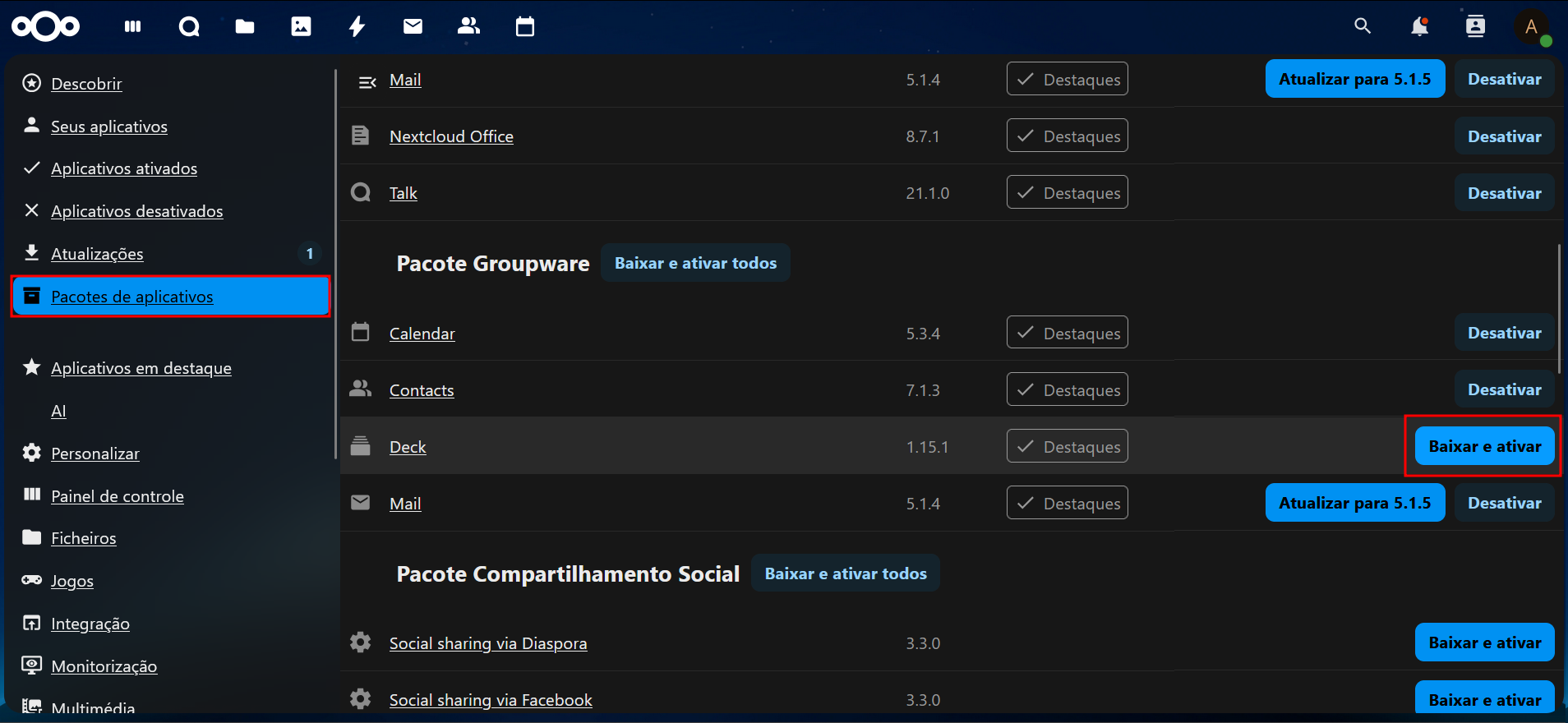
- Click Download and Enable.
- Done! Deck will appear in the sidebar menu.
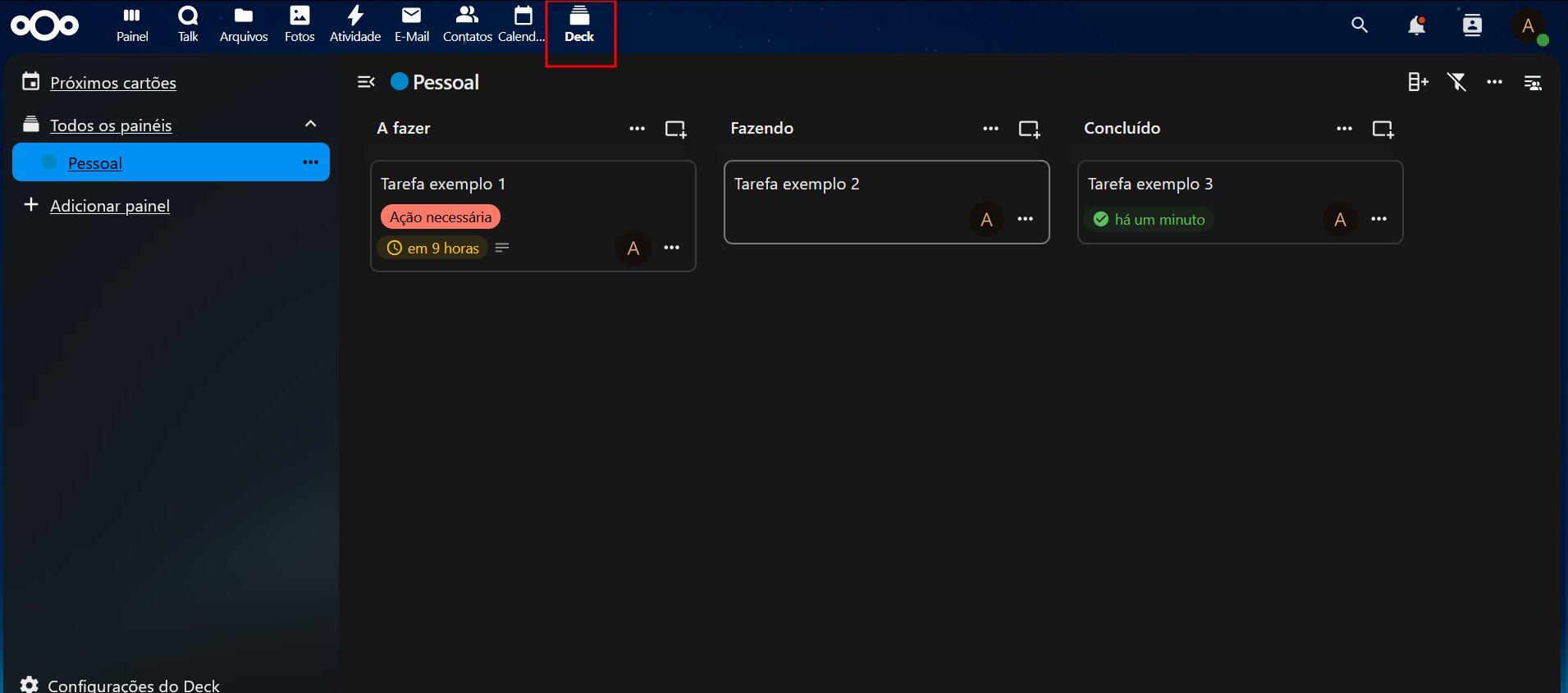
📋 Deck Features
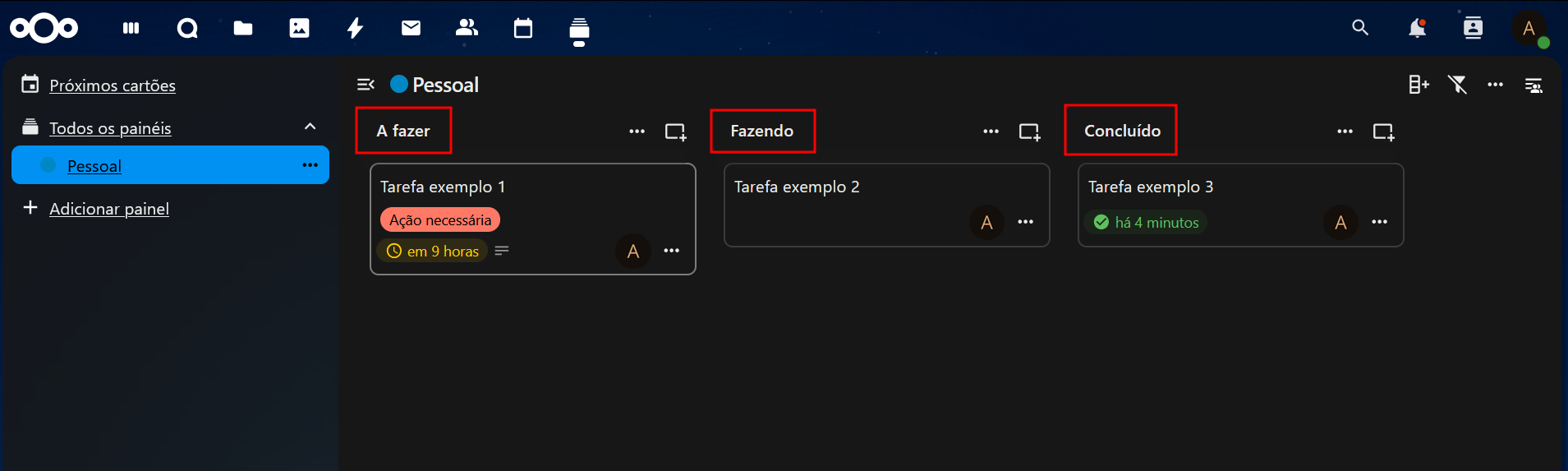
✅ Kanban-style Organization
- Create boards with lists and cards.
- Clear view by status or priority.
- Support for colors and labels.
👨👩👧👦 Collaboration
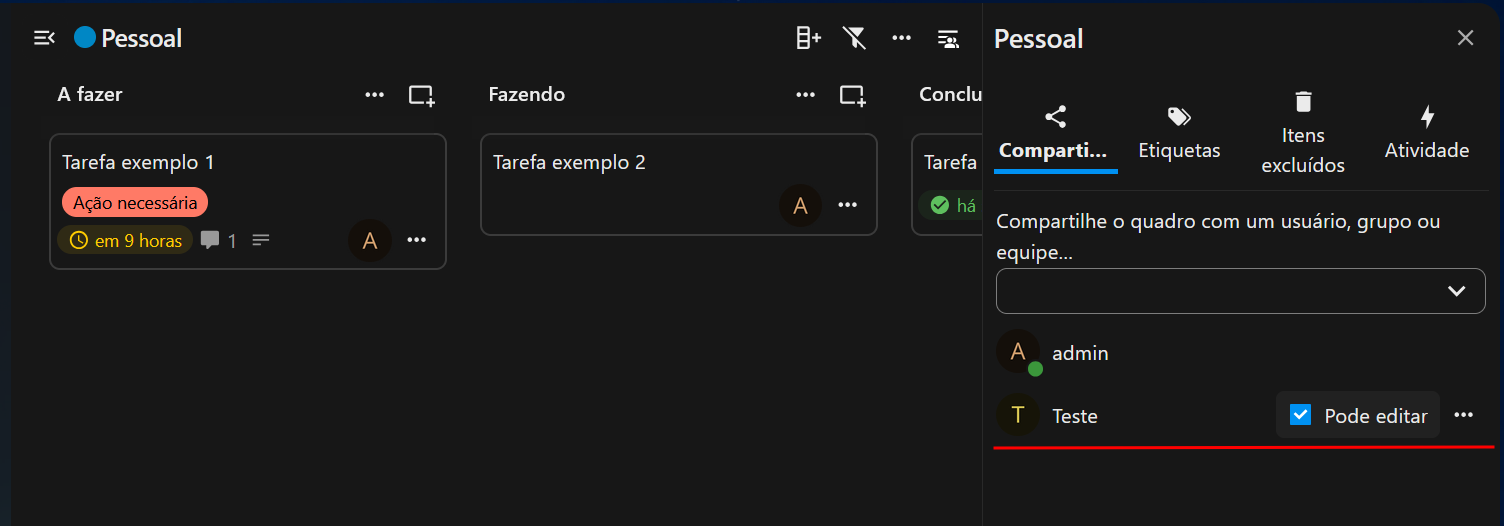
- Share boards with users and groups.
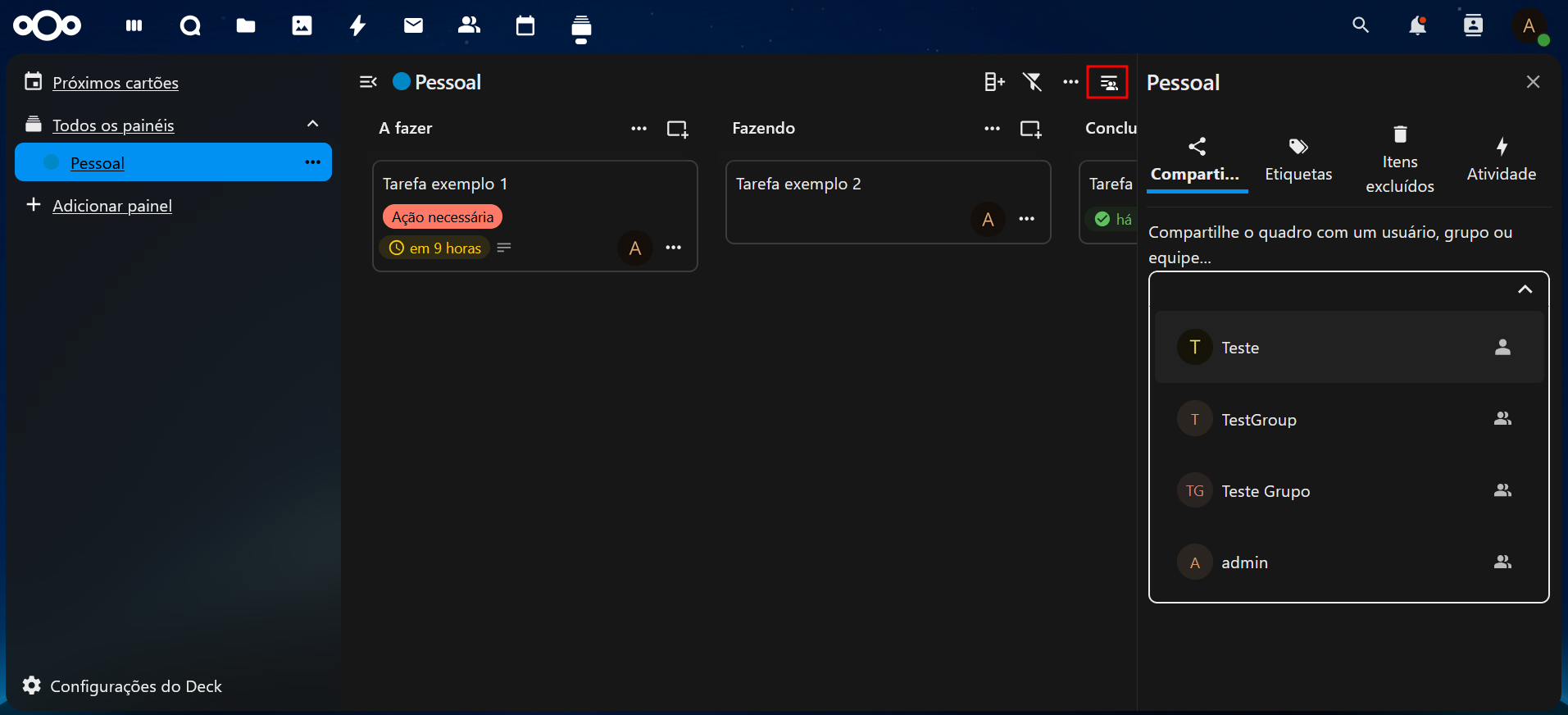
- Set read and write permissions.
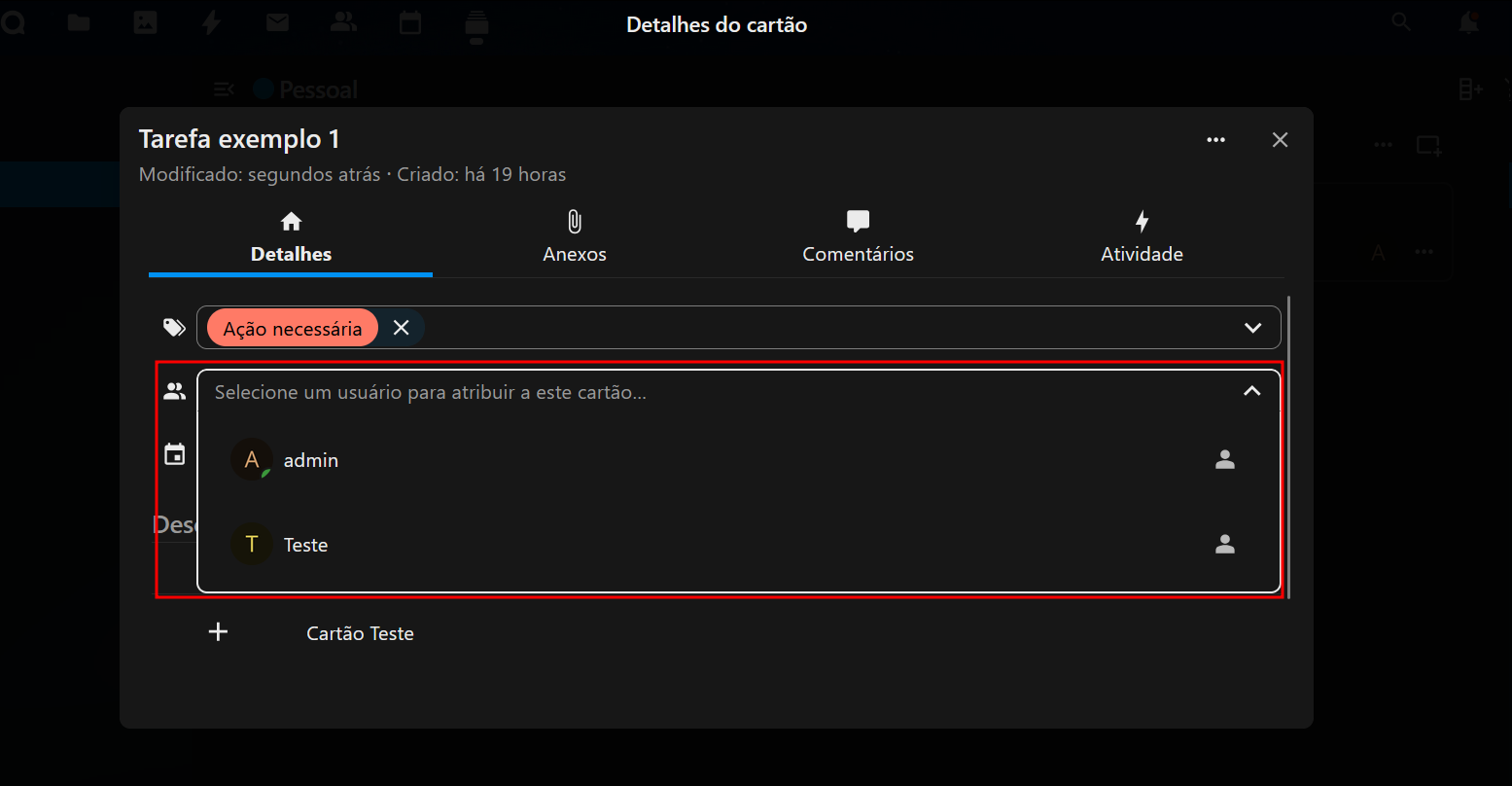
- In card details, assign responsibles to cards.
- Comments and edit history.
📎 Attachments and Checklists
- Add attachments directly to the card.
- Create checklists within each task.
- Visually mark progress.
📆 Calendar Integration
- Deadlines set on cards automatically appear in the Calendar app.
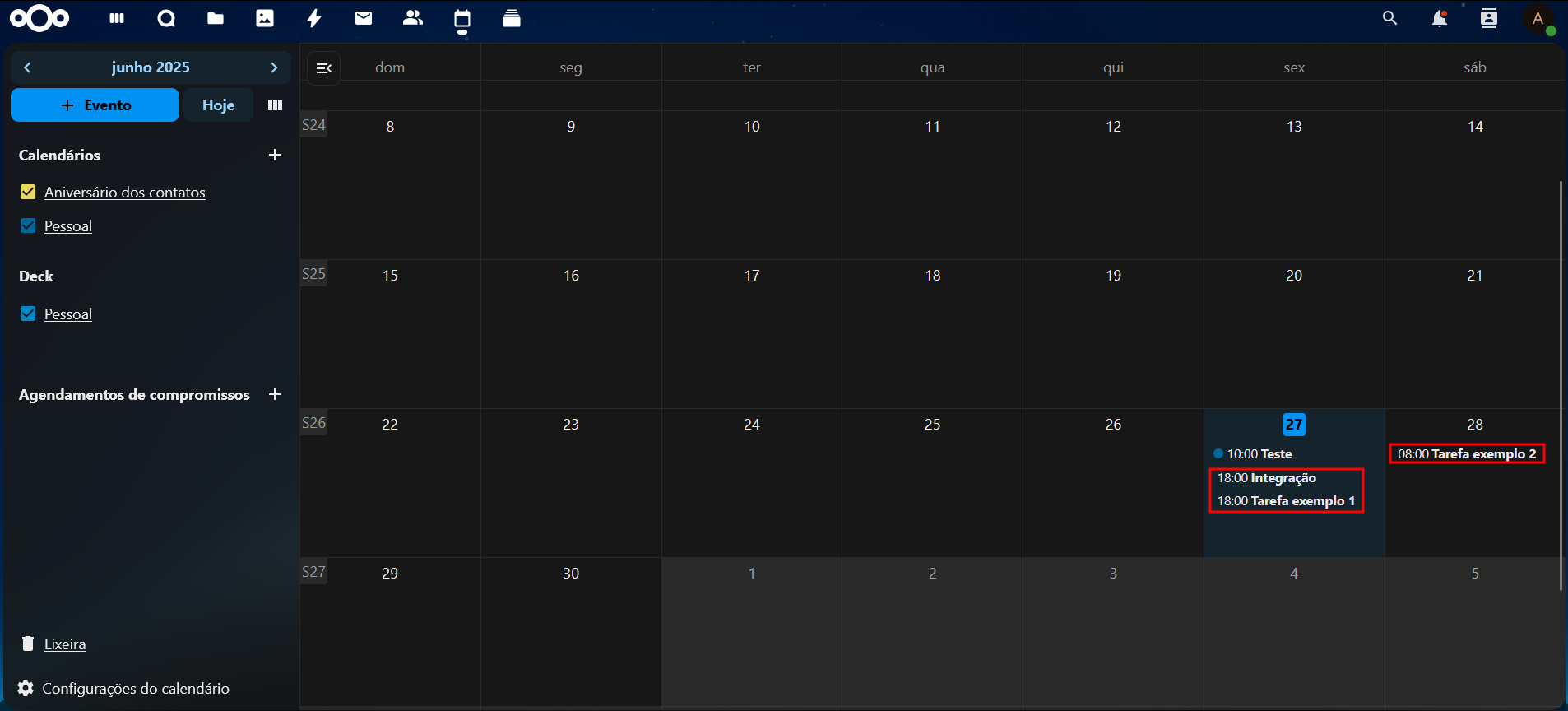
- Track your tasks and events in a single interface.
🌐 External Access to Deck
If your Nextcloud instance has HTTPS enabled (as in SaveinCloud environments with Let's Encrypt), external access is direct via the environment URL:
https://yourdomain.com.br/apps/deck
No extra configuration is needed. Just be authenticated.
💡 Best Practices for Using Deck
- Create a board per project or department.
- Use lists to represent statuses (e.g., To Do, In Progress, Done).
- Assign labels by priority or area (e.g., Urgent, Marketing, Finance).
- Use comments for quick discussions among team members.
- Combine with the Calendar app to track deadlines and reminders.
🛠️ Troubleshooting
🎯 Deck app does not appear in the menu
- Make sure it was installed correctly via the Apps section.
- Check if the current user has sufficient permissions.
🔒 Cannot share boards
- Only users with write permission can share.
- Confirm that users/groups are correctly assigned.
📅 Calendar integration does not appear
- Verify that deadlines are set on the cards.
- Integration is automatic with the Calendar app enabled.
🧭 External URL does not open
- Check if SSL is active.
- Ensure DNS points correctly to the public IP.
📲 Final Considerations
Deck is a powerful tool to make your Nextcloud even more collaborative and productive. Easy to use, flexible, and ideal for both personal and team use.
Enjoy the power of private cloud with integrated task management! 💼📌