🟢 Uptime Kuma (Monitoring)
Uptime Kuma is a lightweight and powerful monitoring tool with an intuitive web interface, notifications, and support for various protocols. In this guide, you will learn how to install, access, and create monitors within the SaveinCloud platform.
🚀 Installation via Marketplace
-
Access the SaveinCloud panel
-
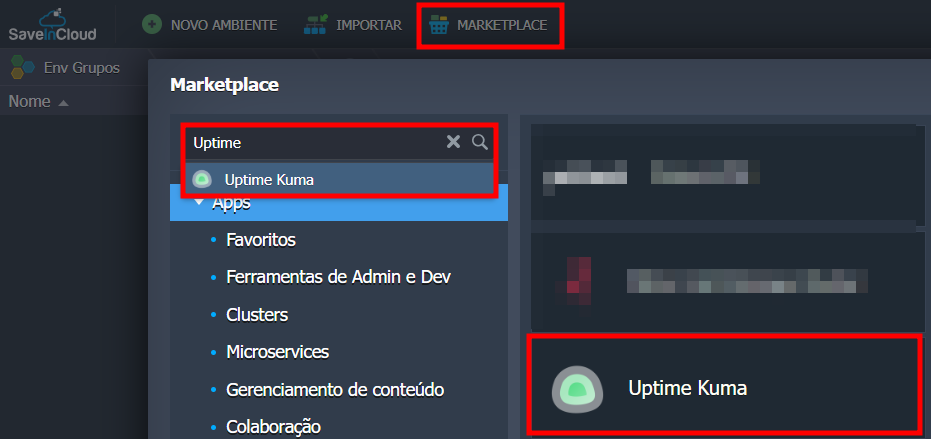
Click on Marketplace at the top
-
Search for “Uptime Kuma”
-
Click Install
✅ After Installation
A success message will be displayed with important links:
- Management panel:
https://uptimekuma-sic.sp1.br.saveincloud.net.br/
- Official documentation:
https://github.com/louislam/uptime-kuma/wiki
- Official website:
💡 On the first access to the Uptime Kuma URL, the project's default screen will be displayed. Access the installation link to configure the actual application.
👨💻 First Setup
-
Access the panel via the generated link
-
Create your admin username and password
-
You will be directed to the Dashboard to add your first monitors
➕ Adding a Monitor
-
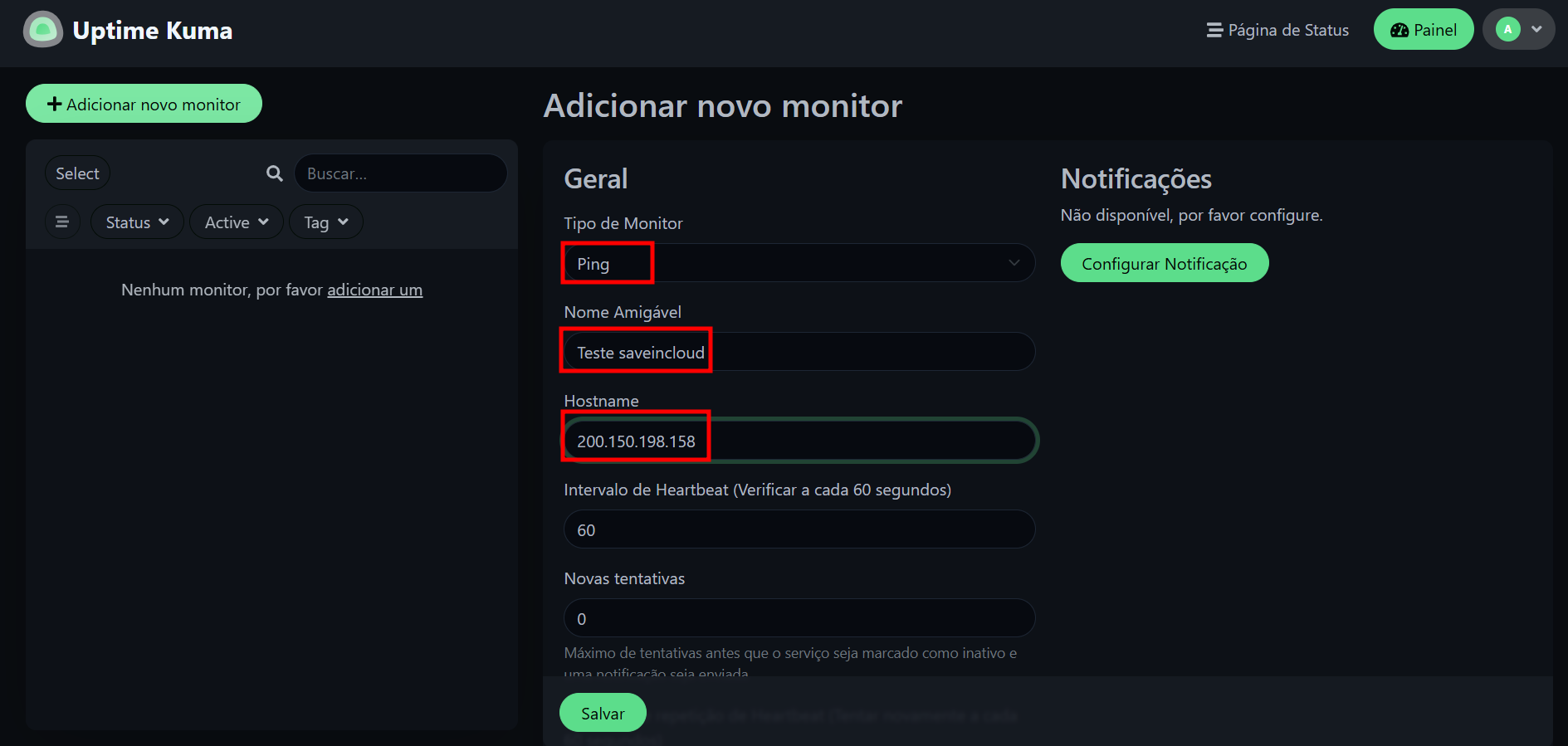
Click the “+” (Add Monitor) button
-
Fill in the fields:
| Field | Description |
|---|---|
| Name | Descriptive name of the monitored service |
| Type | HTTP(s), TCP, Ping, DNS, etc |
| URL / IP | Website address or IP for monitoring |
| Interval | Time between checks |
| Notifications | (optional) configure custom alerts |
Example using PING:
🧭 Available Monitor Types
-
HTTP/HTTPS – Monitors URL availability
-
Keyword – Checks if a word exists in the response
-
Ping – ICMP test to check if the host is responding
-
TCP Port – Checks if a port is open (e.g., 22, 3306, 443)
-
DNS – Resolves domains and compares responses
-
Push – Allows receiving external events via webhook
-
Steam Game Server – Monitors Steam game servers
🔔 Supported Notifications
Uptime Kuma supports integration with various channels:
-
Email
-
Telegram
-
Discord
-
Slack
-
Gotify
-
Webhook
-
LINE
-
Signal
-
Apprise
-
Ntfy
-
Pushover
-
and many others
📊 Status Page (optional)
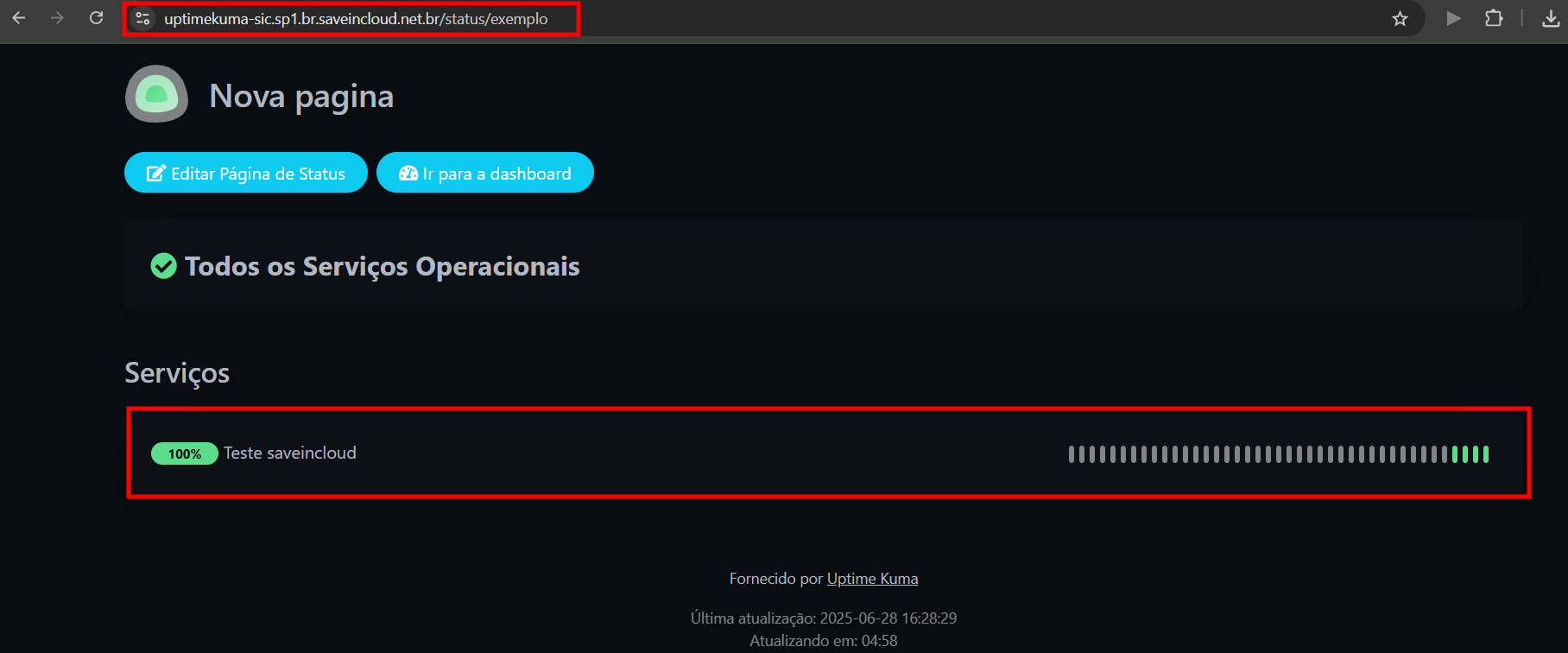
You can publish a public status page:
-
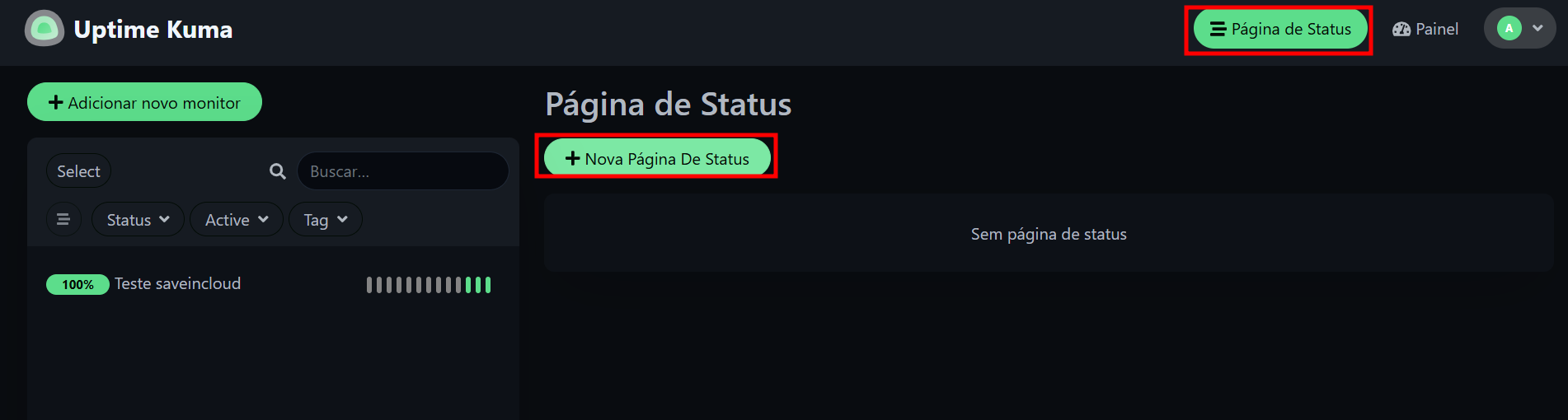
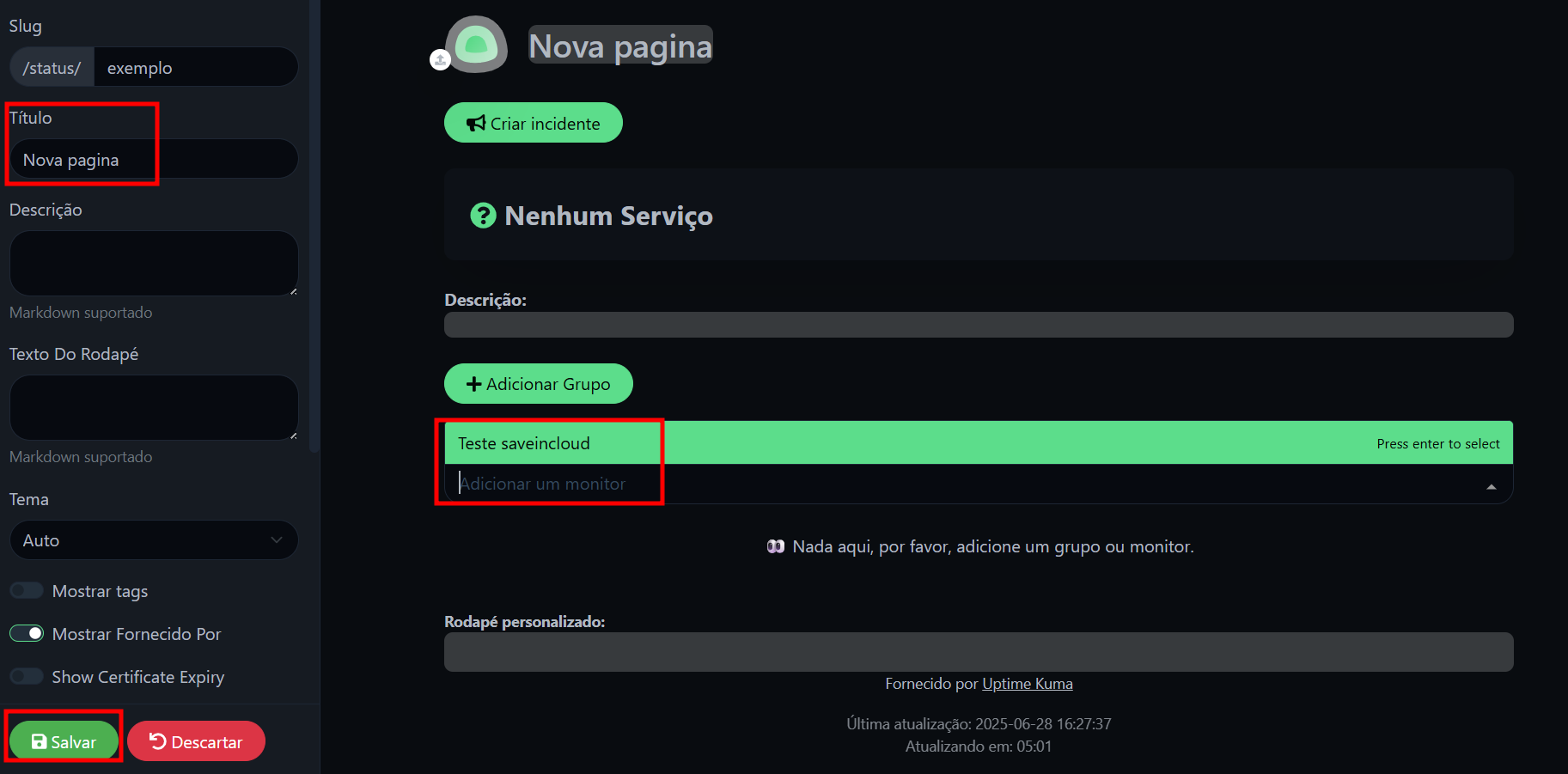
Go to Settings > Status Pages
-
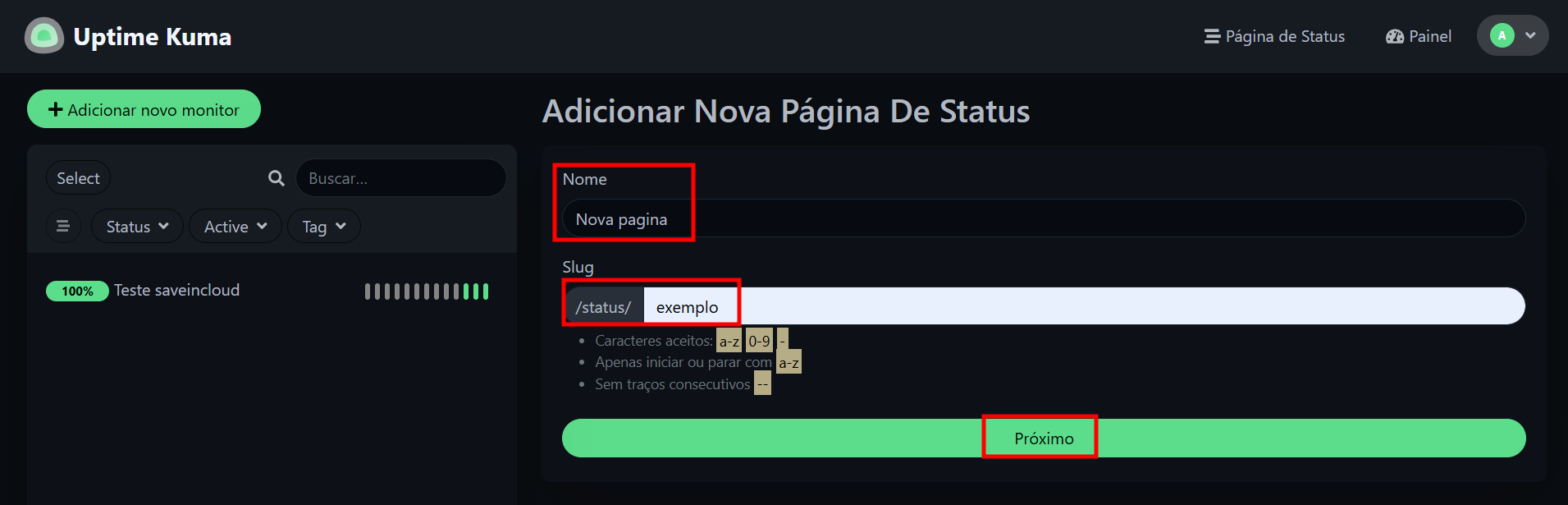
Create a new page
-
Choose the monitors you want to display
-
Share the link with your team or users
✅ Conclusion
With Uptime Kuma installed on SaveinCloud, you can easily monitor essential services and receive instant alerts about failures. Ideal for ensuring high availability and proactive incident response.