🚀 Ametys on SaveinCloud
Ametys is an open-source Web CMS (WCM/WCMS), efficient and easy to use, with modern technologies for creating advanced websites.
📦 1. Installing Ametys
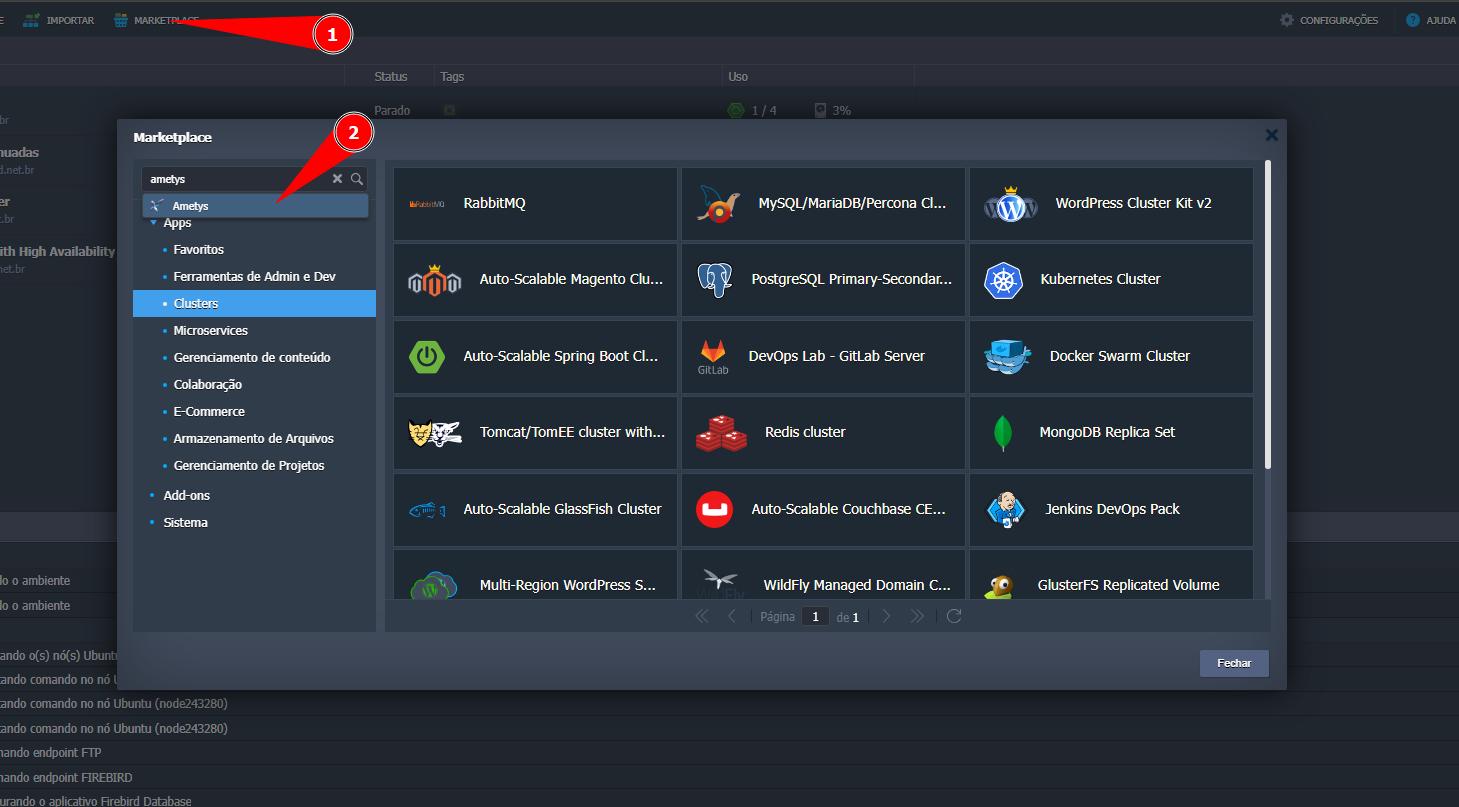
- In the SaveinCloud panel, click MARKETPLACE in the top menu.
- Locate the Ametys application.🔎
⚙️ 2. Configure the environment fields
On the configuration screen, set the parameters before provisioning:
-
Environment: Internal name of the environment (e.g.,
novoambiente). -
Display Name: Label that will appear on the panel (e.g.,
Ametys). -
Region: Desired datacenter (e.g., Brasília).
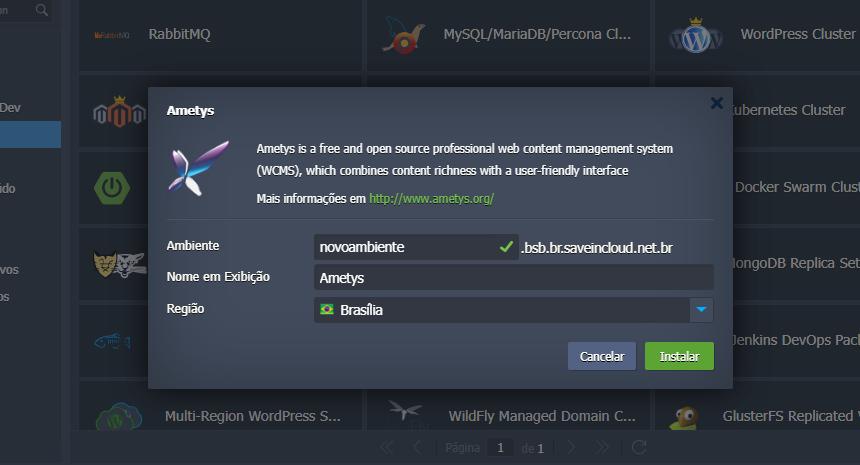
➡️Click Install to start provisioning.
✅ 3. Deployment completed
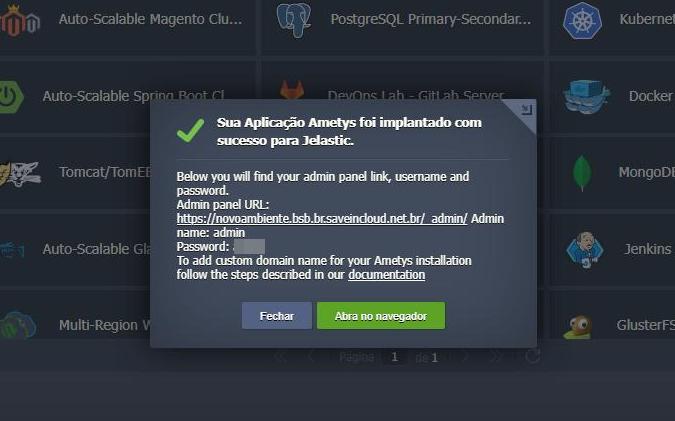
When the installation finishes, the panel will display the deployment completed confirmation.
4. 🔑 Initial access
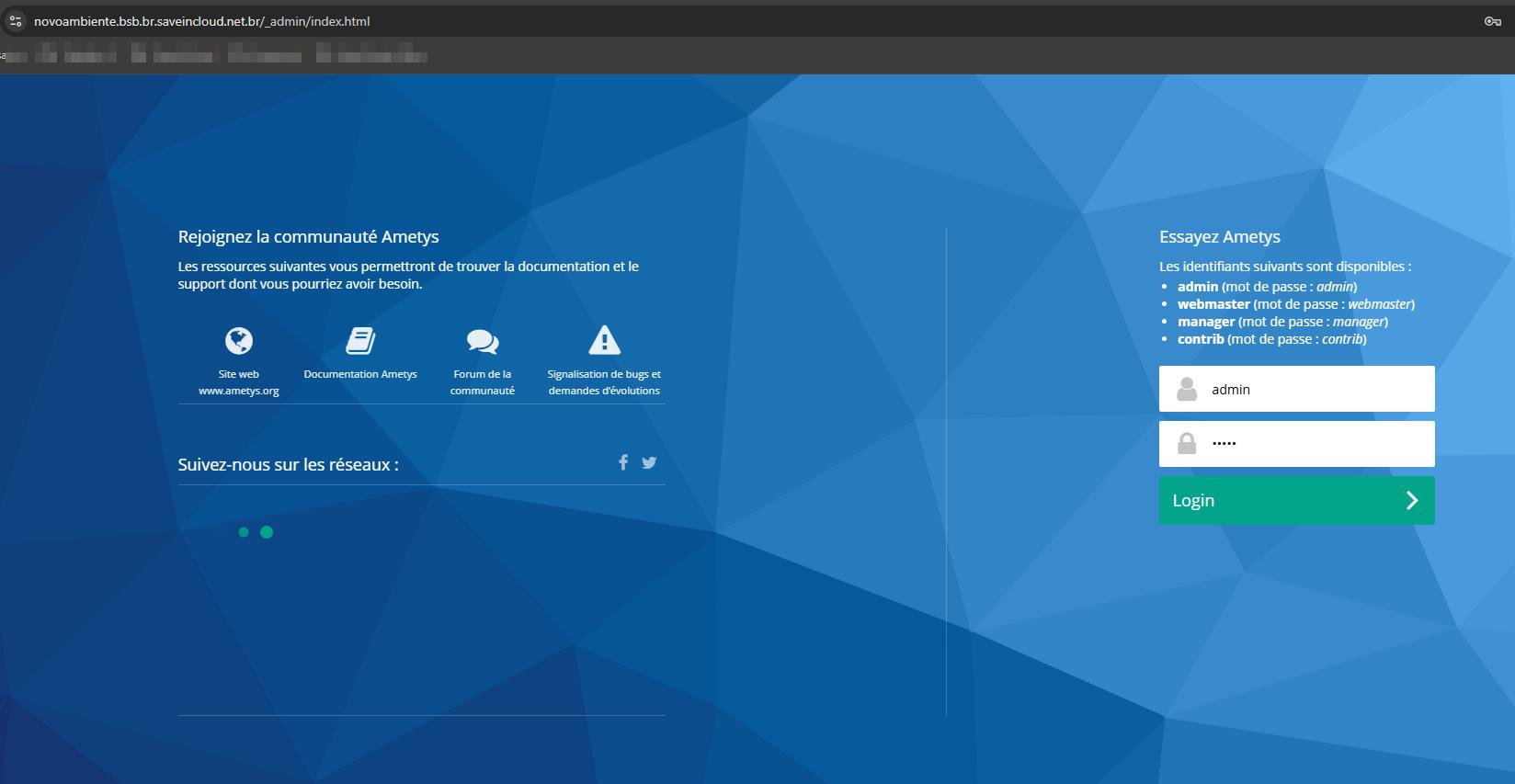
- A SaveinCloud URL will be generated to access Ametys.
- The administrative credentials will be automatically sent to the email registered on the platform.
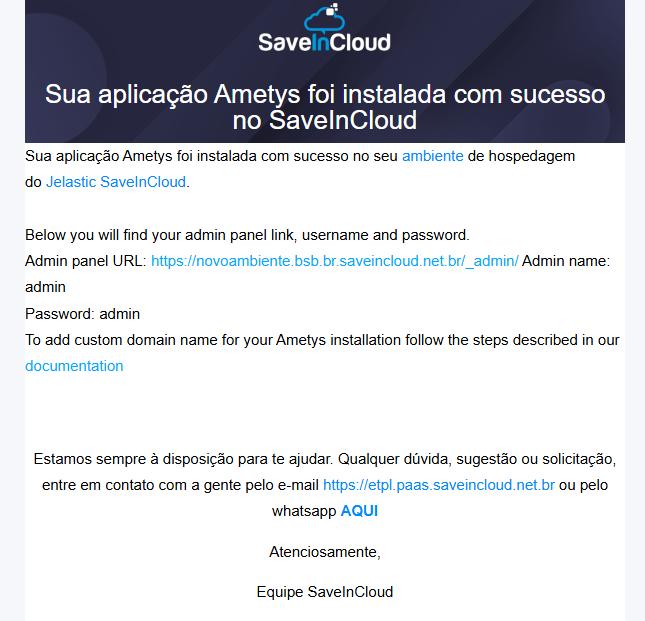
➡️ With the credentials received by email, access the Link received for Ametys and log in.
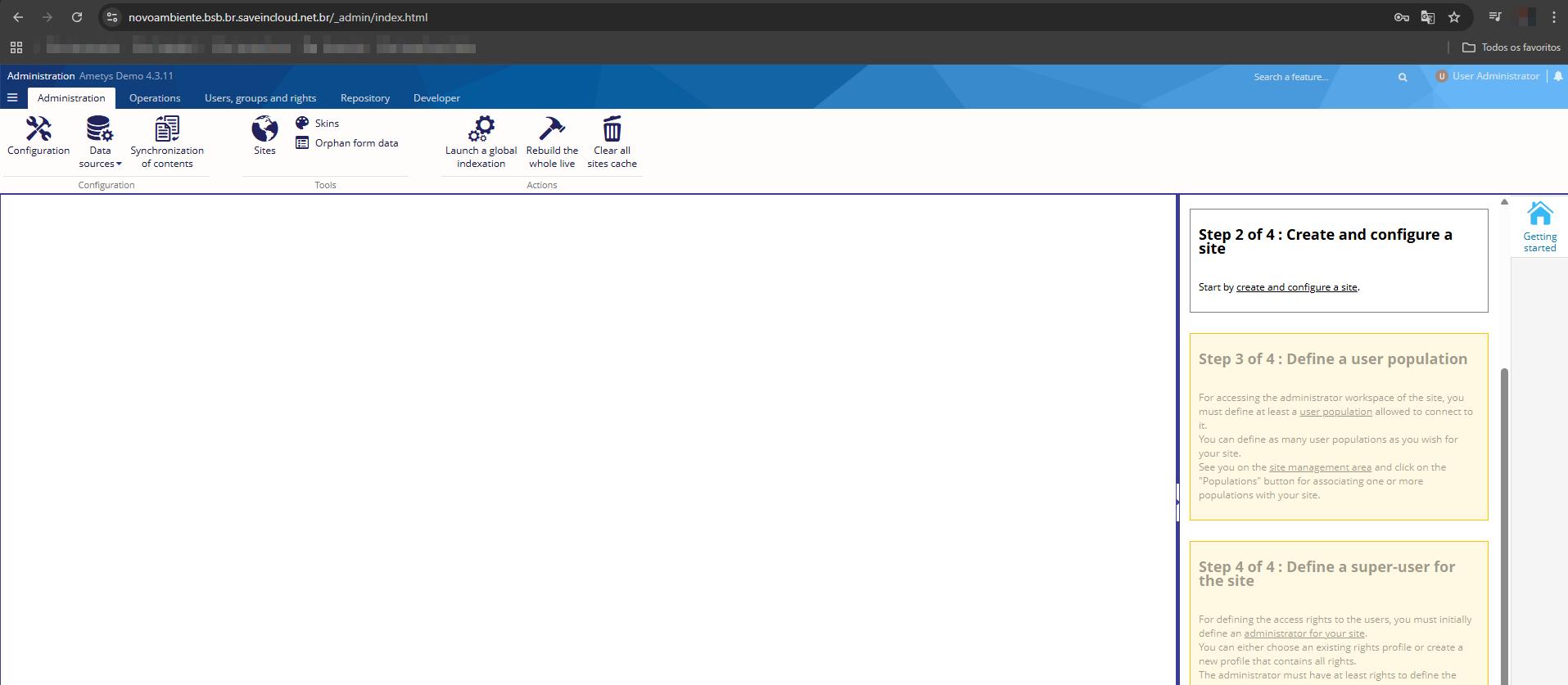
➡️ After that, the environment will be ready to use.
🔗 Useful Links
🧠 Support
If you have questions, encounter difficulties in configuration, or need help with specific situations, contact SaveinCloud technical support through the channels available on the platform panel.