𖣘 MODX
MODX is a CMS and also a web development framework, open source, created for those who need total freedom when building websites and applications. It combines ease of content management for end users with maximum flexibility for developers.
🚀 Installation via Marketplace
- In the SaveinCloud platform panel, go to the MARKETPLACE;
- In the search bar, look for MODX;
- Click Install.
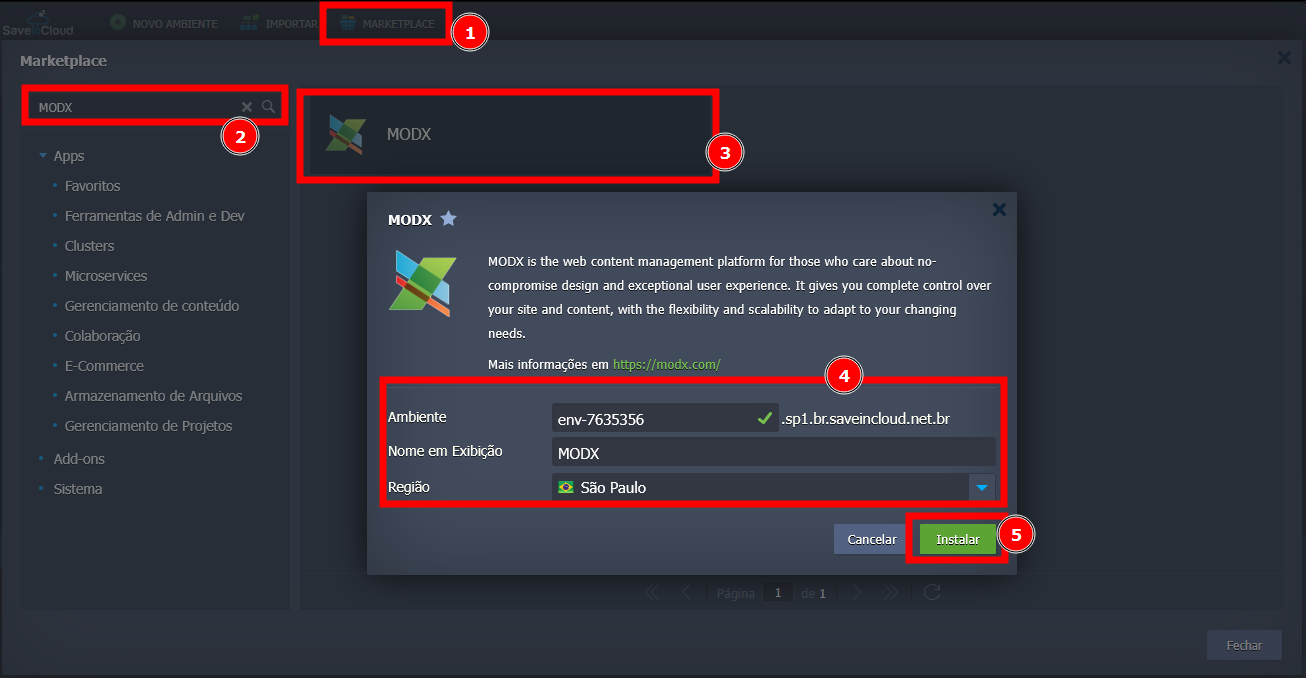
After installation, the environment will be created in a few moments.
🔐 Accessing the MODX Panel
When the environment is created, the access credentials for the MODX panel will be sent via email registered on the SaveinCloud platform. After receiving them, access the panel and enter the access credentials.
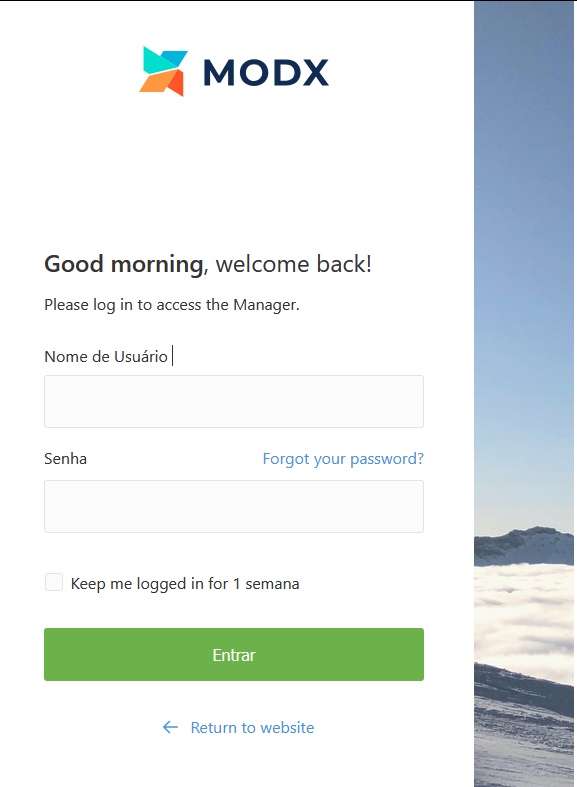
📓 First Publications
On the left side of the panel, you will find the "Site" option, which will be used to make changes.
When clicked, some options will appear, such as "new_resource" and "Preview":
- "new_resource": option used to publish content on the site.
- "Preview": allows you to preview how the site appears to a regular user.
⚙️ Specifications of the Generated Environment
- 🔥 Apache Server: Container with 8 Cloudlets
- 🐬 MySQL Database: Container with 8 Cloudlets
🧠 Questions?
Contact technical support and send your question; we will be available to help you!