🎯 OpenCms
OpenCms is an open source content management system (CMS) developed in Java and based on Java EE technologies. It is used to create, manage, and publish digital content on websites, portals, and corporate intranets.
🚀 Installation via Marketplace
- In the SaveinCloud platform panel, go to the MARKETPLACE;
- In the search bar, look for OpenCms;
- Click Install.
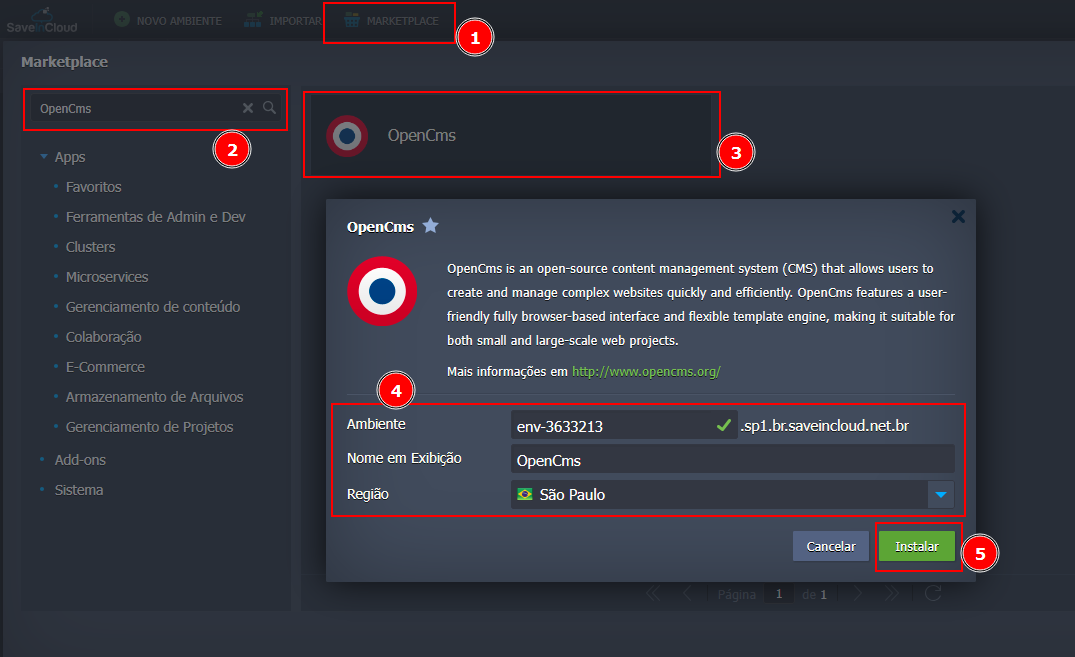
On the installation screen enter:
-
Environment: Define the name of the environment;
-
Display Name: Define the label that will appear on the panel;
-
Region: Choose the region where the environment will be created.
In a few minutes, the environment will be created in the panel.
🔐 Accessing the OpenCms panel
After the environment is created, the access credentials for the OpenCms panel will be sent to the email registered on the platform.
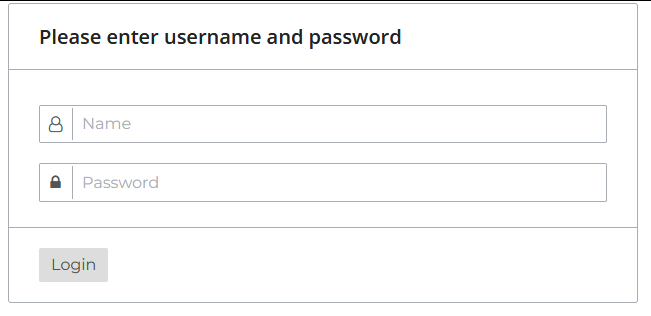
When accessing the OpenCms home page, click the "Login" option to enter the management panel and enter the received credentials.
⚙️ Specifications of the Generated Environment
- 🐈 Tomcat Server: Container with 32 Cloudlets
- 🦭 MariaDB Database: Container with 8 Cloudlets
🧠 Questions?
Contact technical support and send your question—we are here to help you!