Cyclos 4 PRO: Installation and Configuration in the Cloud
🚀 What is Cyclos 4 PRO?
Cyclos 4 PRO is a comprehensive banking and digital payments software platform designed to serve financial institutions, fintechs, credit cooperatives, and local or digital currency systems.
Its main purpose is to provide a robust and scalable infrastructure for account management, financial transactions, card issuance, internet banking, and online payment solutions.
Among its features are:
- Creation and management of user and administrator accounts.
- Issuance and control of virtual or physical cards.
- Support for transfers, deposits, withdrawals, and online payments.
- Configuration of local currencies, digital currencies, or credit systems.
- Complete administrative panel for reports, auditing, and security management.
With Cyclos 4 PRO, institutions can quickly deploy digital financial solutions with a high level of security, customization, and regulatory compliance.
🔍 Installing Cyclos 4 PRO
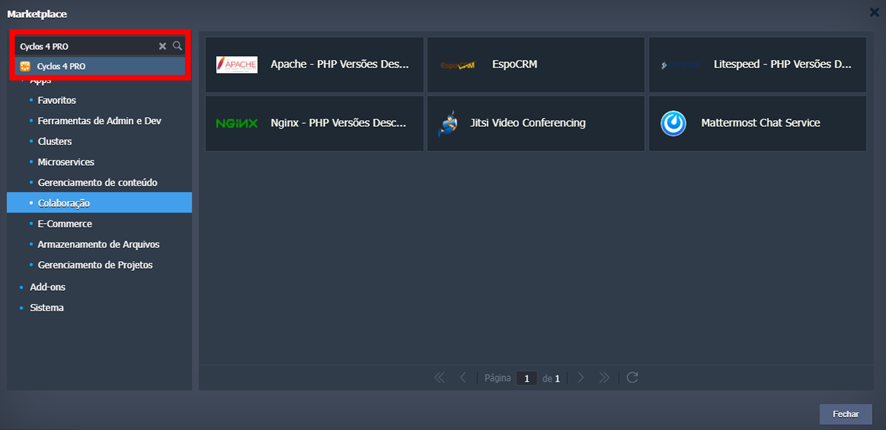
Access the Marketplace tab in the platform panel, near the upper right corner, and search for Cyclos 4 PRO.
When accessing the installer, you need to choose:
- The environment name.
- The display name in the panel.
- The region where it will be installed.
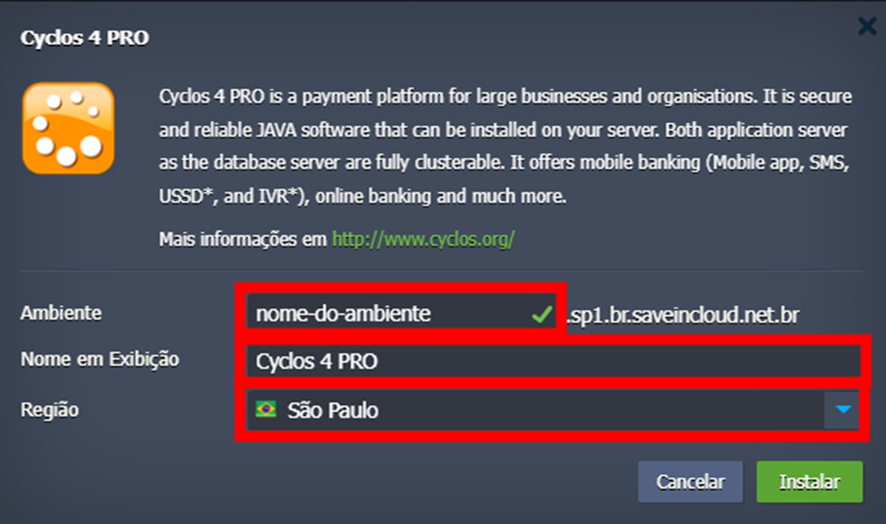
Currently, the available regions are São Paulo, Fortaleza, and Brasília.
🌐 Accessing Cyclos 4 PRO
To access the Cyclos 4 PRO panel, just click the “Open in browser” icon.

If you get the error “503 SSL Service Unavailable”, access via HTTP.
Example:
http://url-do-ambiente.regiao.br.saveincloud.net.br
When accessing the site, the initial setup screen will be displayed. Enter your Login Name and Password.
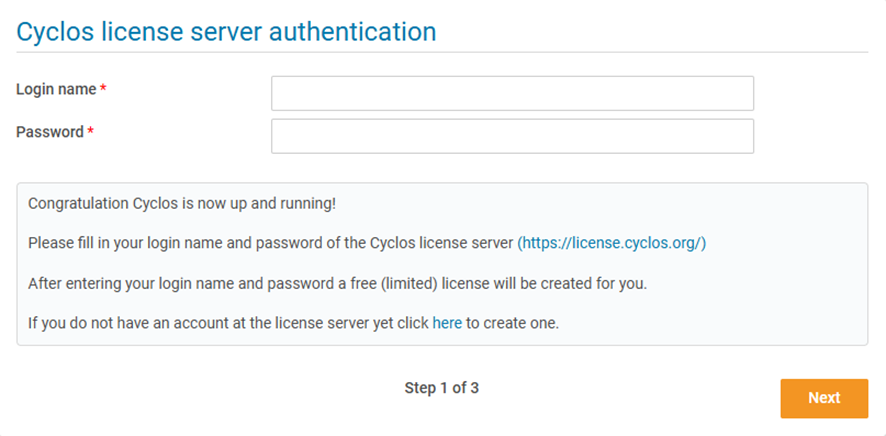
If you do not have an account registered, click “here” and fill out the requested form to create your Cyclos 4 PRO account.
⚙️ Initial Configuration
- Define a name for the application.
- Choose the default language, country, and timezone.
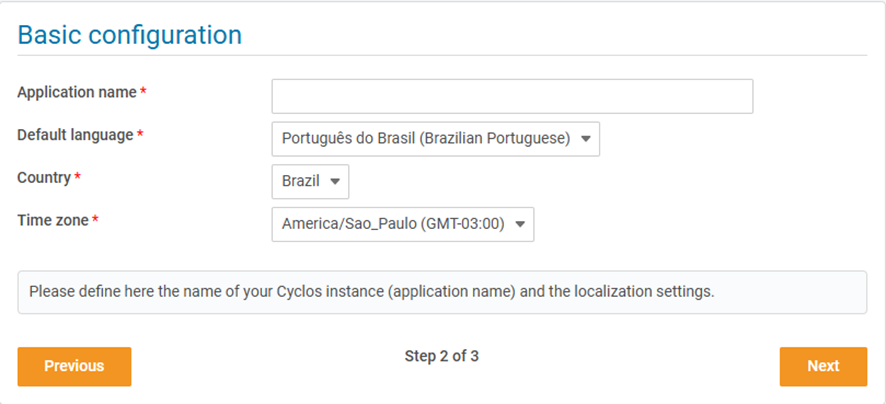
- Configure the administrator data:
- Name.
- Login Name.
- Email.
- Password and password confirmation.
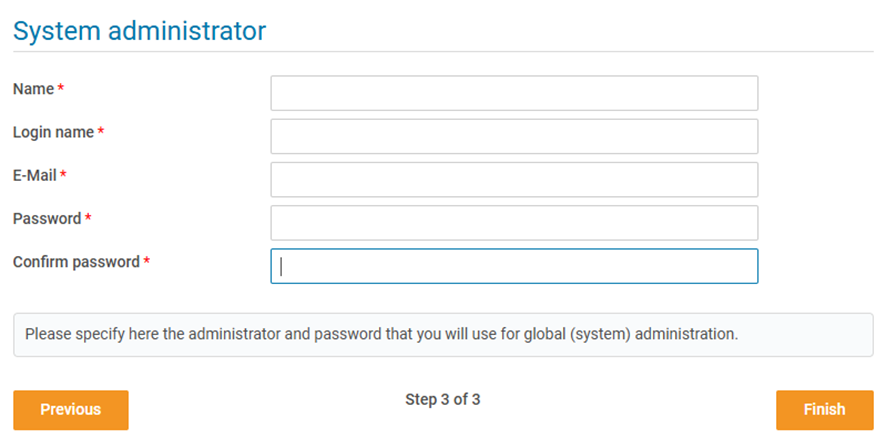
After these steps, Cyclos 4 PRO will be ready to use, and you can start configuring users, accounts, and financial services according to your institution's needs.
🧠 Questions?
Contact technical support and send your question—we are available to help you!