🚀 Deploying Django CMS on the SaveInCloud Marketplace
Django CMS is an open-source content management system based on Python and the Django Framework, ideal for dynamic websites, corporate portals, and projects that require flexibility and extensibility.
On the SaveInCloud Marketplace, you can provision Django CMS quickly, in just a few clicks, without the need for manual installation.
🚀 Deployment Step-by-Step
-
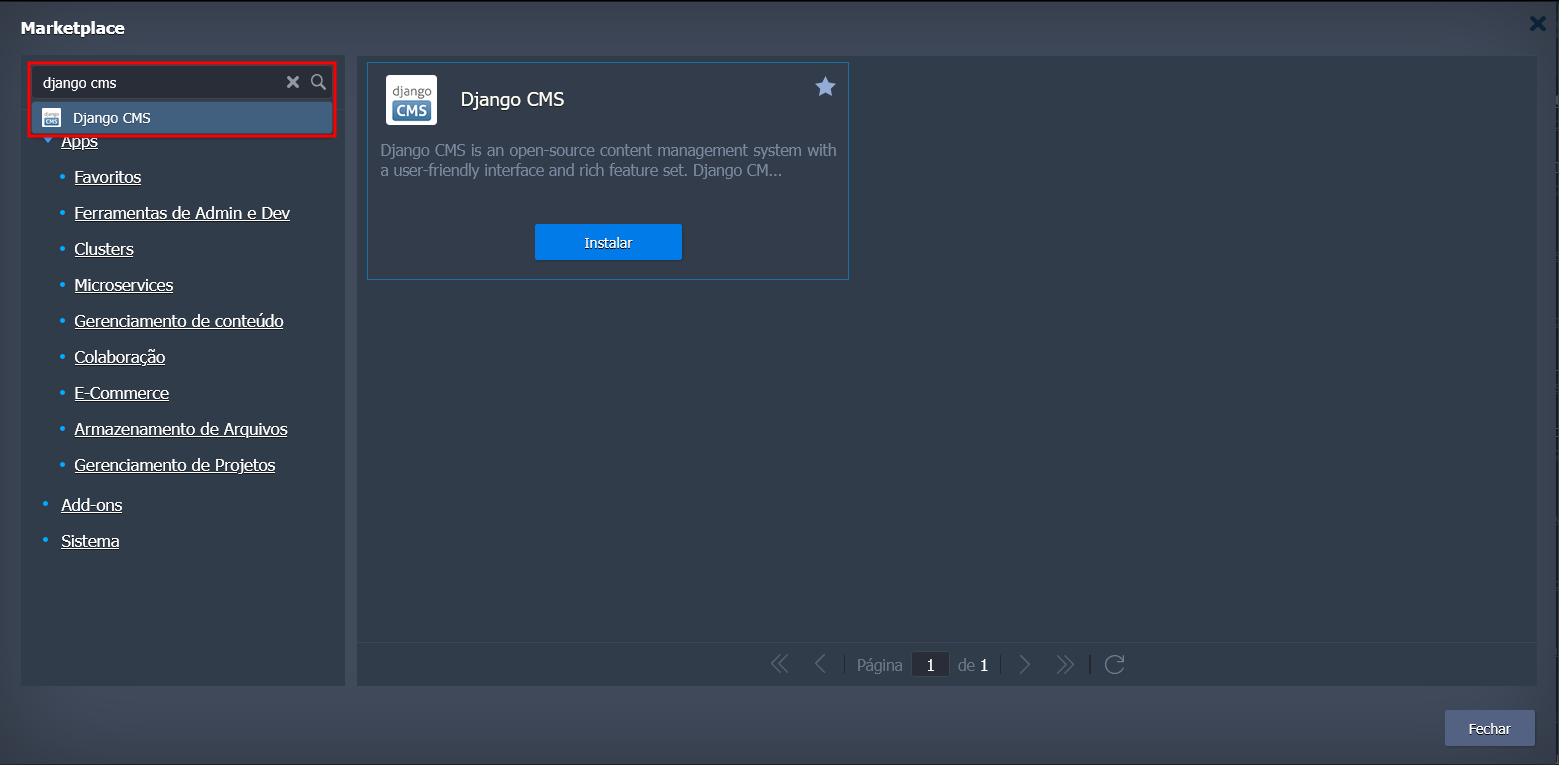
Access the SaveInCloud Marketplace.

-
Search for Django CMS.
-
Click Install.
-
Configure the options before provisioning:
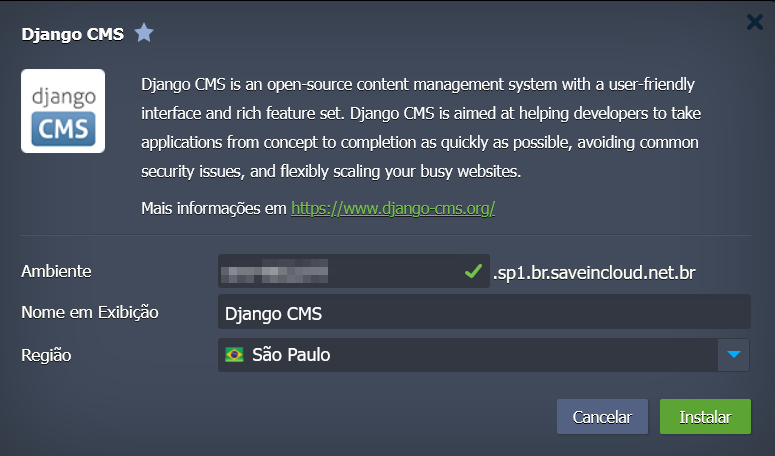
- Environment Name → Set the identifier for your application.
- Datacenter Region → Choose from:
- 🇧🇷 São Paulo
- 🇧🇷 Fortaleza
- 🇧🇷 Brasília
-
Confirm by clicking Install.
⏳ The deployment will take a few minutes to automatically create the environment.
🔑 Initial Access
-
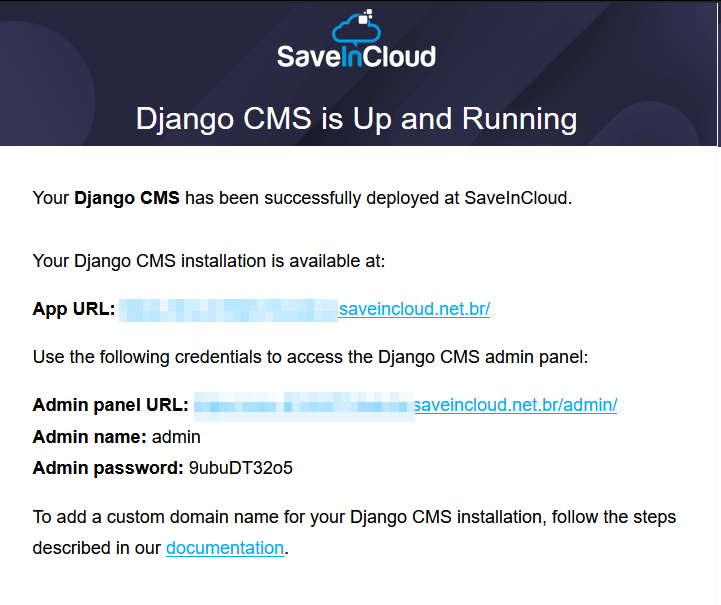
After deployment completes, an access address (SaveInCloud URL) will be generated.
-
The Django CMS access credentials will be automatically sent to the email registered on the platform.
⚙️ Provisioned Stack
The Django CMS environment on SaveInCloud is created with:
- 🌐 Apache Web Server
- 🐍 Python (Django Framework)
- 📦 Pre-installed Django CMS
⚠️ The environment does not include an SSL certificate by default.
However, it is possible to configure Let's Encrypt SSL later via the add-on available on the provisioned Apache instance.
✅ Best Practices
- Configure a custom domain and associate it with the environment for production.
- Enable the Let's Encrypt SSL Add-on to allow secure connections (HTTPS).
- Keep Django CMS and Python packages always updated to avoid vulnerabilities.
🛠️ Troubleshooting
- Did not receive credentials by email? → Check your spam folder or resend from the dashboard.
- SSL certificate error → Install the Let's Encrypt add-on directly on the Apache instance.
- Access issues → Confirm that the domain (if configured) correctly points to the environment's IP.