☕ Tomcat/TomEE Cluster with HA
It is an open-source application server maintained by the Apache community. It is one of the most popular solutions for hosting Java applications due to its ease of use and lightweight yet versatile functionality.
📘 What is Tomcat/TomEE
Tomcat and TomEE are open-source application servers maintained by Apache. They are widely used to host Java applications due to their combination of lightweight and versatility.
TomEE includes the Jakarta EE stack (e.g., CDI, JPA, JAX-RS) on top of Tomcat, facilitating applications that require additional specifications.
🚀 Installation via Marketplace
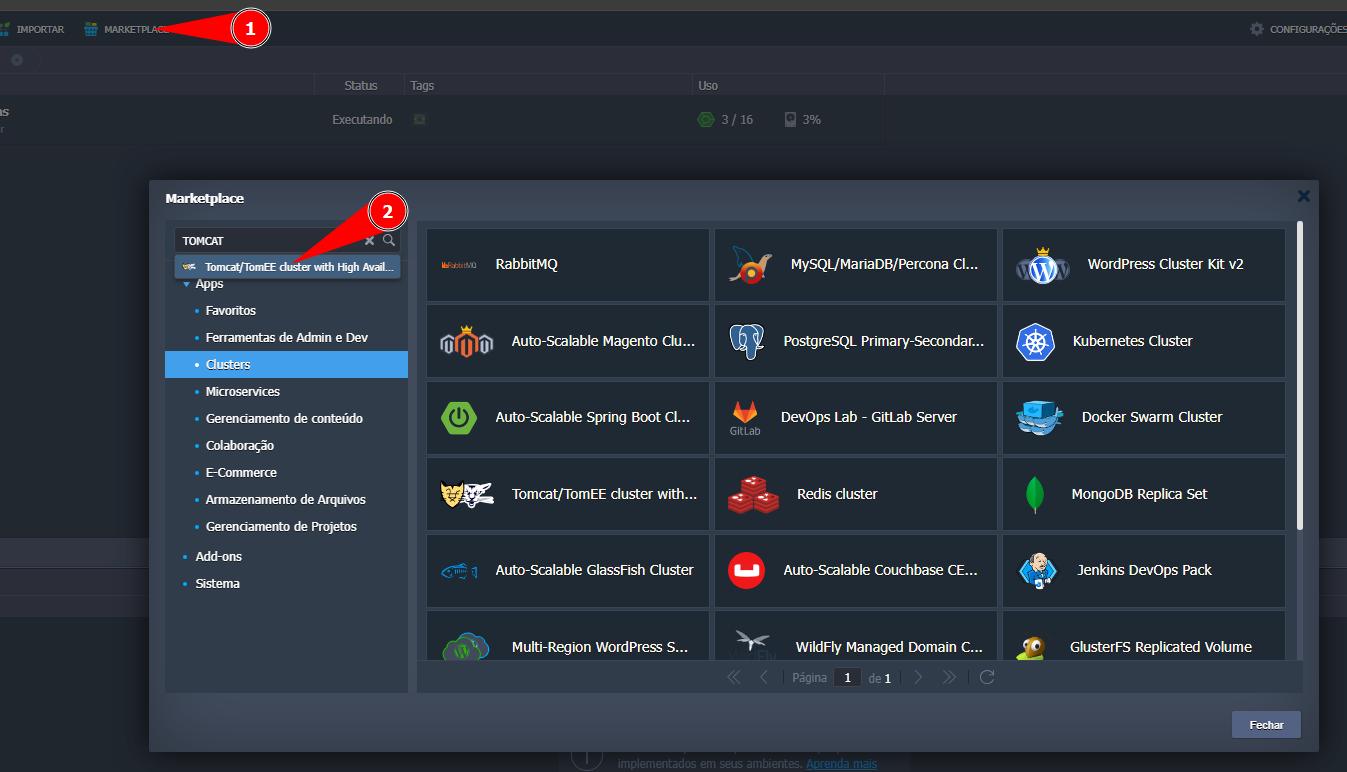
- In the SaveinCloud panel, click on Marketplace.
- Locate and select the option Tomcat/TomEE cluster with High Availability.
- Configure the parameters:
- Nodes Count → initial number of nodes (e.g.,
2). - Stack → choose Tomcat or TomEE.
- Environment → environment name (e.g.,
saveincloud). - Display Name → Name to be shown on the panel.
- Region → where the load will be located (e.g., Brasília).
- Nodes Count → initial number of nodes (e.g.,
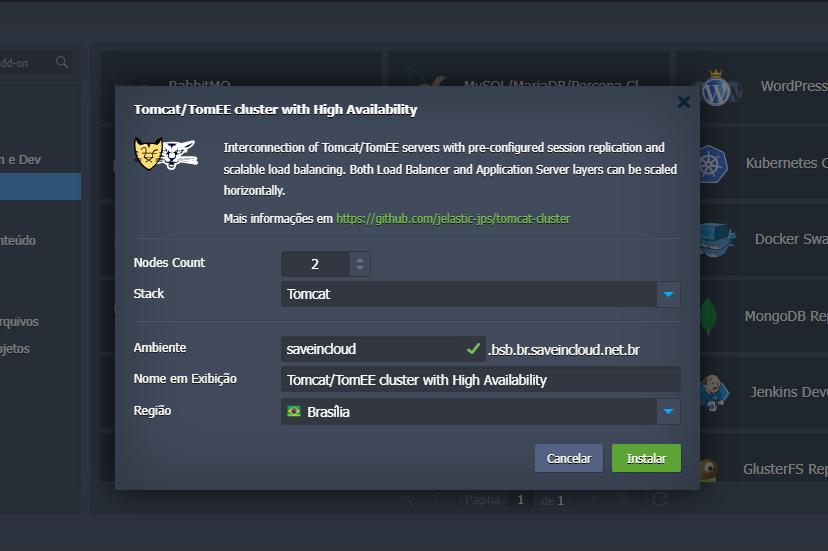
- Click Install to provision the environment.
📩 After deployment
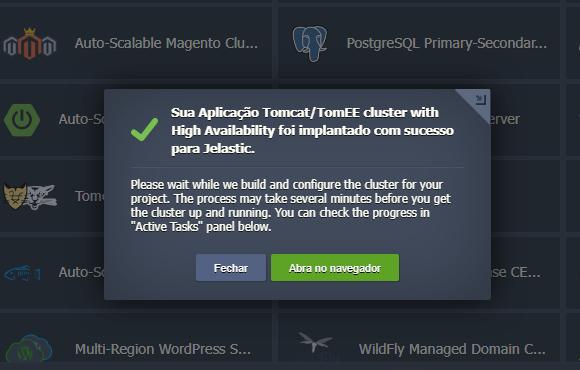
After creation, a deployment confirmation will be shown, and an informative email from the platform regarding the provisioned service in your account will be sent.
📈 More Information
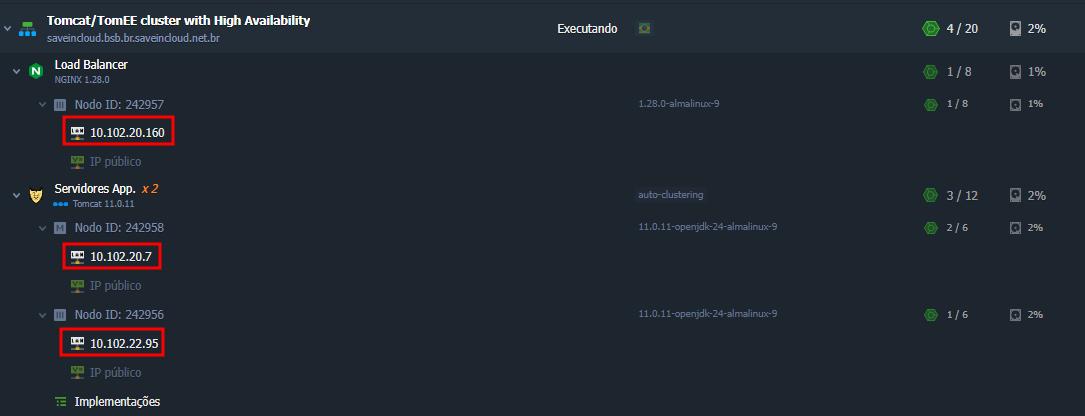
- After the provisioning process is completed, you can already view details of the created environment.
- Members are added to the configuration by their unique IPs and IDs.
- The NGINX load balancer in front of the cluster handles workload distribution.
🧩 Useful Tomcat/TomEE Settings
- JVM options (Xms/Xmx, GC) according to load profile.
- Thread pools and HTTP connectors.
- JDBC Pools with sensible limits and appropriate timeouts.
- X-Forwarded-* headers when behind a proxy.
🔗 References
🧠 Support
If you have questions, encounter difficulties in configuration, or need help in specific situations, contact SaveinCloud technical support through the channels available in the platform panel.