🌐 Nginx - Deprecated PHP Versions
This document presents the installation process for Nginx with old PHP versions available in the Saveincloud Marketplace.
Although these are deprecated versions, the platform provides installation for applications that still require compatibility with older PHP releases.
⚠️ Attention:
Deprecated PHP versions no longer receive security updates or official fixes.
We recommend using them only in specific compatibility cases, always with extra caution regarding security.
🚀 Installation via Marketplace
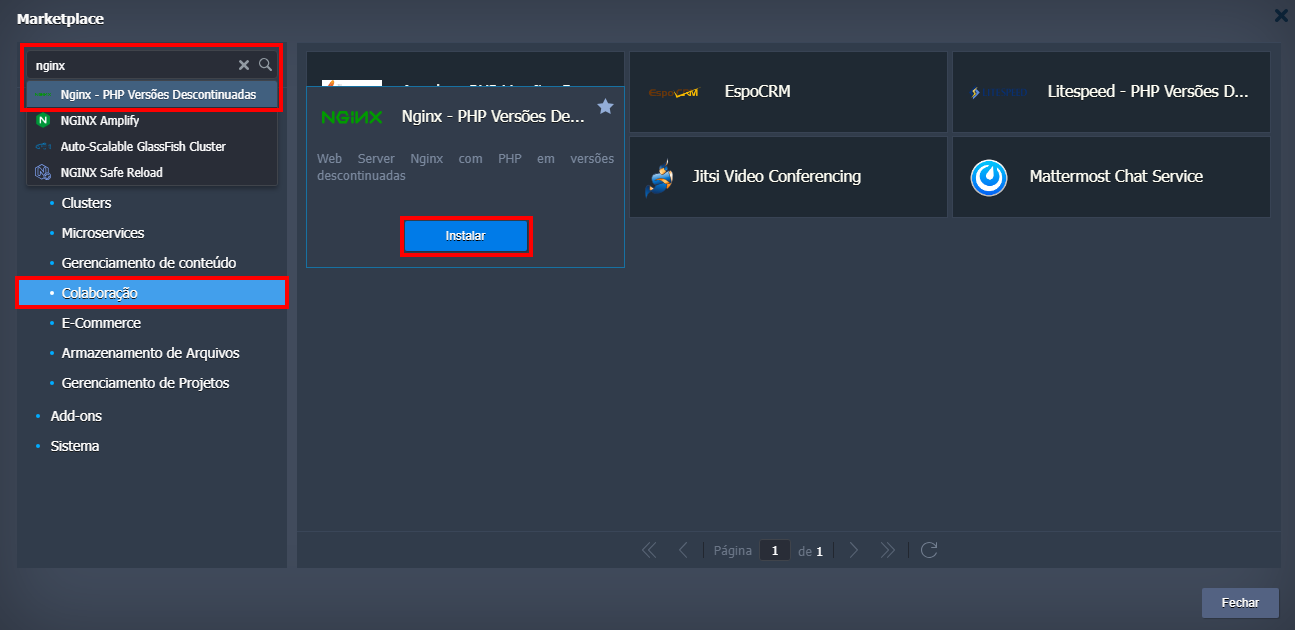
- Access the Saveincloud panel and click on Marketplace.
- Search for Nginx - Deprecated PHP Versions or go to the Collaboration category.
- Hover over the service and click Install.
⚙️ Installation Options
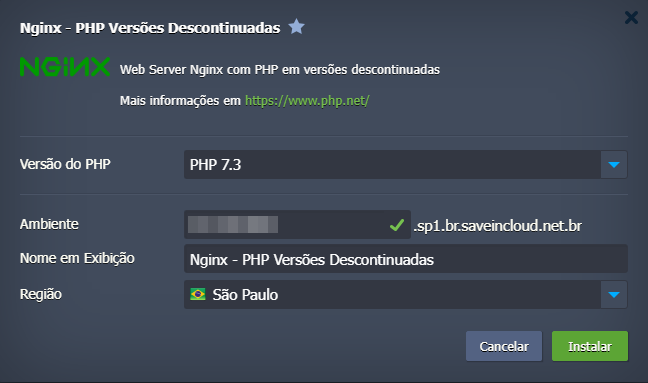
After clicking Install, the environment configuration screen will be displayed:
-
PHP Version: Example: 5.4, ..., 7.0, ..., 7.3 (depending on current availability).
-
Environment: Name of the environment to be created.
-
Display Name: Name to be shown on the panel.
-
Region: Choose the region (if applicable).
ℹ️ Note:
These versions are listed as “End of Life” on the official PHP page.
Use test/staging environments before moving applications to production.
🔐 Environment Access
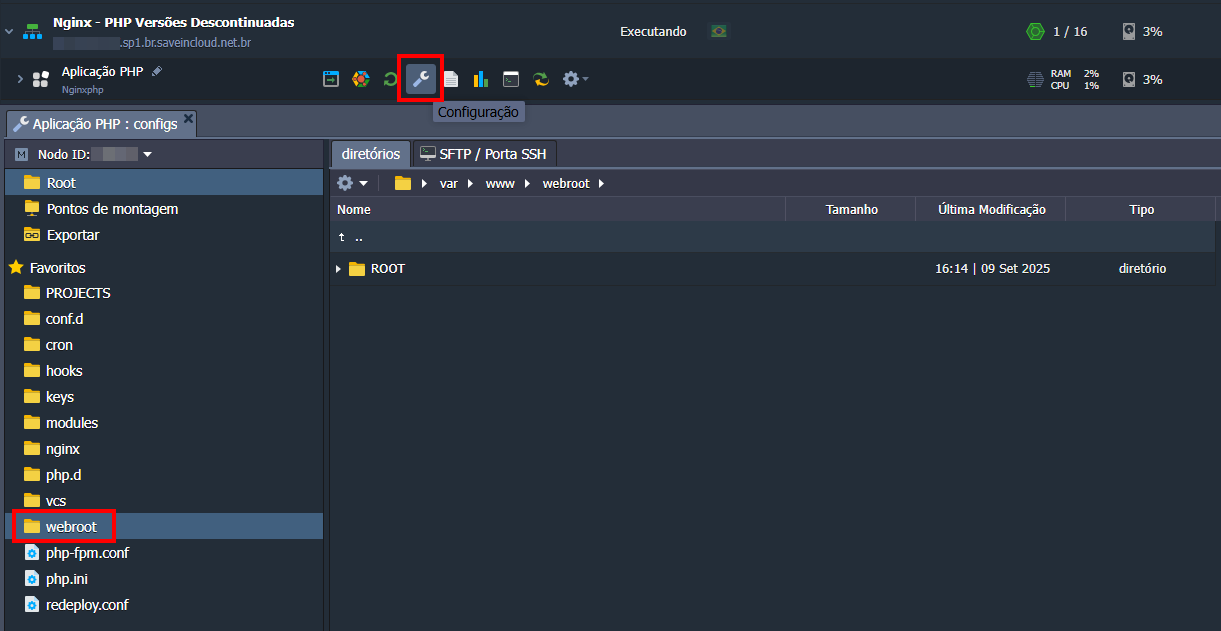
After installation, the environment will be immediately available for use in your Saveincloud account.
Just access the panel, enter the created environment, and start configuring your application.
📚 References
🧠 Support
If you encounter difficulties during installation or using the environment, contact the support channels available in the Saveincloud panel.