🌍 Deploy WordPress Standalone Multi-Region on the SaveInCloud Marketplace
The WordPress Standalone Multi-Region is a solution that allows deploying WordPress across multiple datacenters, with database and storage replication.
Ideal for projects that do not require horizontal scalability, but need high availability and geo-distributed traffic to serve users in different locations, avoiding single points of failure.
🚀 Deployment Step-by-Step
- Access the SaveInCloud Marketplace.
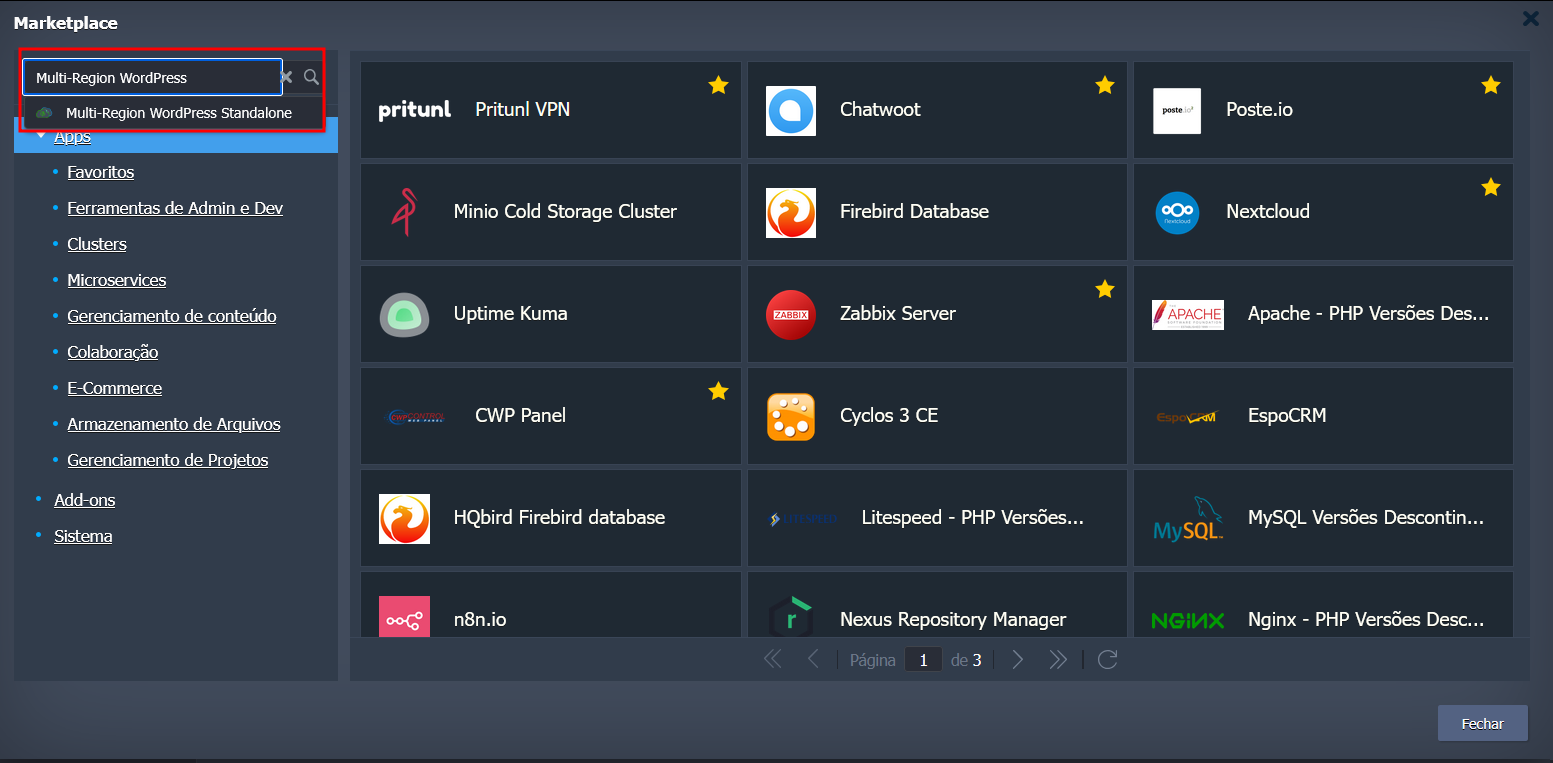
- Search for WordPress Standalone Multi-Region.
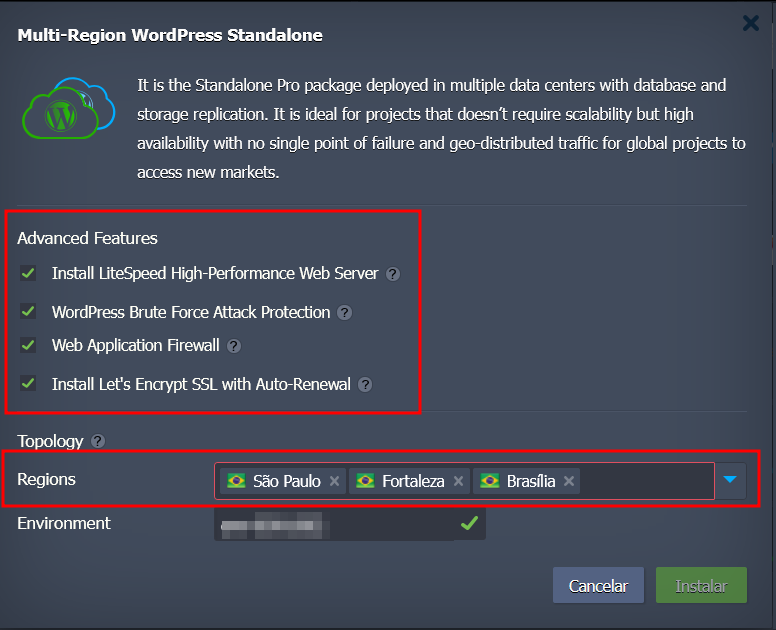
- Select the desired advanced options:
- Click Install.
⚙️ Configuration Options
-
Install LiteSpeed High-Performance Web Server
Enables LiteSpeed, a web server optimized for high WordPress performance. -
WordPress Brute Force Attack Protection
Activates protection against brute force attacks on WordPress login. -
Web Application Firewall (WAF)
Additional security layer against common web application attacks. -
Install Let's Encrypt SSL with Auto-Renewal
Automatically issues a free SSL certificate with automatic renewal.
🗺️ Multi-Region Topology
The environment is provisioned with two datacenters chosen from three available (São Paulo, Fortaleza, and Brasília).
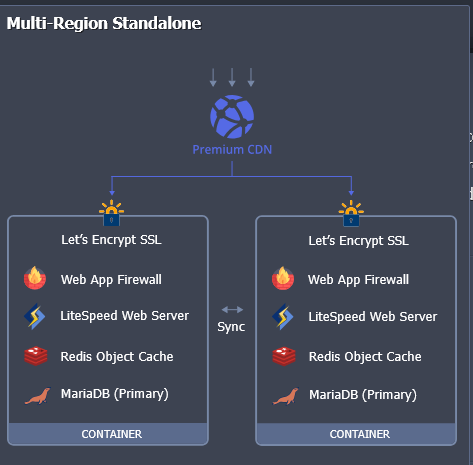
📌 LoadBalancer in front, distributing traffic.
📌 In each selected region, a cluster will be created containing:
- 🔒 Let's Encrypt SSL
- 🔥 Web Application Firewall
- ⚡ LiteSpeed Web Server
- 🗃️ Redis Object Cache
- 🐬 MariaDB (Primary), synchronized between the two regions
➡️ This ensures database replication and high availability, even in case of failure in one datacenter.
🌐 Region Selection
- Available regions:
- 🇧🇷 São Paulo
- 🇧🇷 Fortaleza
- 🇧🇷 Brasília
⚠️ It is mandatory to select two regions (it is not possible to choose only one or all three).
📥 Provisioning
- Choose the desired two regions.
- Enter the environment name.
- Click Install.
⏳ The deployment will take a few minutes, automatically creating the entire infrastructure.
✅ Best Practices
- Always enable WAF and brute force protection for enhanced security.
- Use LiteSpeed for optimized WordPress performance.
- Plan the choice of the two regions considering proximity to the target audience.
- Take advantage of the LoadBalancer to reduce access latency.
🛠️ Troubleshooting
- If you notice slowness, check the synchronization of MariaDB between the chosen regions.
- If SSL is not issued, confirm that the domain correctly points to the LoadBalancer.
- In replication failures, review Redis and MariaDB logs in each region.