Ⓦ WordPress Standalone Kit
The WordPress Standalone Kit is a lightweight WordPress implementation running in a standalone container, suitable for small and medium-sized projects. The kit includes additional features for performance and security.
🚀 Installation via Marketplace
- Access the SaveinCloud panel and click on MARKETPLACE.
- Search for WordPress Standalone Kit and select it.🔎
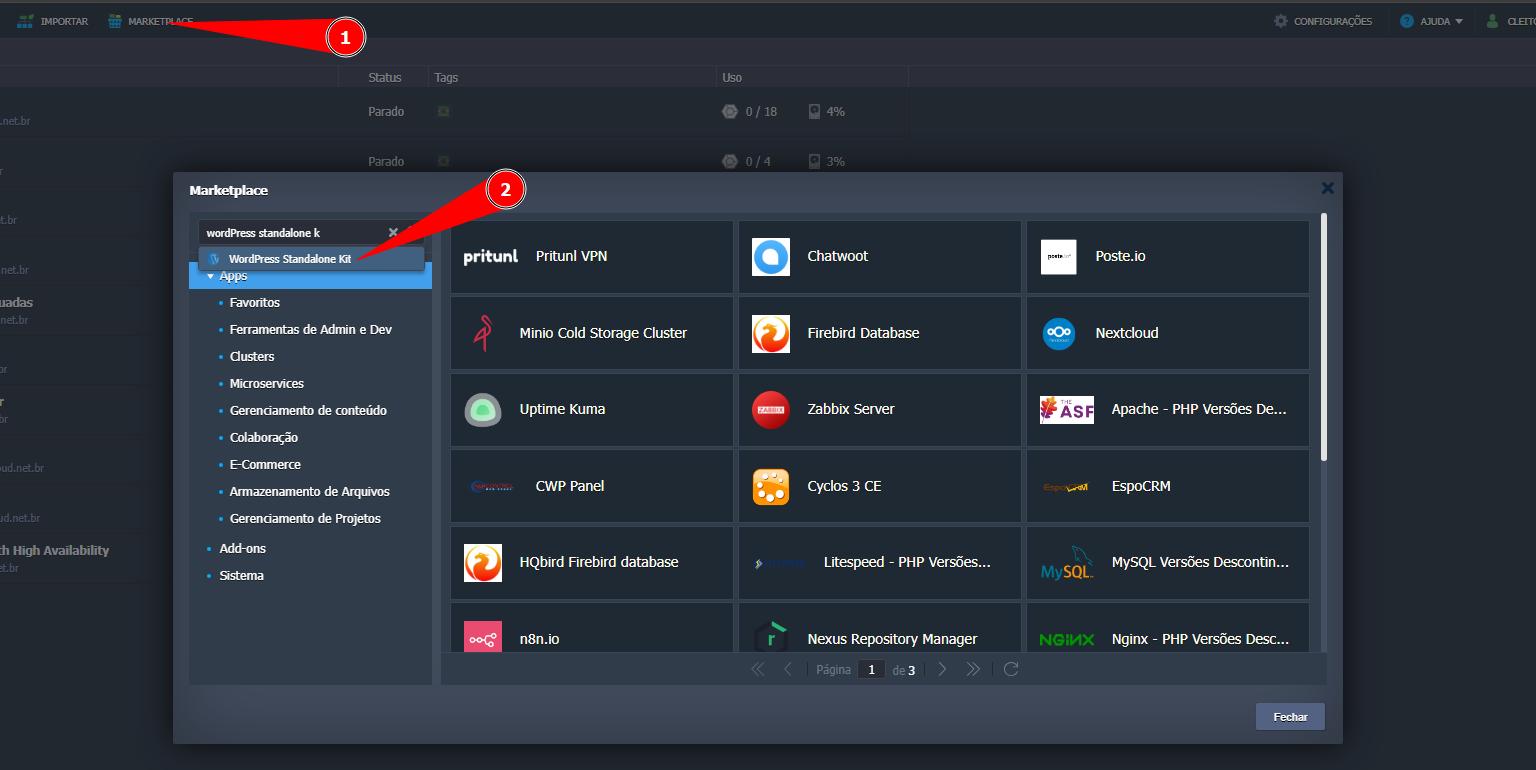
⚙️ Configure the environment
On the configuration screen, customize your environment as needed.
➜ PHP version
PHP version used by WordPress/themes/plugins.
It is recommended to use recent versions (8.3/8.4) for better performance and security; validate plugin/theme compatibility. :::
☑ Advanced Features
- Install LiteSpeed High-Performance Web Server — Installs LiteSpeed as the web server (HTTP/2/3, caching, and high performance).
- WordPress Brute Force Attack Protection — Protects against brute force attacks on
wp-login.phpandxmlrpc.php(attempt limits/blocks). - Web Application Firewall (WAF) — Rule set (e.g., OWASP/ModSecurity) against SQLi, XSS, LFI, etc.
- Install Let’s Encrypt SSL with Auto-Renewal — Issues a free TLS certificate and configures automatic renewal. Requires DNS pointed and public IP.
- Install WordPress Multisite Network — Enables Multisite (multiple sites on subdomains/subfolders).
- Install WooCommerce — Installs WooCommerce for e-commerce.
➜ Identification and region
- Environment — Technical name of the environment (e.g.,
meunovosite). - Display Name — Label shown on the panel.
- Region — Datacenter where it will be provisioned (e.g., Brasília).
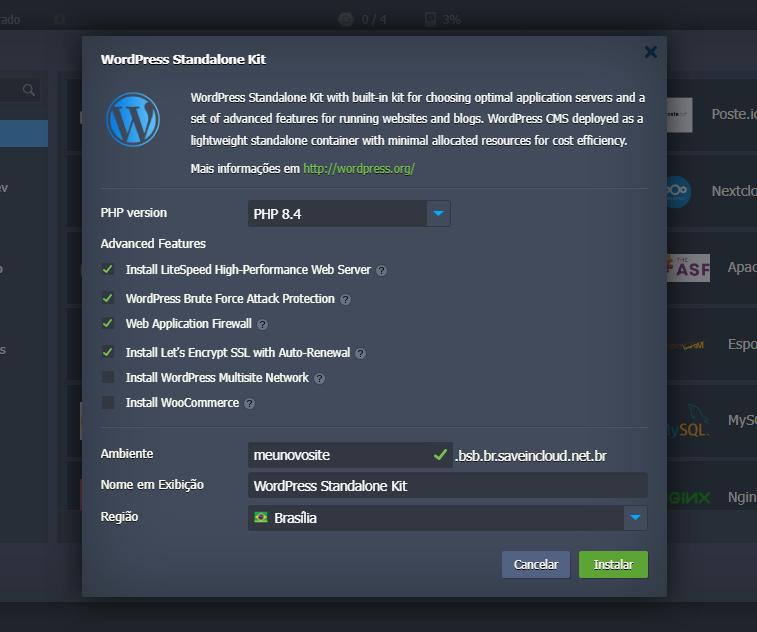
➡️ Click Install to start provisioning.
🚧 Provisioning
After confirmation, the platform automatically prepares the necessary resources.
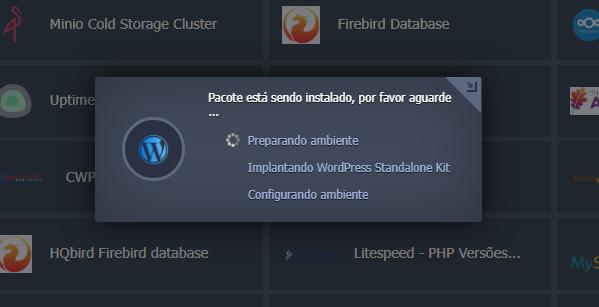
⏳ “At this moment your environment is in the process of creation and component configuration.”
✅ Deployment completed
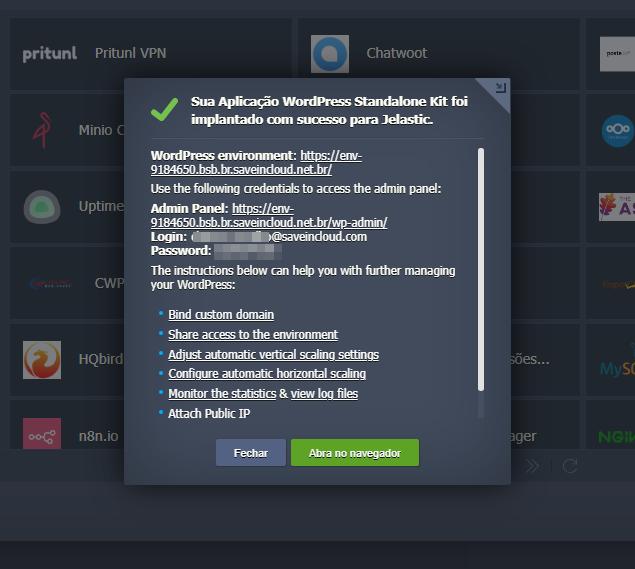
Upon completion, the panel will display confirmation that the WordPress Standalone Kit has been successfully deployed.
📬 Post-installation and first access
As soon as the installation is finished, you will receive by email the access credentials (username/password) and the URL of the provisioned environment.
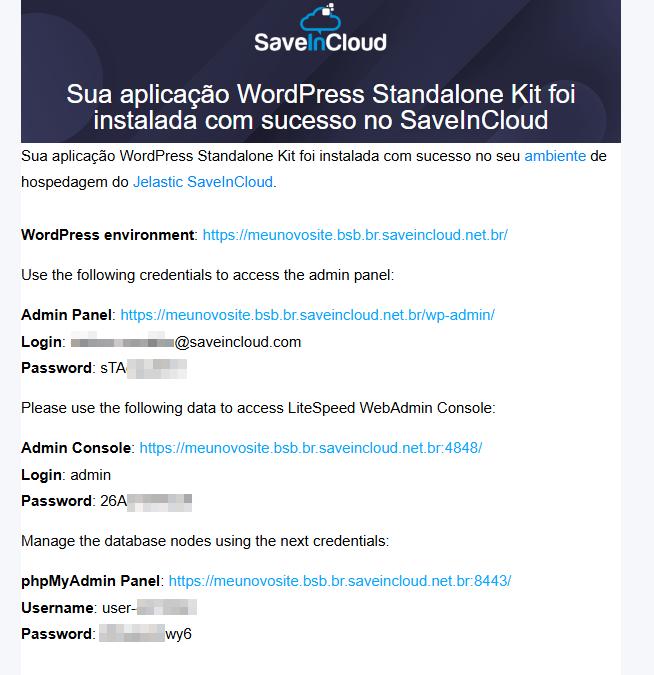
You can also access your WordPress homepage directly from the platform using the “Open in Browser” button on the panel, see:

✅ Completed
Opening in the Browser, you should already see the default WordPress homepage (“Hello World”).
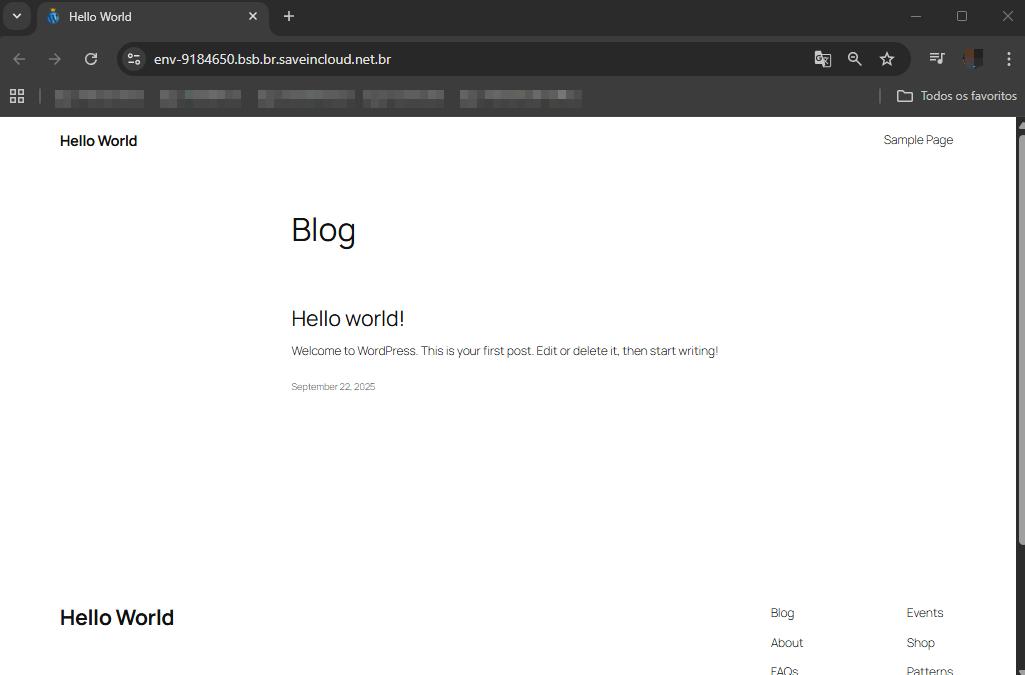
🏗️ The application is ready to be customized.
🔗 Useful links
- Documentation: WordPress Standalone
- SaveinCloud — Cloud WordPress
- Virtuozzo — WordPress as a Service
🧠 Support
If you have questions or encounter difficulties during configuration, contact SaveinCloud support through the channels available in the platform panel.