🚀 Spring Boot Fat Jar Builder
The Spring Boot Fat Jar Builder creates and publishes, simply, a Spring Boot project packaged as a fat/uber JAR: it provisions a Java environment with Maven, downloads your code, runs the build, and starts the app with java -jar.
1. Deploy via Marketplace
- In the SaveinCloud panel, click MARKETPLACE in the top menu.
- Search for Spring Boot Fat Jar Builder.🔎
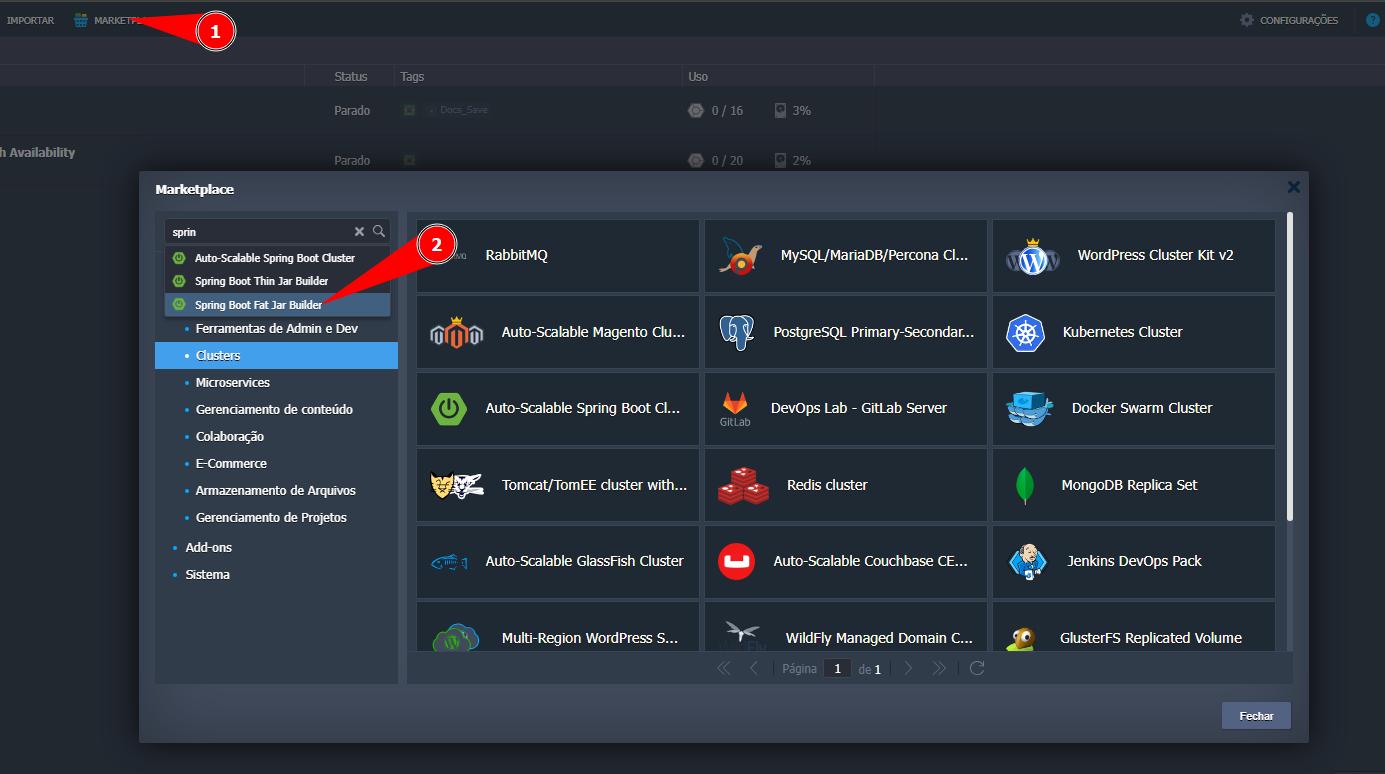
⚙️ 2. Configure the parameters.
The pre-installation screen will appear; fill in the options before provisioning:
-
Git Repo: URL of the Git repository containing your Spring Boot project.
-
Work Directory: Path to the folder where the
pom.xmlto be built is located (e.g., spring-boot-fat). -
Environment: Define the internal name of the environment (e.g., environment).
-
Display Name: Identification name that will appear on the panel.
-
Region: Choose the datacenter region (e.g., Brasília).
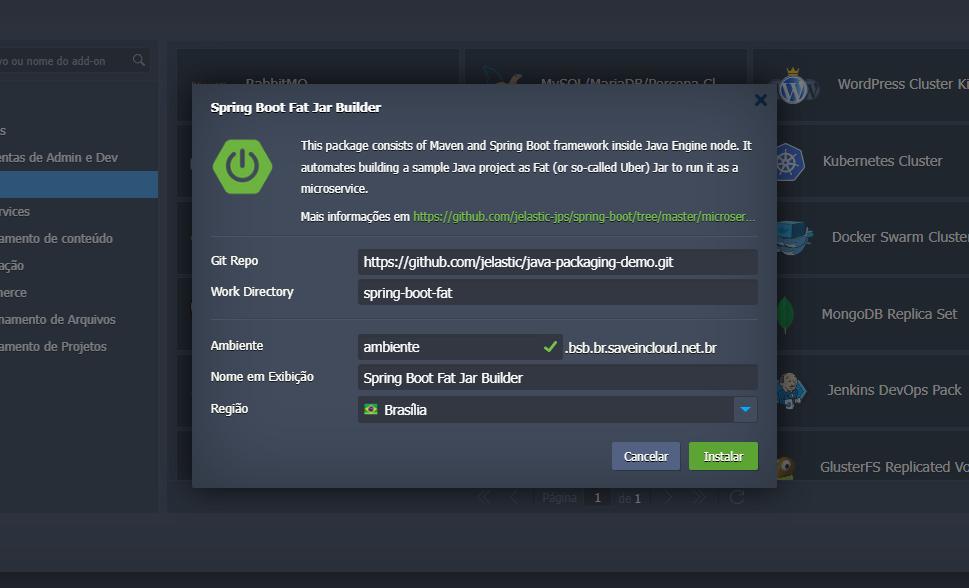
🛠️Click Install to start creating the environment.
✅ 4. Deployment completed
After creation:
- You will see the deployment confirmation screen.
- An informative email will be sent with the details.
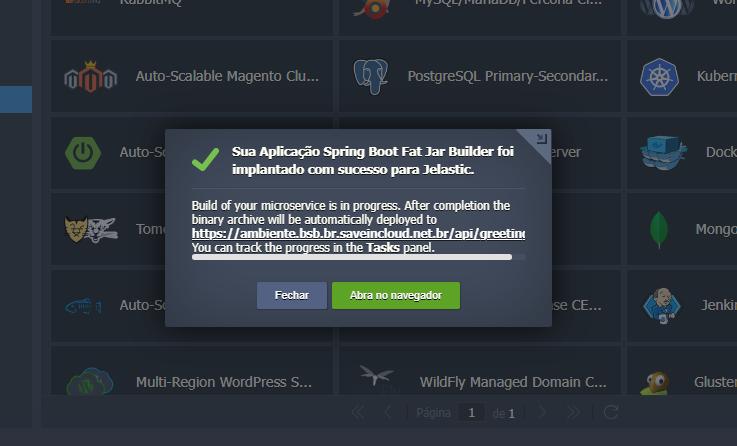
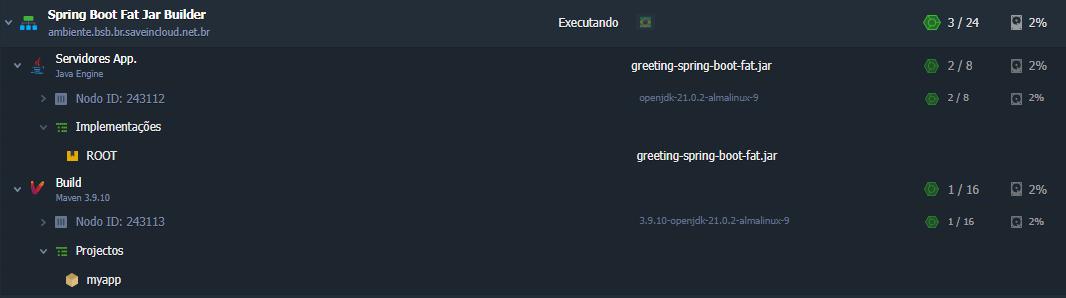
- ✅ The environment will be provisioned and ready to use.
🔗 Useful links
🧠 Support
If you have questions, encounter difficulties in configuration, or need help in specific situations, contact SaveinCloud technical support through the channels available on the platform panel.