📘 qdPM
qdPM (Quality distributed Project Manager) is a free and open-source web system for project and task management, helping teams plan, execute, and track projects by offering centralized organization and communication, without license costs.
🚀 Installation via Marketplace
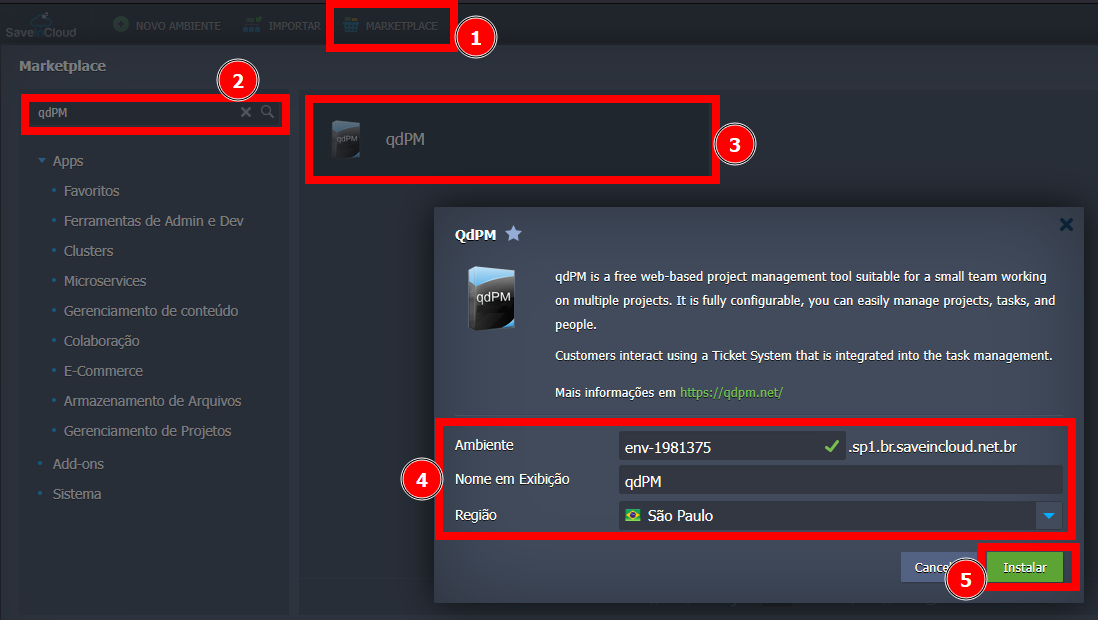
- In the SaveinCloud platform panel, go to the MARKETPLACE;
- In the search bar, look for qdPM;
- Click Install.
🔐 Accessing qdPM
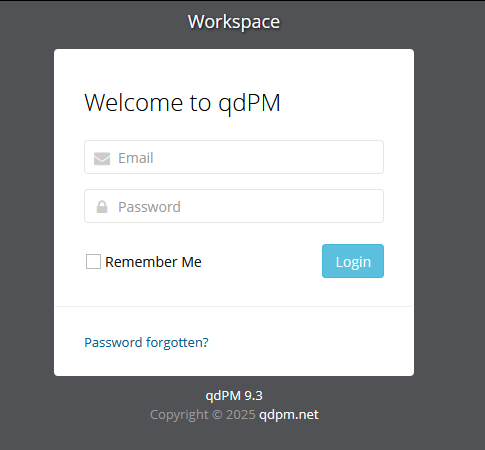
After the environment is created, access credentials will be sent to the email registered on the platform. When accessing your environment, you will need to log in to the qdPM panel.
👤 Users and Groups 👥
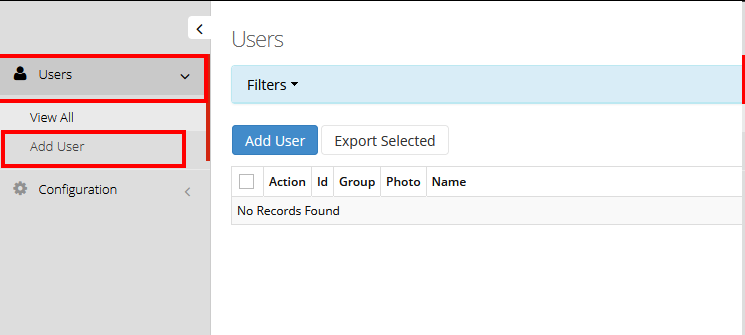
When accessing the panel, you will find some functions described on the left side. To add users, go to the "Users" tab and click "Add User".
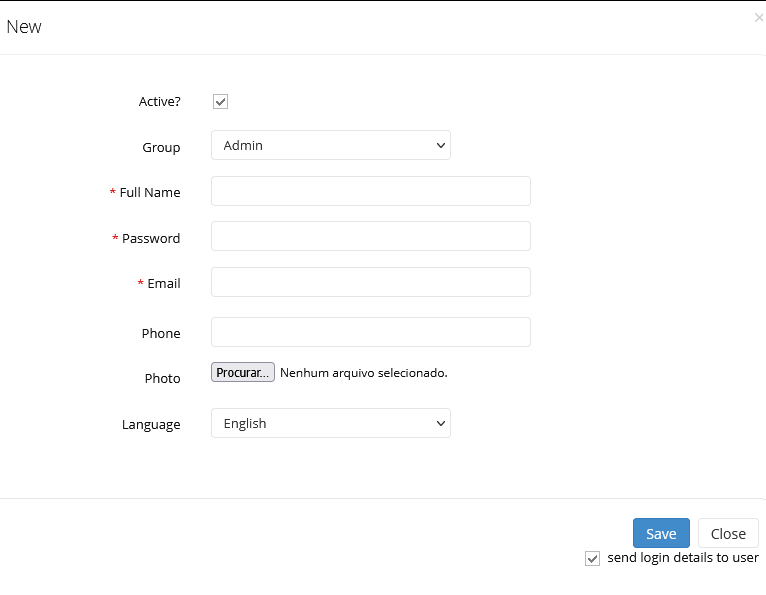
After clicking, you will see a screen asking to add the new user's information, with the option to already assign them to a group the system has. After entering the data, just save for the user to be added to the main screen.
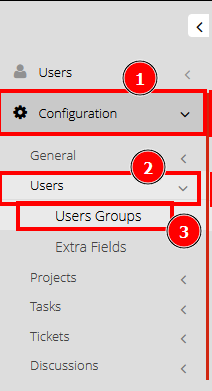
Groups are useful to divide roles among platform users. This way, it is possible to limit some functions and actions of certain users simply by adding them to a group. The system comes with some default groups, which can be viewed by accessing the "Configuration" tab, clicking "Users", and then "User Groups".
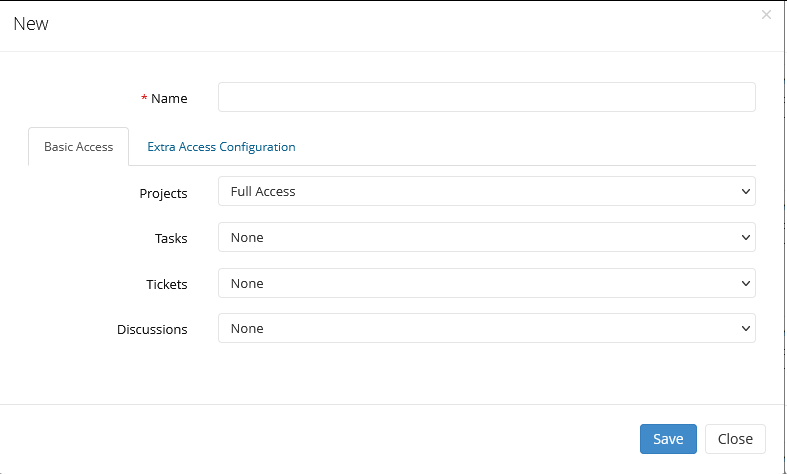
The platform will display the groups already created with their respective restrictions. By clicking "Add", a screen will open where you can enter the group name and define its rules and restrictions for each tab of the qdPM platform. After entering the information, click "Save" to save.
⚙️ Specifications of the Generated Environment
- 🔥 Apache Server: Container with 8 Cloudlets
- 🐬 MySQL Database: Container with 8 Cloudlets
🧠 Questions?
Contact technical support and send your question—we are available to help you!