🐬 MySQL Discontinued Versions
MySQL – Discontinued Versions on SaveinCloud is a Marketplace catalog that provides old MySQL images no longer officially supported (EOL).
🔍 Installation via Marketplace
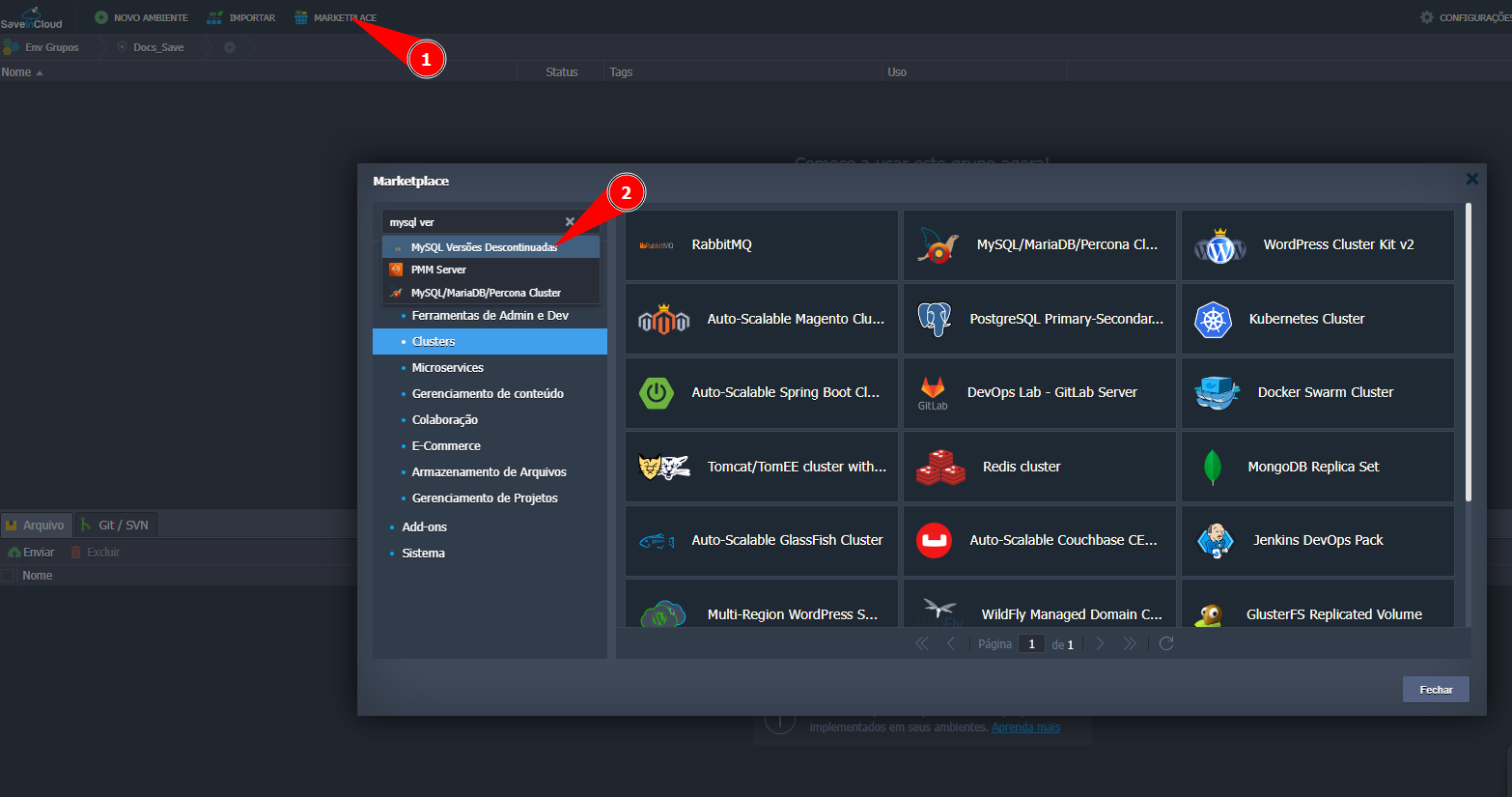
- In the Panel, go to Marketplace.
- Enter Discontinued MySQL Version in the search:
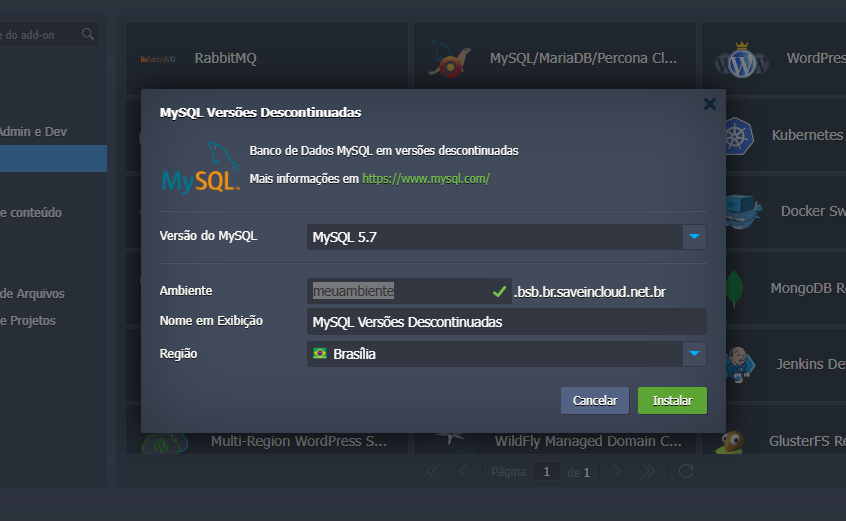
⚙️ Configure installation parameters:
- MySQL Version: Defines which discontinued version will be installed (e.g., MySQL 5.7).
- Environment: Set the environment name (e.g., myenvironment).
- Display Name: Identification name in the panel.
- Region: Choose the desired region (e.g., Brasília).
🔒 Recommended: keep MySQL without a public IP and expose it only via internal applications or tunneling/SSH/VPN whenever possible.
Discontinued versions do not have official platform support, so PaaS integrations will not be available. For this reason, it is recommended to plan your database version upgrade as soon as possible.
- Click Install to create the database.
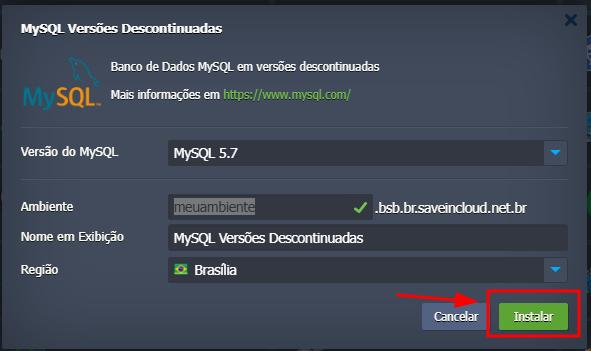
Then, just wait for the platform to automatically create the environment with the defined nodes, applying default memory settings and enabling Auto Scaling.
🚀 Deployment completed
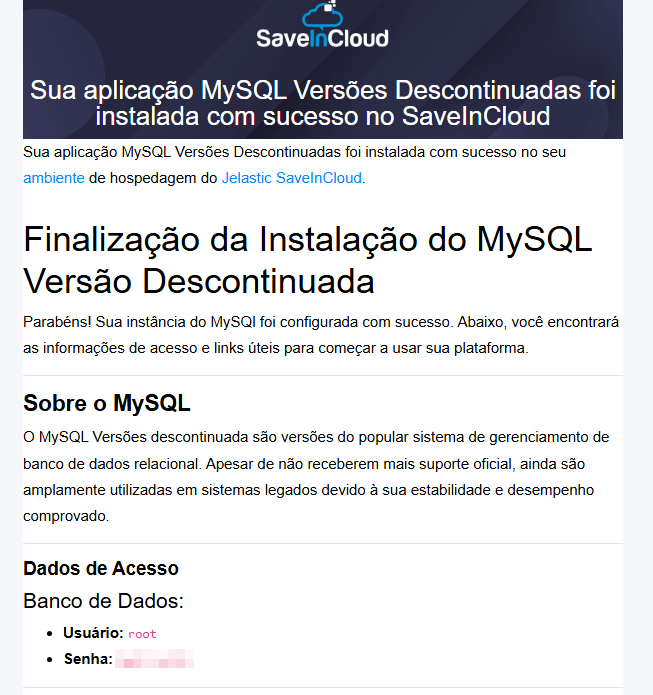
After installation, a confirmation screen will be displayed with database access details and configuration instructions:
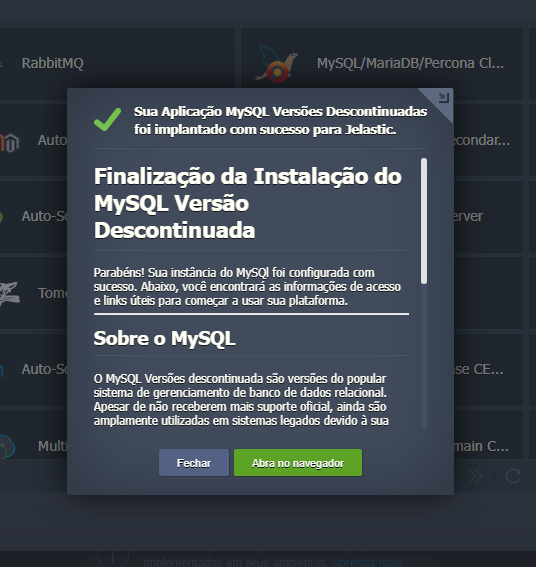
📩 At the end, you will receive the access URL, user, and password by email.
🧰 phpMyAdmin
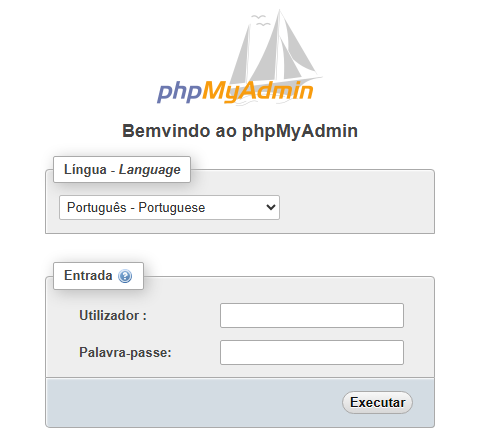
The environment includes phpMyAdmin for browser-based management:
- Access the phpMyAdmin URL received by email.
- Log in with your MySQL credentials.
If you forget or lose your credentials, use the command
/bin/bash /usr/bin/jem passwd set -p Senha -u root --timeout 3570
It is extremely important that the database can be started in safe mode for the command to work.
For large imports, prefer the command line (section Backup/Restore) or scripts inside the environment to avoid upload limits.
⚠️ Important Notices (Discontinued)
- Legacy versions do not receive security fixes or improvements.
- Compatibility with modern drivers/libraries may be limited.
- Avoid new projects on discontinued versions; plan migration.
🔗 Useful Links
🧠 Support
If you have questions, encounter difficulties in configuration, or need help in specific situations, contact SaveinCloud technical support through the channels available in the platform panel.