🌐 MySQL / MariaDB / Percona Multi-Region Cluster
The MySQL/MariaDB/Percona Multi-Region Cluster is a solution designed to support applications that require high availability, resilience, and low latency, even when users are distributed across different geographic locations.
By adopting a multi-region cluster, data is consistently replicated between environments hosted in different Saveincloud datacenters, ensuring:
- Service continuity in case of failure in one region.
- Optimized performance, as reads can be directed to the region closest to the user.
- Scalability, with the ability to distribute load across multiple nodes.
- Security, maintaining synchronized copies in different locations.
This approach is ideal for companies that need disaster recovery, latency reduction, or want to increase the reliability of their critical applications.
🚀 Installation via Marketplace
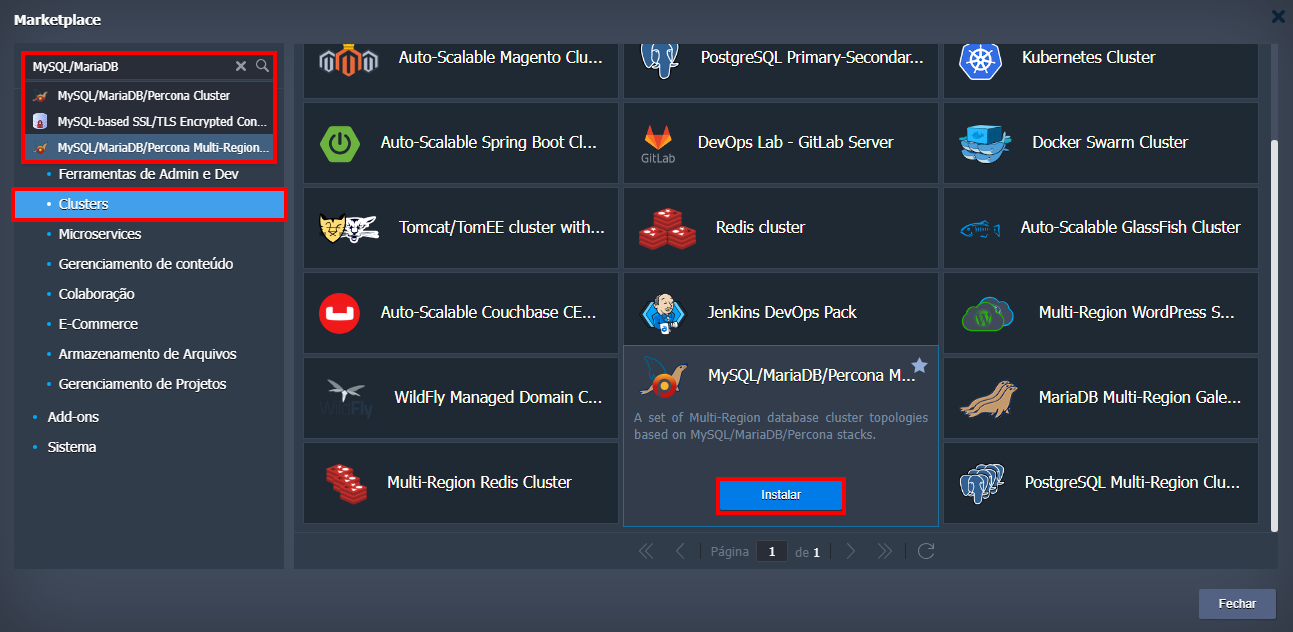
- Access the SaveinCloud panel and click on MARKETPLACE.
- Search for
MySQL/MariaDB/Percona Multi-Region Clusteror navigate to the Clusters category. - Hover over the service and click Install.
⚙️ Installation Options
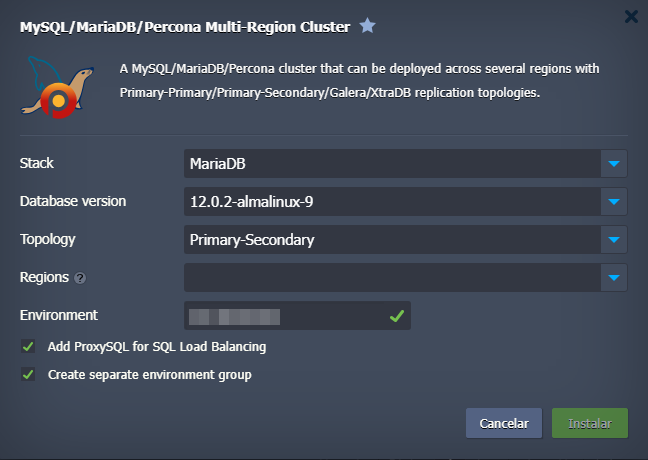
After clicking Install, the multi-region cluster configuration screen will appear, where the following parameters must be defined:
-
Stack
- MySQL
- MariaDB
- Percona
-
Database version
Examples:- 12.0.2-almalinux-9
- 11.8.3-almalinux-9
- 11.8.2-almalinux-9
-
Topology
Varies according to the stack:- MySQL: Primary-Secondary, Primary-Primary
- MariaDB: Primary-Secondary, Primary-Primary, Galera cluster (standalone per region), Galera cluster (Galera per region)
- Percona: Primary-Secondary, Primary-Primary, XtraDB cluster (standalone per region), XtraDB cluster (XtraDB per region)
-
Regions
Define the regions where the cluster will be distributed.
The first node will be Primary and the following Secondary. -
Environment
Name of the environment to be created. -
Add ProxySQL for SQL Load Balancing
(optional) Adds ProxySQL for load balancing. -
Create separate environment group
(optional) Creates a separate group in the panel to organize the cluster environment.
🔐 Access and Credentials
After installation, the access URLs and database credentials will be automatically sent to the email associated with the account.
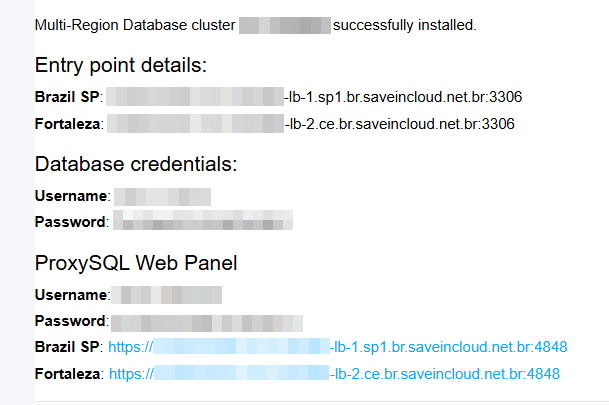
Do not forget to change the password after the first access to the administrative panel.
📚 References
- Official MySQL Documentation
- Official MariaDB Documentation
- Official Percona Documentation
- ProxySQL Documentation
🧠 Support
If you encounter difficulties during installation or use of the application, contact the support channels available in the platform panel.