MariaDB Multi-Region Galera Cluster
🚀 What is the MariaDB Multi-Region Galera Cluster
The MariaDB Galera Cluster Multi-Region is a synchronous replication solution that ensures data consistency across multiple geographic regions. The system not only copies the information but also uses a certification-based replication method. This means that each transaction includes details about the security locks used. Before being applied, the transaction is validated on all nodes of the cluster to ensure there are no conflicts. Only after validation is the change applied, ensuring that all nodes remain identical and updated in real time, even over distance.
🔍 Topology of the MariaDB Multi-Region Galera Cluster
You can choose one of two topologies for the MariaDB Multi-Region Galera Cluster, with nodes distributed across three different regions. The choice depends on the level of performance and high availability you need for your application.
Based on MariaDB standalone (per region)
This option offers a single MariaDB instance in each region.
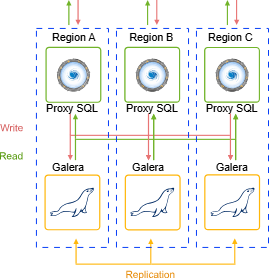
Based on MariaDB Galera cluster (per region)
This option offers the creation of 3 MariaDB instances in each region, totaling 9 instances in your Galera Cluster.
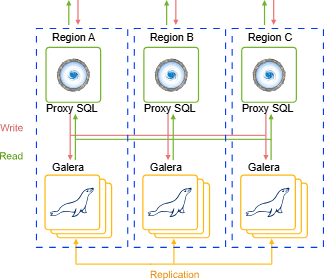
At installation time, it is possible to add a high availability ProxySQL load balancer. This balancer sits in front of the cluster and distributes requests among the different nodes.
Installing MariaDB Multi-Region Galera Cluster
Access the Marketplace tab on the platform panel, near the upper right corner, and search for MariaDB Multi-Region Galera Cluster.
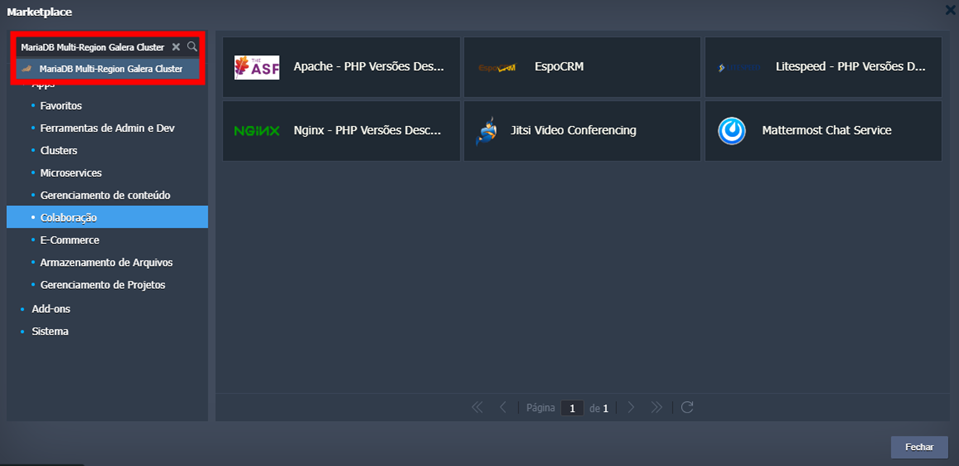
When accessing the installer, you need to set the following configurations:
-
Region: Choose three regions from the list for deployment.
-
Database Version: Select the MariaDB version.
-
Topology: Choose between the options Based on MariaDB standalone (per region) and Based on MariaDB Galera cluster (per region)
-
Add ProxySQL for load balancing: Check to include ProxySQL as a load balancer in each environment.
-
Environment: Define a name to group and isolate your multi-regional environments.
-
Display Name: Provide a custom nickname for the environments.
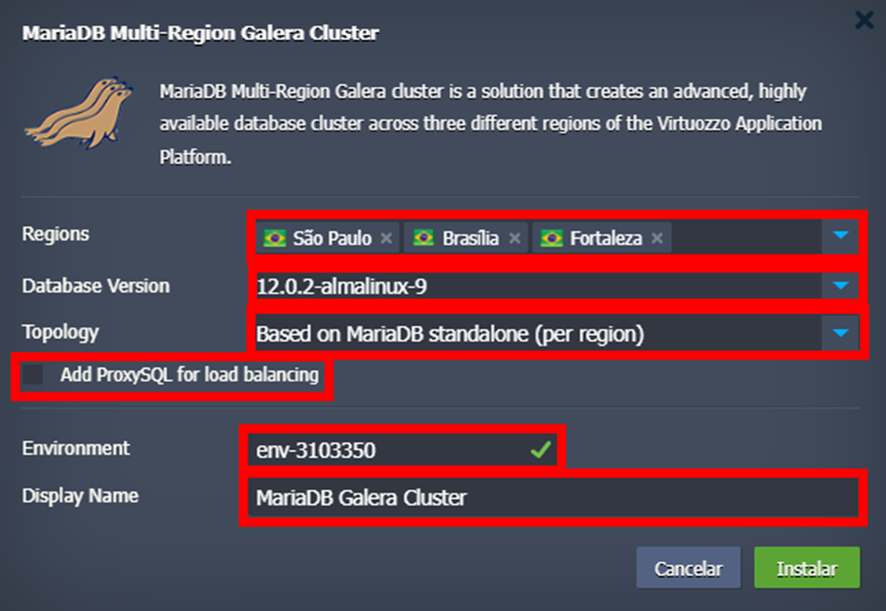
Currently, the available regions are São Paulo, Fortaleza, and Brasília.
Access Credentials
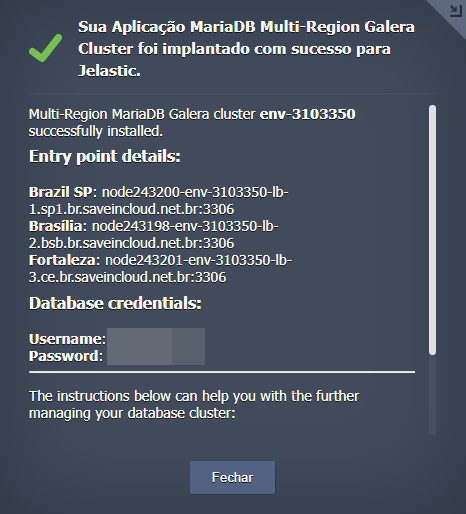
Upon completing the installation, you will receive a notification on your platform panel with the entrypoint details and access credentials.
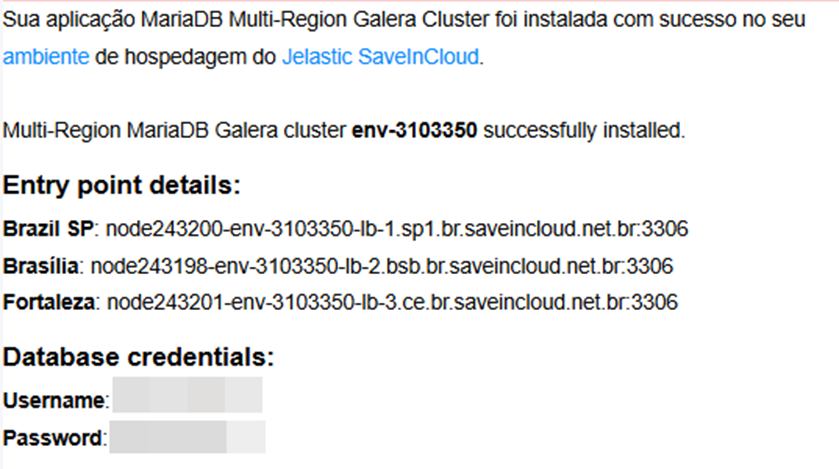
Additionally, you will receive the same information at your registered email.
🧠 Questions?
Contact technical support and send your question—we are here to help you!