🔥 Firebird on the SaveinCloud platform
This guide aims to instruct the creation, configuration, and best practices for using the Firebird stack on the SaveinCloud PaaS platform, ideal for legacy applications and systems that use this robust and lightweight database.
🛠️ Installation via Marketplace
- Access the SaveinCloud panel and click on MARKETPLACE.
- Search for
Firebird.
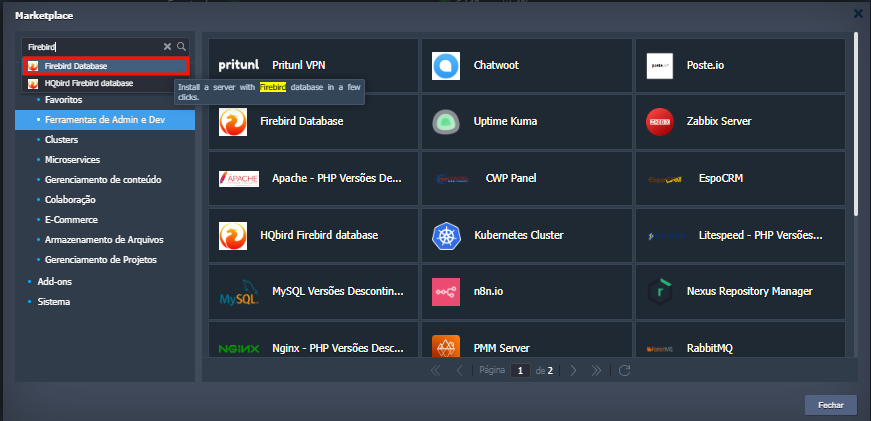
You will see the option to select the operating system version, service version, and available regions to create:
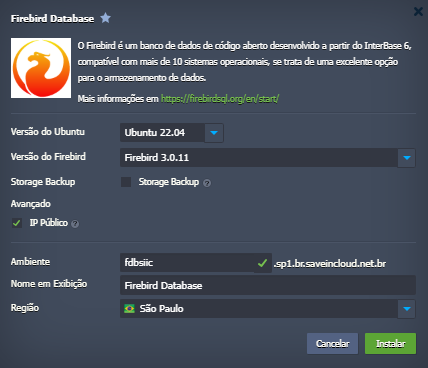
ℹ️ To use versions earlier than Firebird 3.0, you must select Ubuntu 20.04 or Ubuntu 18.04 versions, due to compatibility issues of the Firebird service with newer Ubuntu versions.
Learn more
⚠️ When the Public IP option is selected, access must be through the standard ports 21 for FTP and 3050 for Firebird
📁 Uploading Your Database to the Server
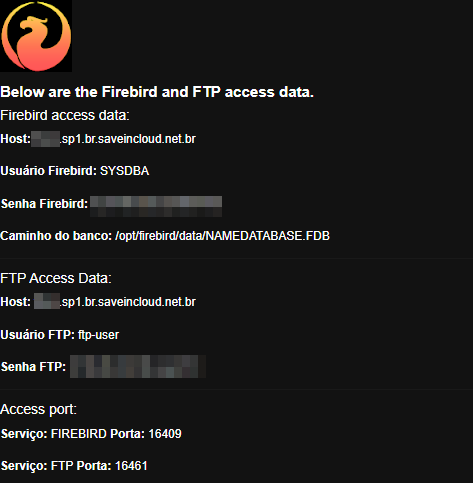
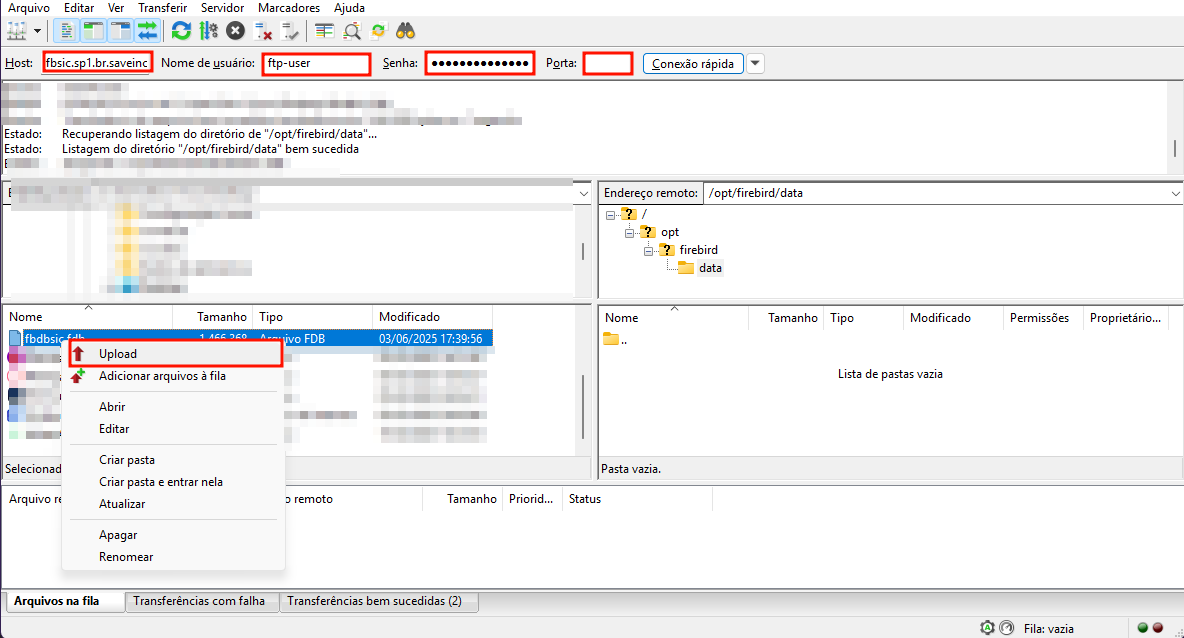
Connect to your favorite FTP manager (for example, Filezilla) with the access data sent by email to upload your Firebird database file to the created server.
Data:
Connection and database upload:
🔐 Connecting externally to your database
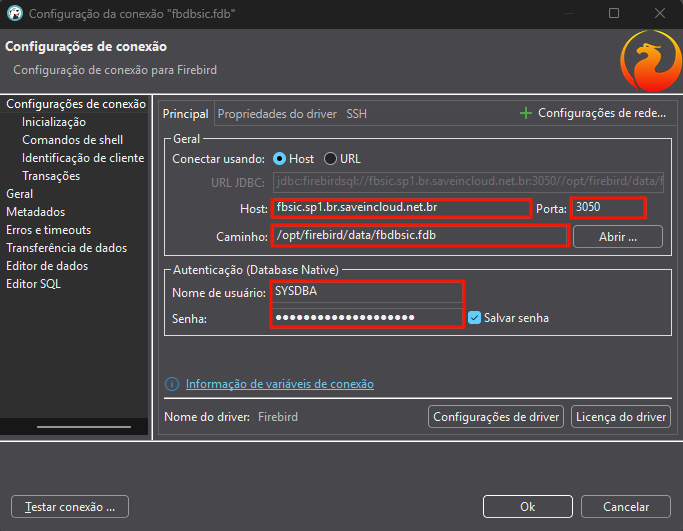
After uploading the database, connect with your favorite database manager (for example, DBeaver) using the access data sent by email at the time of environment creation, for example:
Data:
Database connection:
🗄️ Important Folder Structure
/opt/firebird/data/               # Suas bases de dados
/opt/firebird/firebird.log/       # Diretório de Logs
/opt/firebird/firebird.conf       # Configuração principal
🔌 Local Connection
Test with isql (Web SSH):
/opt/firebird/bin/isql
SQL> CONNECT "/opt/firebird/data/banco.fdb" user 'SYSDBA' password 'suaSenha';
External Connection with String:
host/IP:porta:/caminho/para/banco.fdb
Example:
191.243.221.1/3050:/opt/firebird/data/meubanco.fdb
💾 To create your own backup routine, access our documentation Firebird Backup.
📈 Optimization and Performance
- Check and adjust the
firebird.conffor better use of computing resources. - Monitor resource usage with
toporhtop.
💡 To find out which adjustments are necessary for your database, use the Firebird Configuration Calculator
📚 Related Resources
🧠 Questions?
Contact the SaveinCloud technical support team. We are ready to help!