HQBird Firebird Database
🚀 What is the HQBird Firebird Database?
The HQBird Firebird Database is an advanced solution for the Firebird database, designed to increase performance in large-scale and high-demand environments, bringing together tools that simplify the entire maintenance cycle, such as performance optimization, continuous monitoring, local and cloud backups, as well as recovery mechanisms in case of failures, allowing companies to work stably and efficiently with Firebird databases from 50 GB up to 2 TB without the need for a dedicated database administrator.
💻 HQBird Firebird Database Installation
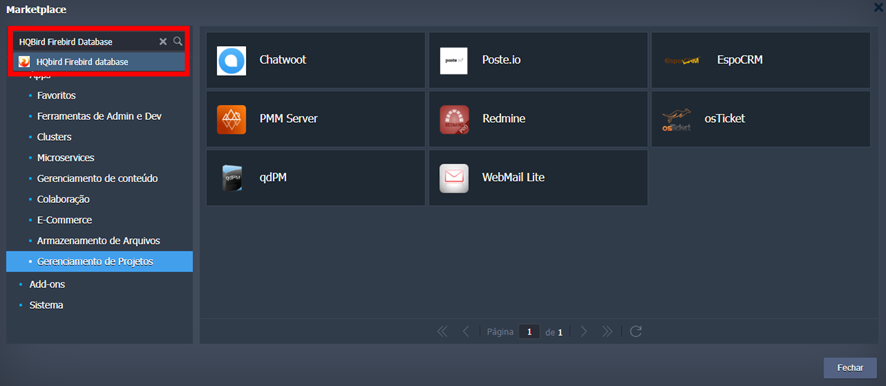
Access the Marketplace tab in the platform panel, near the upper right corner, and search for HQBird Firebird Database.
When accessing the installer, you need to choose the HQBird version, environment name, display name on the panel, and the region where it will be installed.
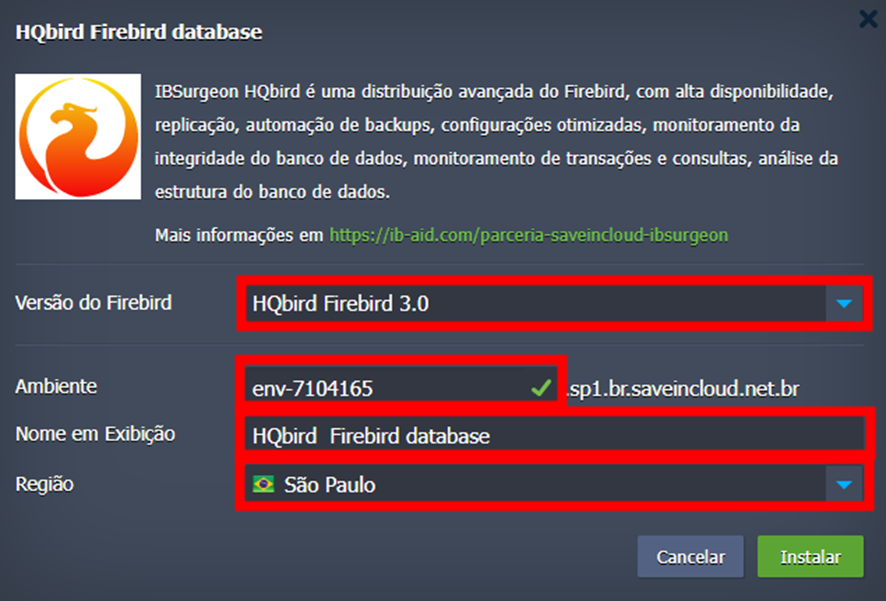
Currently, the available regions are São Paulo, Fortaleza, and Brasília.
🔒 Access Credentials
Upon completing the installation, you will receive a notification in your platform panel with the access credentials and information related to the ports used by the services.
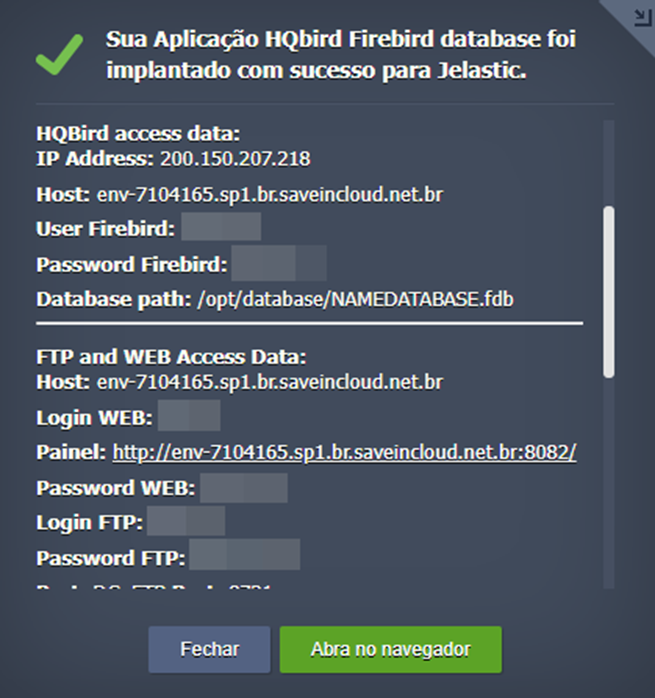
Additionally, you will receive the same information in your registered email.
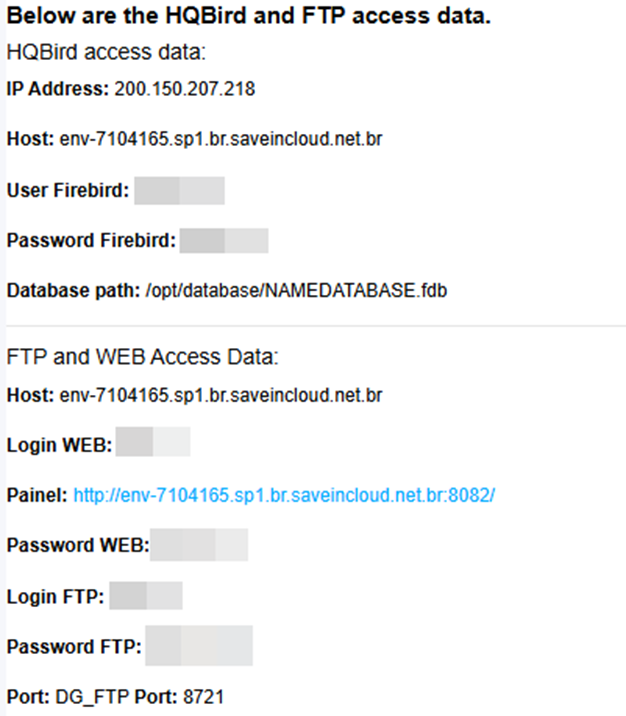
The information sent follows the pattern below:
HQBird access data:
IP Address: 200.150.207.218
Host: env-7104165.sp1.br.saveincloud.net.br
User Firebird: SYSDBA
Password Firebird: ********
Database path: /opt/database/NAMEDATABASE.fdb

FTP and WEB Access Data:
Host: env-7104165.sp1.br.saveincloud.net.br
Painel WEB: http://env-7104165.sp1.br.saveincloud.net.br:8082/
Login WEB: admin
Password WEB: ********
Login FTP: admin2
Password FTP: ********
Porta FTP (DG_FTP): 8721

Access ports:
Service: FIREBIRD 3050
Service: FB_ADD   3059
Service: DG_WEB   8082
Service: DG_TRACE 8083
Service: DG_FTP   8721
Service: DG_FTP2  14701
🧠 Questions?
Contact technical support and send your question; we will be available to help you!