Node-RED Dev Installation
🚀 What is Node-RED Dev?
Node-RED Dev is a development environment based on Node-RED, an open source tool aimed at creating integration applications through visual flows. With it, you can connect APIs, IoT devices, databases, and cloud services using an intuitive graphical interface, without the need to program from scratch. Designed for developers and technical teams, Node-RED Dev provides a flexible platform to:
- Quickly create automation prototypes.
- Integrate heterogeneous systems.
- Monitor and orchestrate data in real time.
- Extend functionalities with support for JavaScript and custom nodes.
In practice, Node-RED Dev works as a centralized integration and automation hub, allowing applications to be developed, tested, and deployed in an agile and collaborative way.
🔍 Installing Node-RED Dev
Access the Marketplace tab near the upper right corner and search for Node-RED Dev.
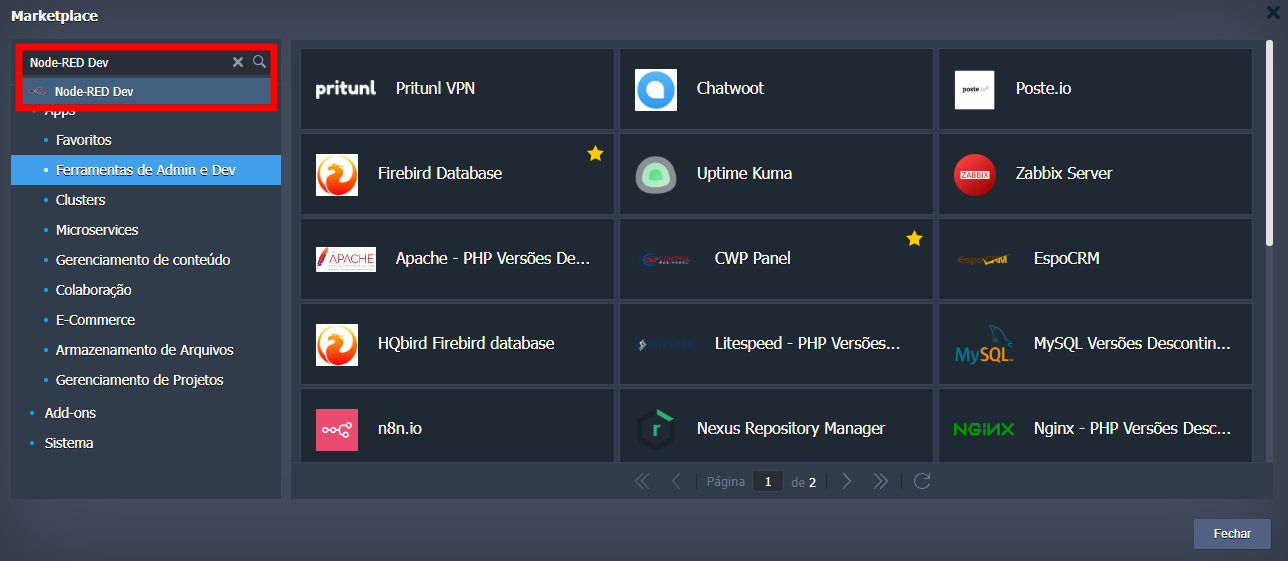
When accessing the installer, you need to choose the environment name, display name on the panel, and the region where it will be installed.
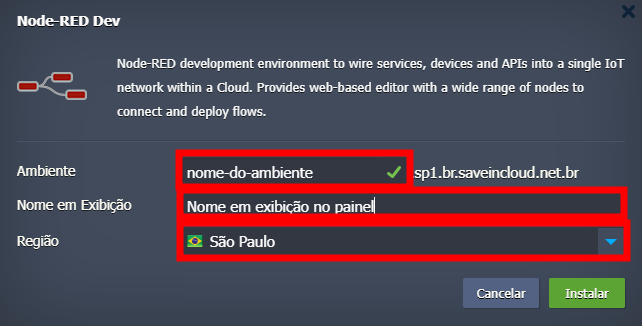
Currently, the available regions are São Paulo, Fortaleza, and Brasília.
💻 How to access Node-RED Dev?
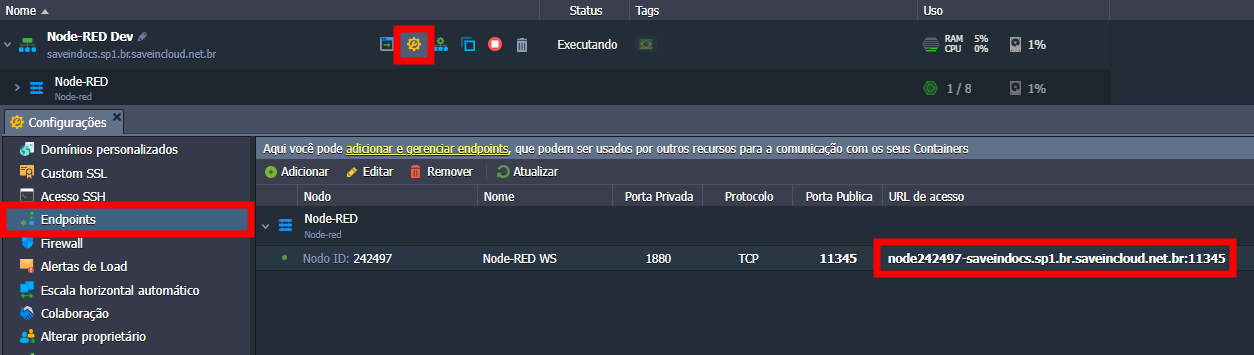
To access the Node-RED Dev panel, just click the "Open in browser" icon.

Or get the URL in the Endpoints section.
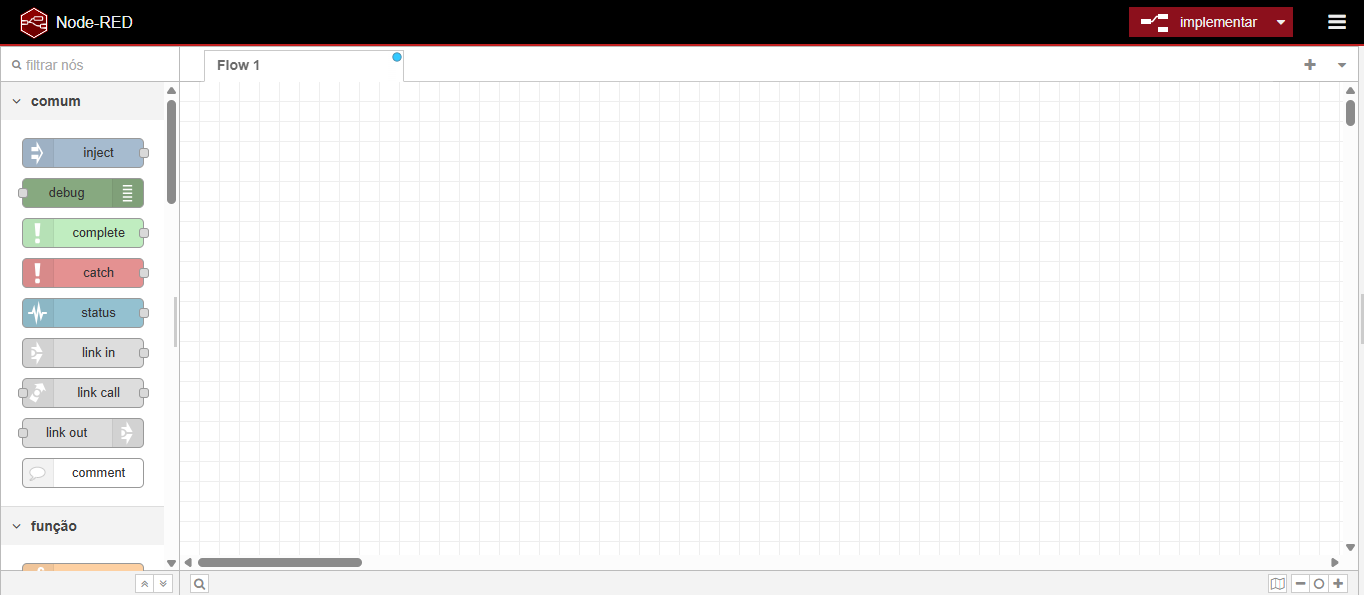
Done! You are now accessing the Node-RED Dev Automation Panel!
🧠 Questions?
Contact technical support and send your question—we are here to help you!