📊 New Relic APM – SaveinCloud
⚠️ All configurations shown in this manual are simple and hypothetical examples. Adaptations may be necessary depending on the topology and structure of your environment.
New Relic APM (Application Performance Monitoring) is a tool that provides detailed real-time application performance monitoring.
It allows identifying bottlenecks, tracking resource usage metrics, tracing transactions, monitoring database queries, and analyzing application errors.
On SaveinCloud (Virtuozzo/Jelastic), New Relic APM can be added as an addon, facilitating the integration of your application with the New Relic dashboard.
🚀 Installing New Relic APM
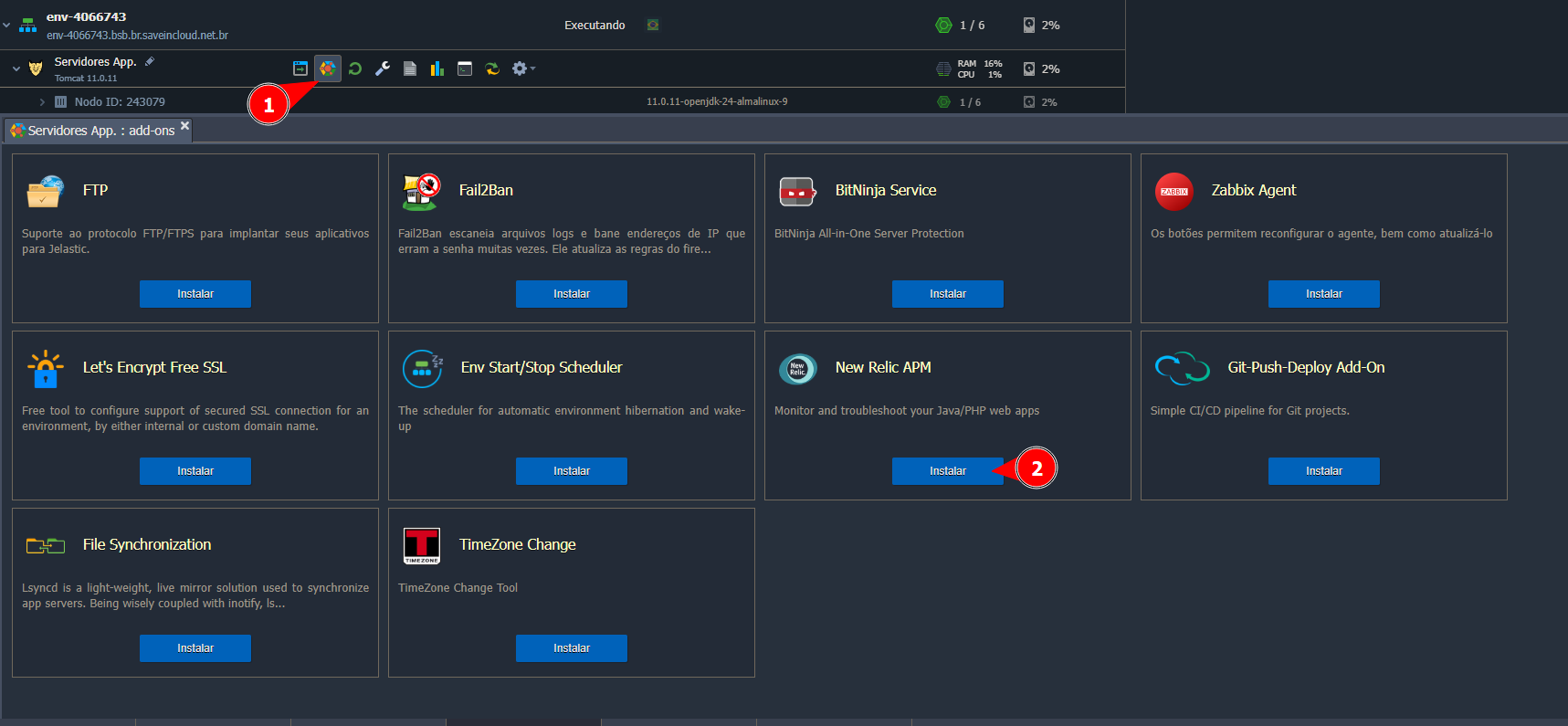
Choose the node where you want to install the addon, and access the addons tab, as shown in the screenshot below:
⚙️ Configuring New Relic APM
After selecting "Install," a window will appear to enter the License Key:
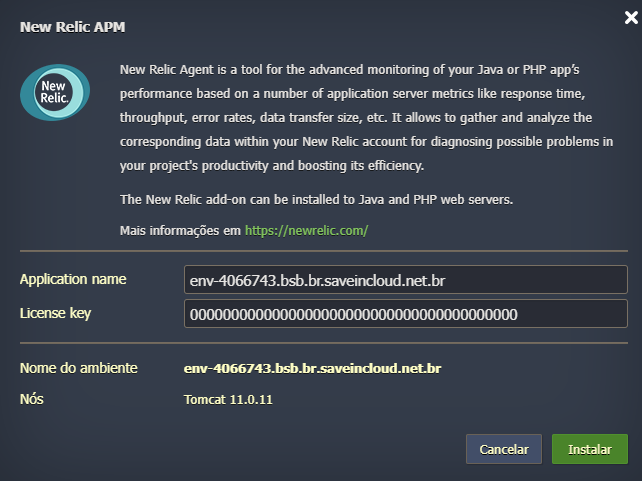
This License Key can be obtained through the official New Relic APM website by creating an account: Official New Relic APM Website
Once generated and entered, you can reopen the New Relic APM website to monitor data related to the configured environment.