🔄 NGINX Safe Reload (Add-on)
The NGINX Safe Reload add-on allows you to apply changes to NGINX safely, without restarting the service and without dropping active connections. It performs a syntax check of the configuration before reloading, ensuring that the changes do not cause failures.
✅ Prerequisites
-
Environment with NGINX Load Balancer on Saveincloud
-
Access to the platform panel
🚀 Add-on Installation
-
Access your environment on Saveincloud.
-
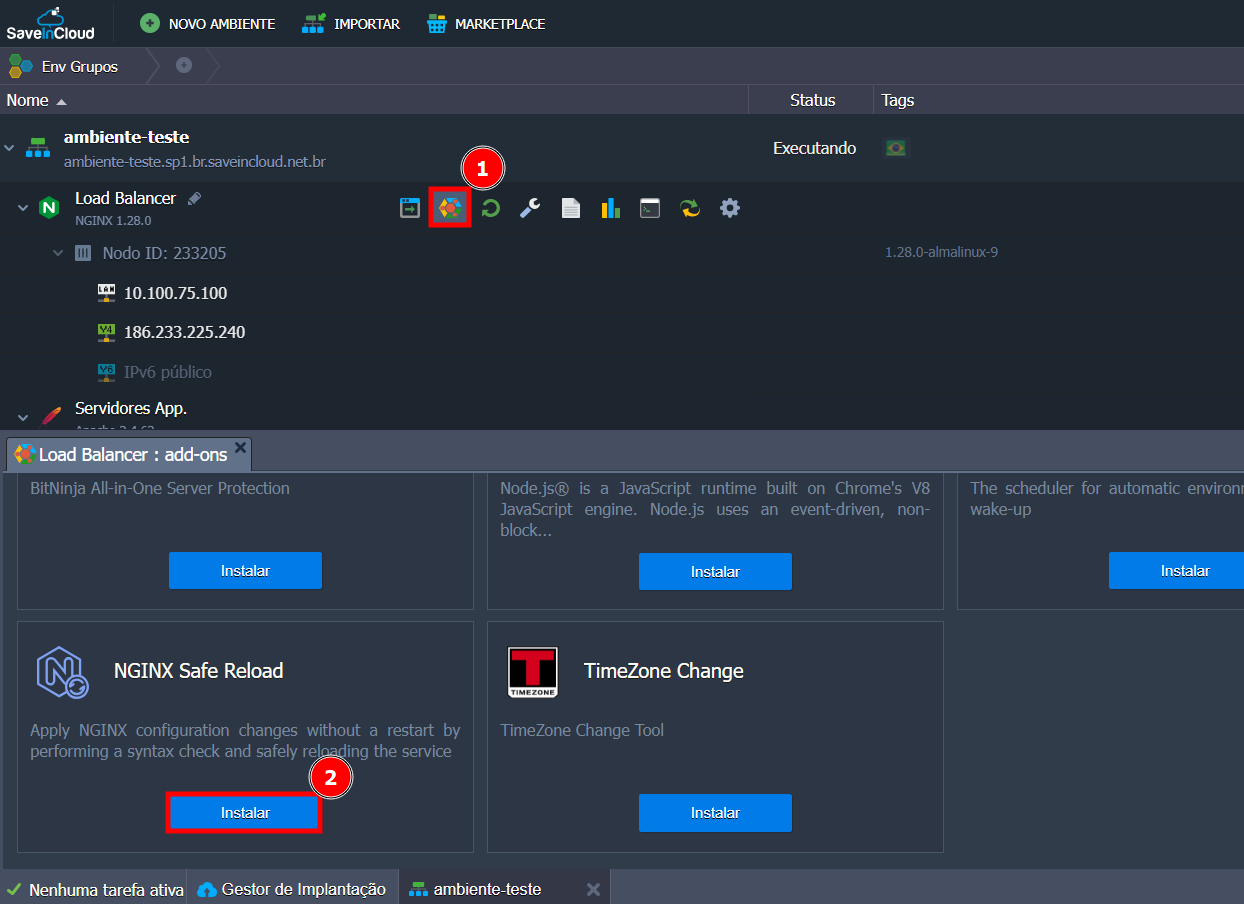
In the NGINX Load Balancer container, click the Add-ons button.
-
Locate the NGINX Safe Reload add-on.
-
Click Install.
⚙️ How to use
After installation, two buttons will be available:
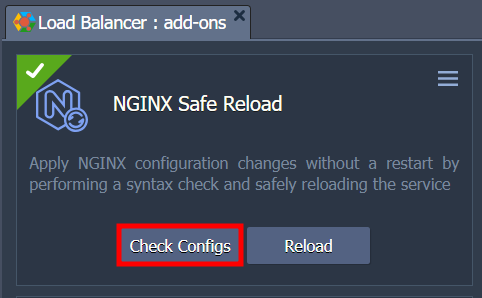
🔍 Check Configs
-
Executes the command
nginx -tto validate the current configuration syntax. -
If everything is correct, the message will be displayed:
nginx: the configuration file /etc/nginx/nginx.conf syntax is ok

nginx: configuration file /etc/nginx/nginx.conf test is successful
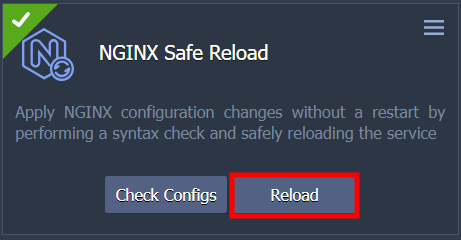
🔄 Reload
-
Applies the changes to NGINX safely (equivalent to
nginx -s reload). -
If successful, the message will appear:
The NGINX service has been safely reloaded!
⚠️ If there are syntax errors, the reload will not be applied, ensuring environment stability.
✅ Advantages
-
No active connections are dropped
-
Safe and validated reload
-
Ideal for production environments
🧪 Usage example
-
Edit the NGINX configuration (
/etc/nginx/nginx.conforsites-enabled/). -
Click Check Configs to validate. `
-
If there are no errors, click Reload to apply the change.

✅ Conclusion
With the NGINX Safe Reload add-on, you can safely apply changes to NGINX directly through the Saveincloud interface, avoiding interruptions in your environment.