🔔 Configuring Load Alerts via Slack
The add-on Load Alerts to Slack allows you to integrate your environment's monitoring system directly with a Slack channel.
This way, you receive automatic notifications whenever resource limits (CPU, RAM, Disk) are reached or when there are load spikes.
🛠️ 1. Create an App on Slack
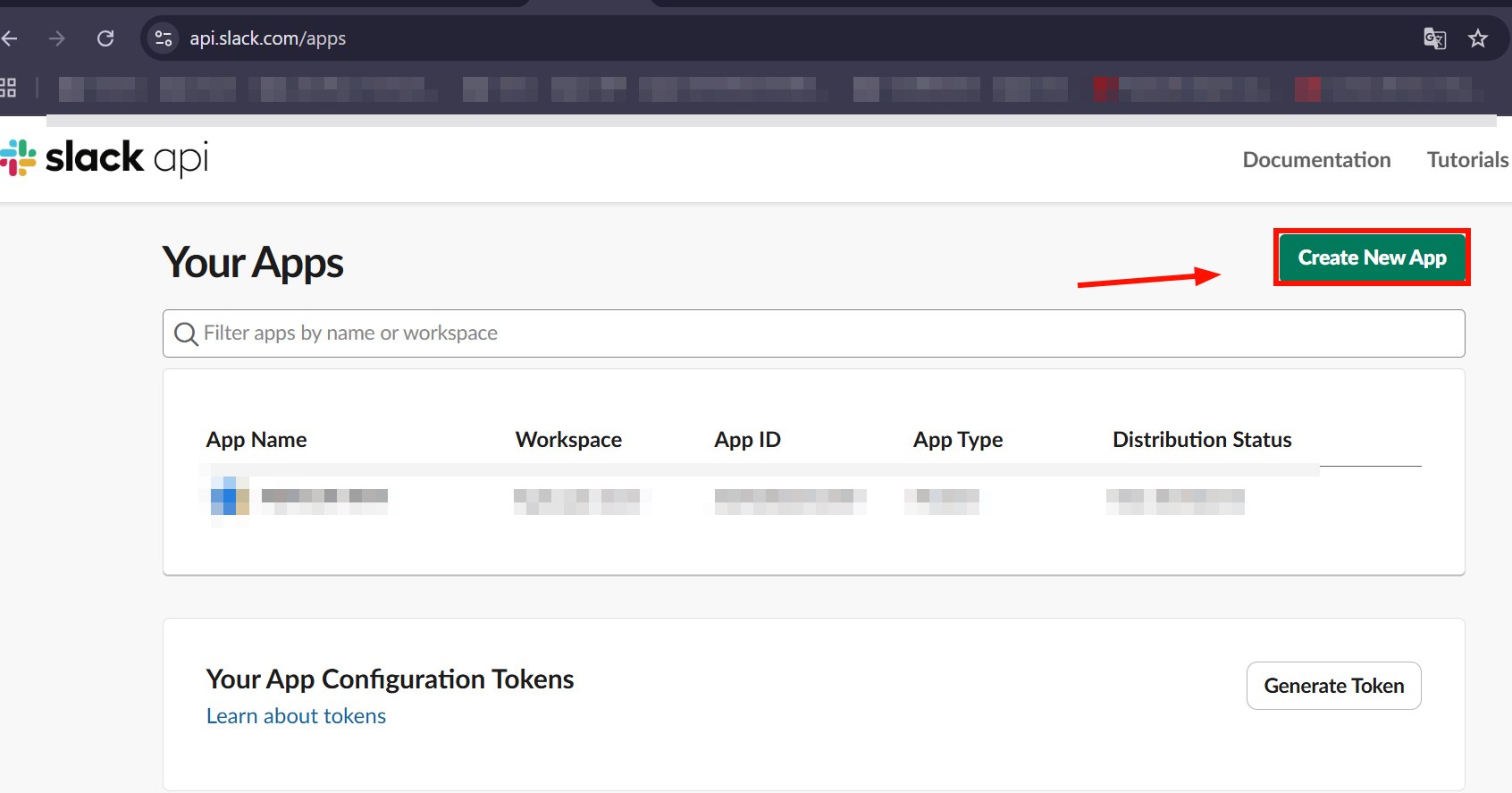
Access the panel: https://api.slack.com/apps
Click Create New App:
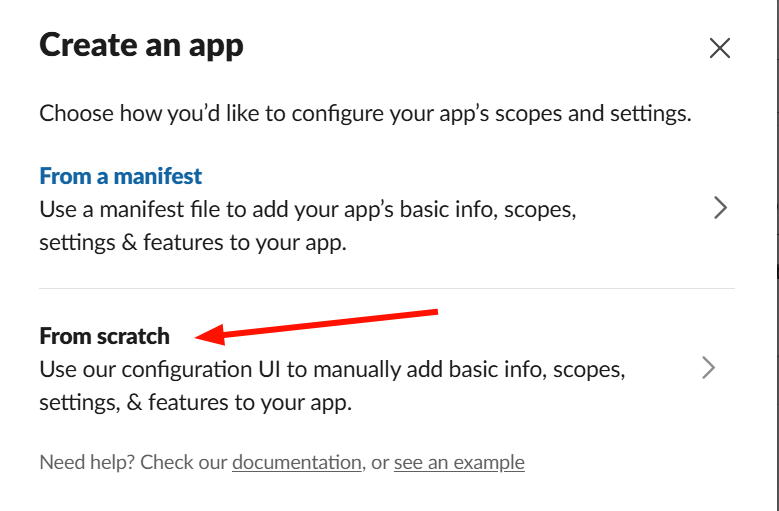
Select the option From scratch:
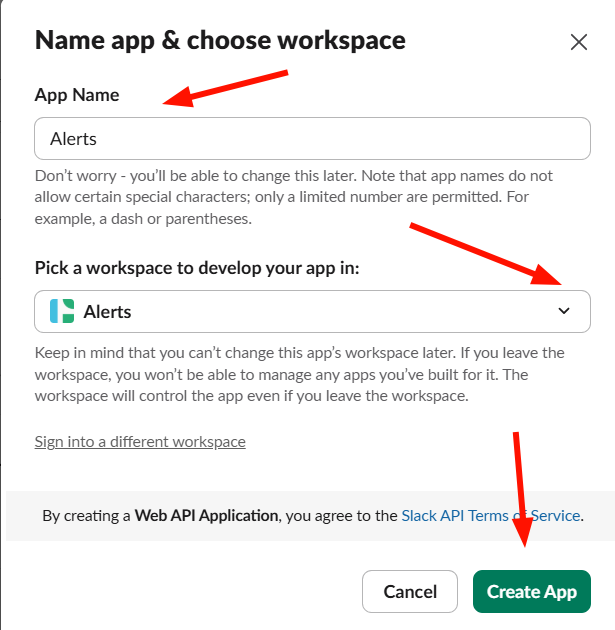
Set the app details:
- App Name: App name (e.g.,
Alertas Infra) - Workspace: Your Slack workspace
🔐 2. Set Permissions and Obtain Token
Go to OAuth & Permissions:
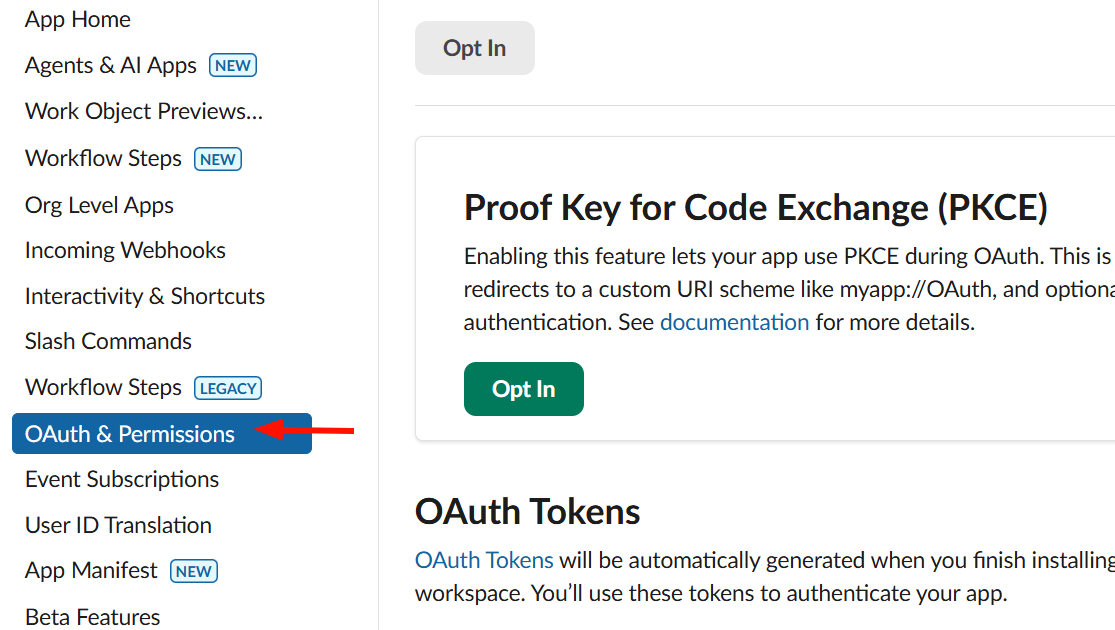
In the Scopes section, add:
chat:write
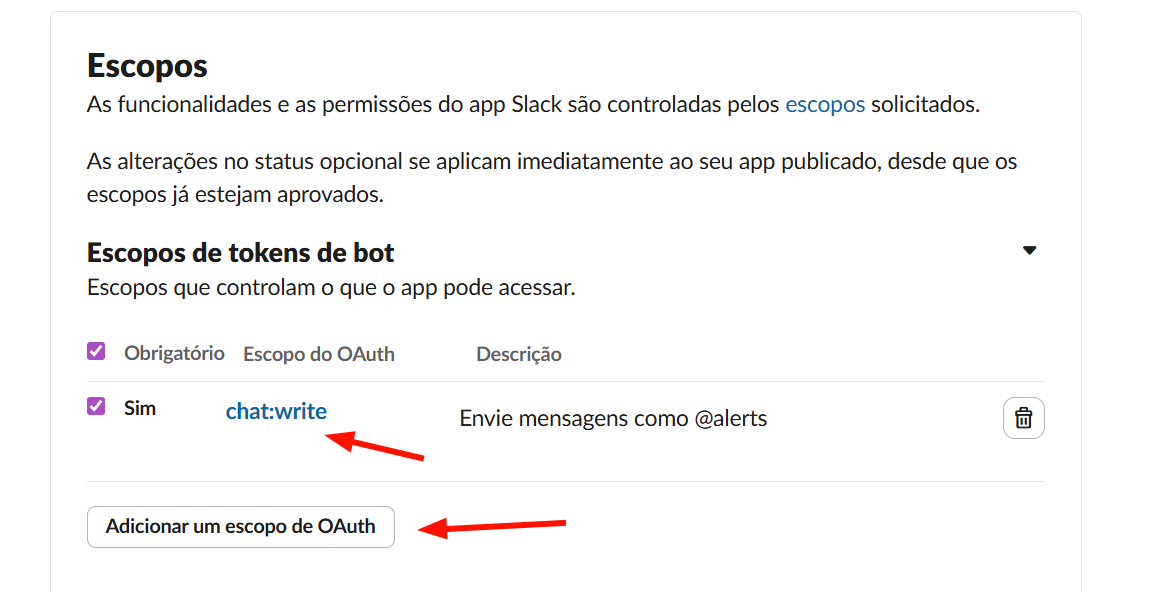
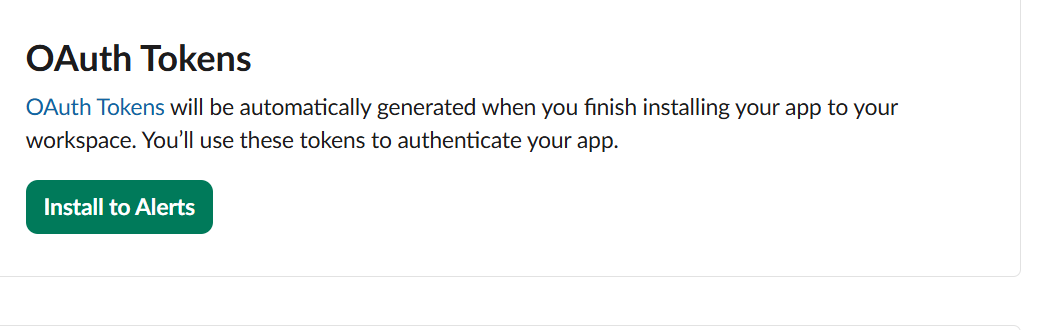
Click Install to Workspace:
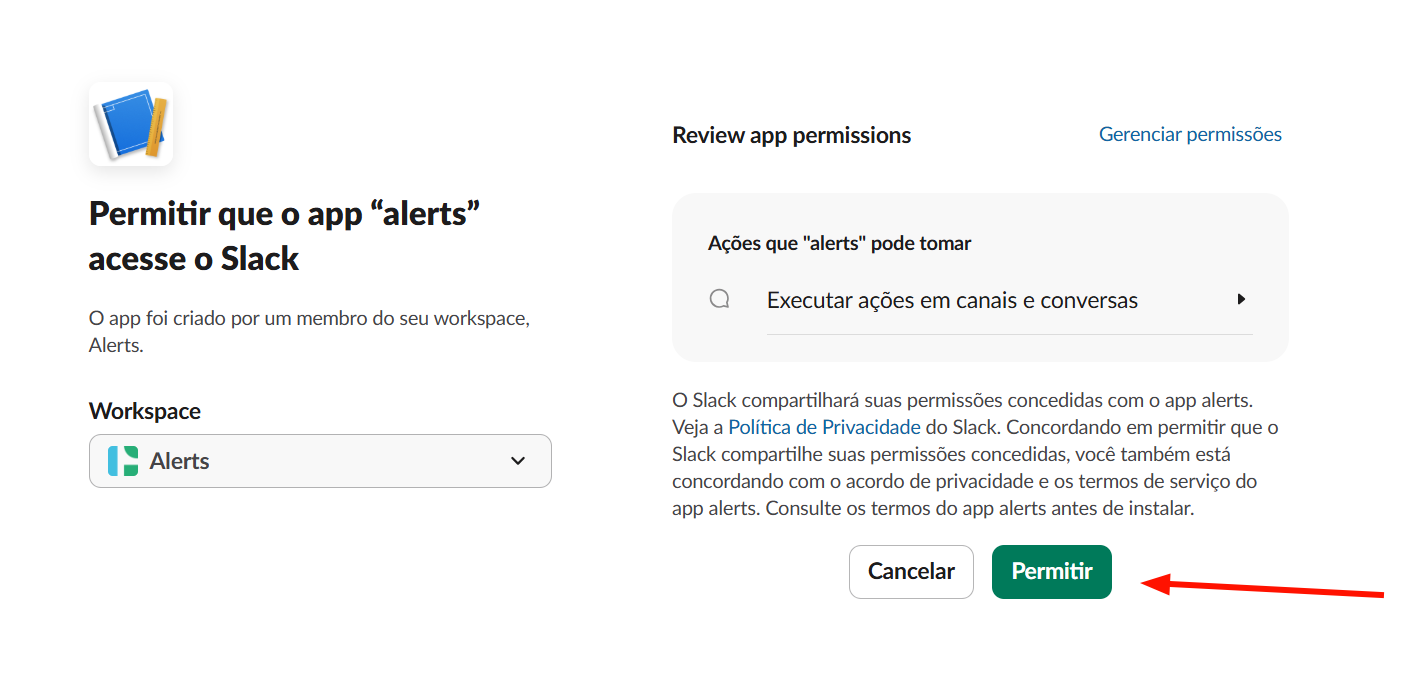
 Allow:
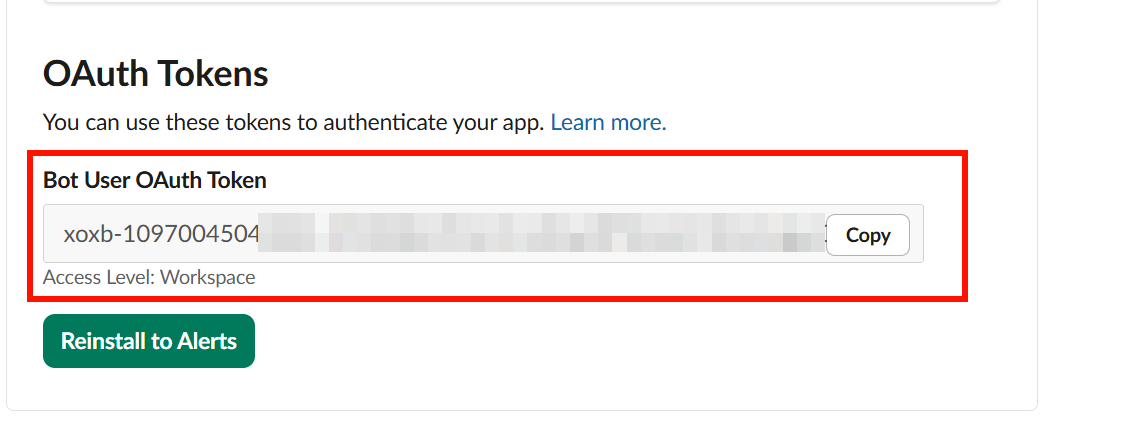
Copy the generated token:
⚠️ Important: the token starts with
xoxb-
📺 3. Configure Channel on Slack
Open the channel where you want to receive alerts:
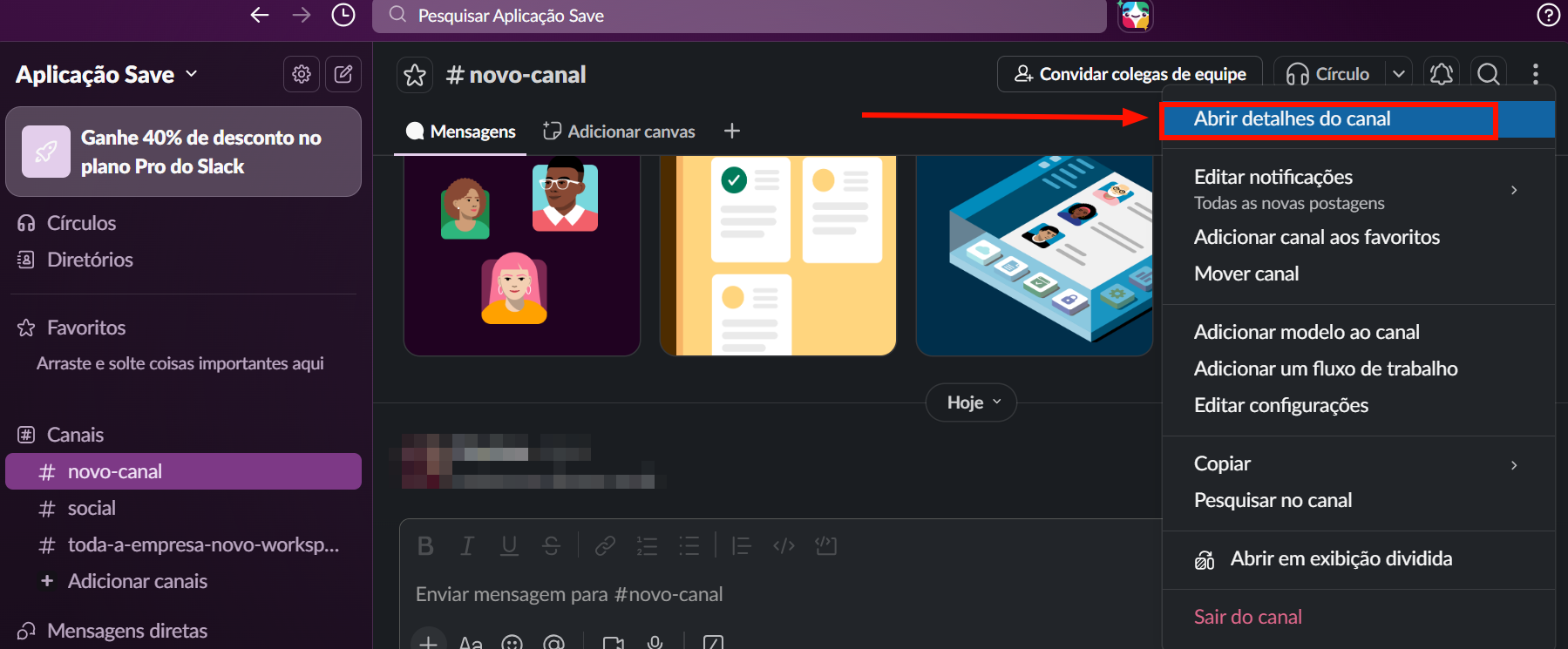
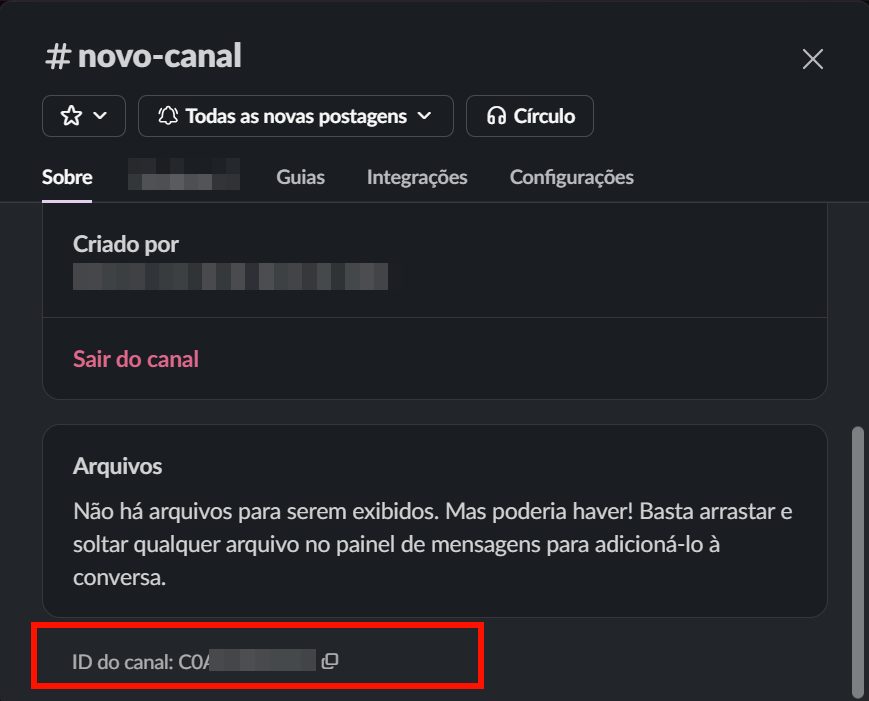
Copy the Channel ID:
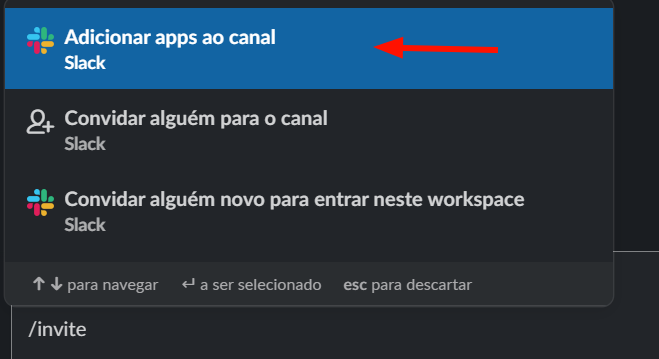
Add the app to the channel by typing /invite in the chat:
Choose the desired app:
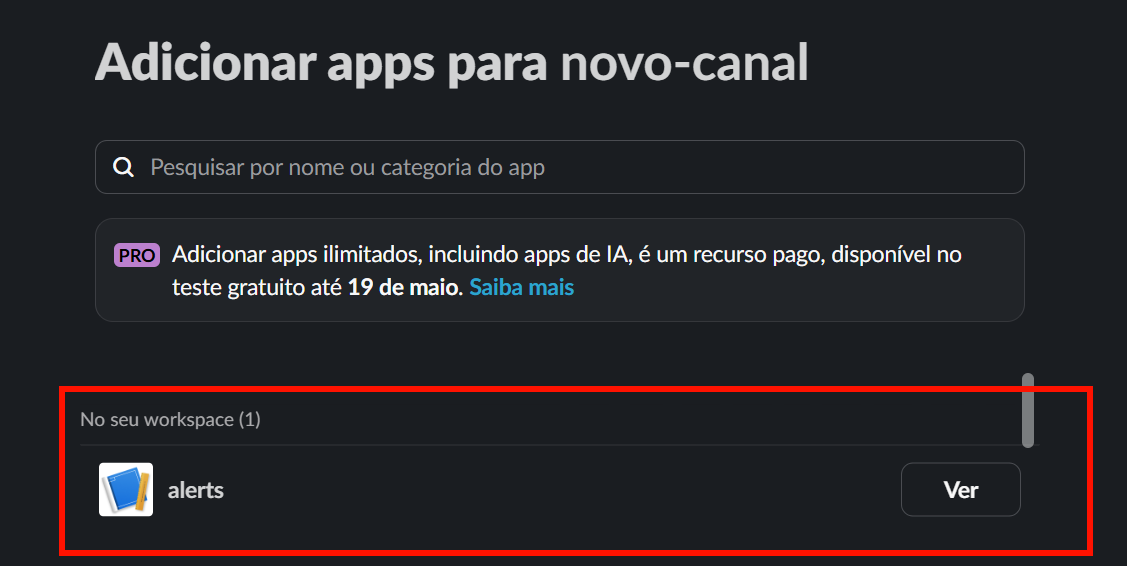
Confirm it was added to the chat:

🚀 4. Installation on the Platform Panel
Access the Marketplace:
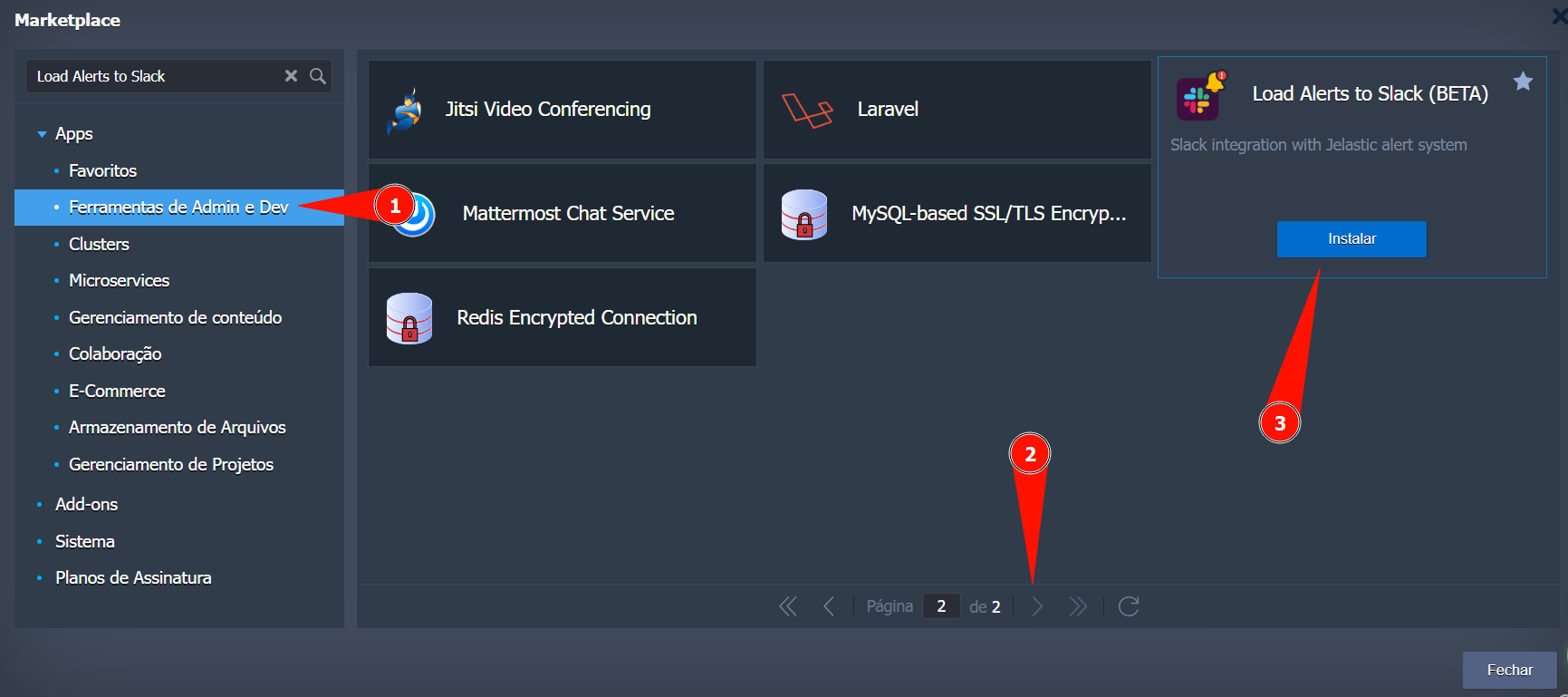
Install the add-on Load Alerts to Slack and configure:
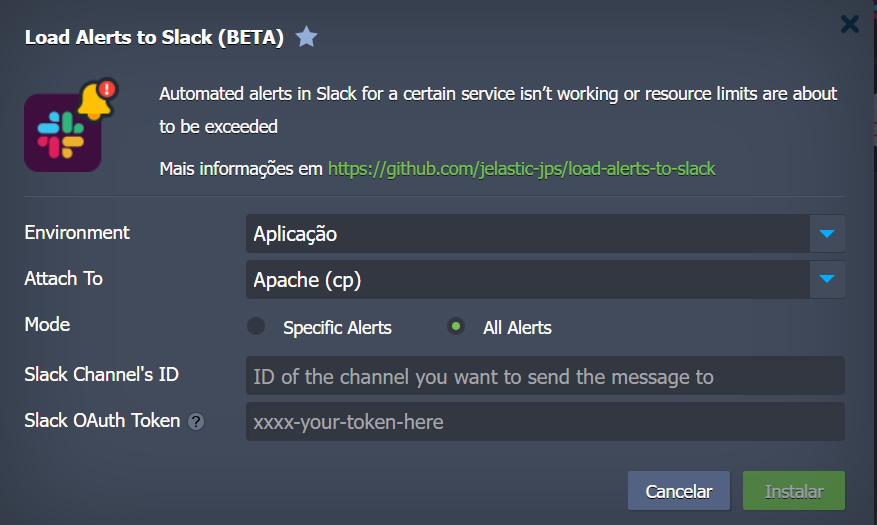
Fill in the fields:
- Environment → Monitored environment
- Attach To → Node (e.g., Nginx, Apache)
- Slack Channel ID → Channel ID
- Slack OAuth Token → Token
xoxb-
✅ 5. Functionality Test
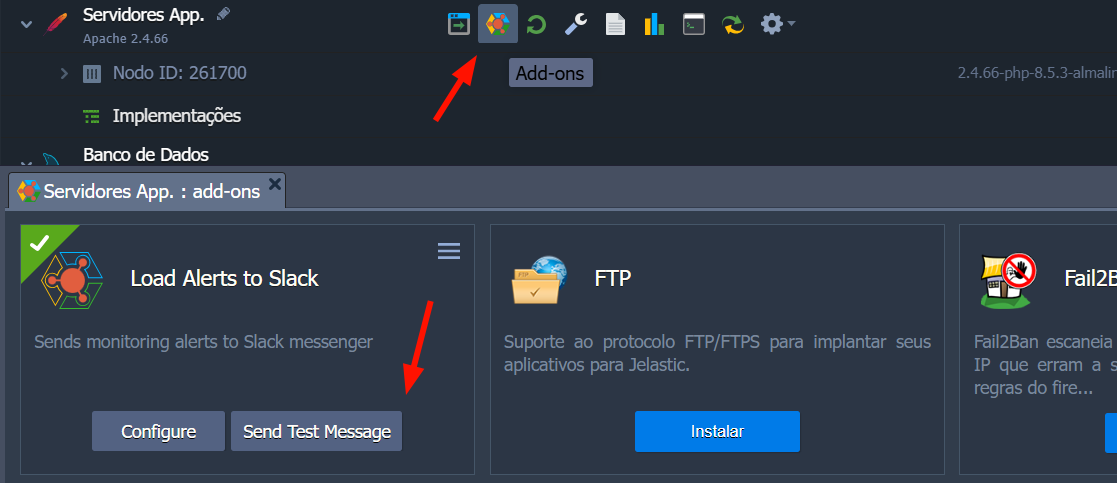
Click Send Test Message:
You should receive in Slack:
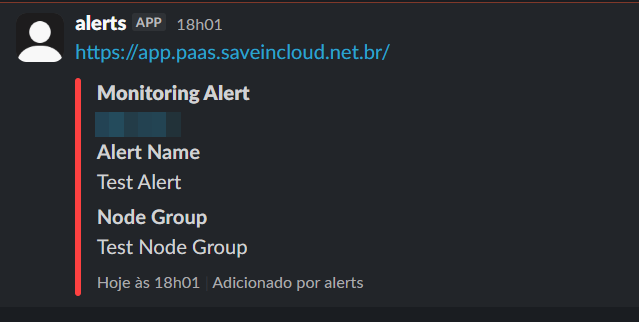
🧠 Best Practices
✔ Use a dedicated channel for alerts
✔ Never share the token
✔ Review permissions periodically
✔ Configure appropriate alert limits
✔ Combine with active monitoring
🚨 Troubleshooting
❌ I do not receive alerts
- Incorrect token
- Bot(App) not added to the channel
- Wrong Channel ID
❌ Permission error
- Scope
chat:writenot configured - App not reinstalled after changes
🎯 Conclusion
With this integration you ensure:
- 🚀 Quick response to incidents
- 🔔 Monitoring
- 🔐 More infrastructure control
🆘 Support
If you have questions or need help, contact technical support through the platform panel.