📡 Zabbix Agent – SaveinCloud
⚠️ All configurations shown in this manual are simple and hypothetical examples. Adaptations may be necessary depending on the topology and structure of your environment.
The Zabbix Agent is an addon available on SaveinCloud that allows installing and configuring the Zabbix agent for monitoring nodes and servers.
With it, it is possible to collect system metrics (CPU, memory, disk, network, processes) and integrate them into a Zabbix Server, centralizing infrastructure monitoring.
📌 Note: The addon is supported only on AlmaLinux and CentOS nodes.
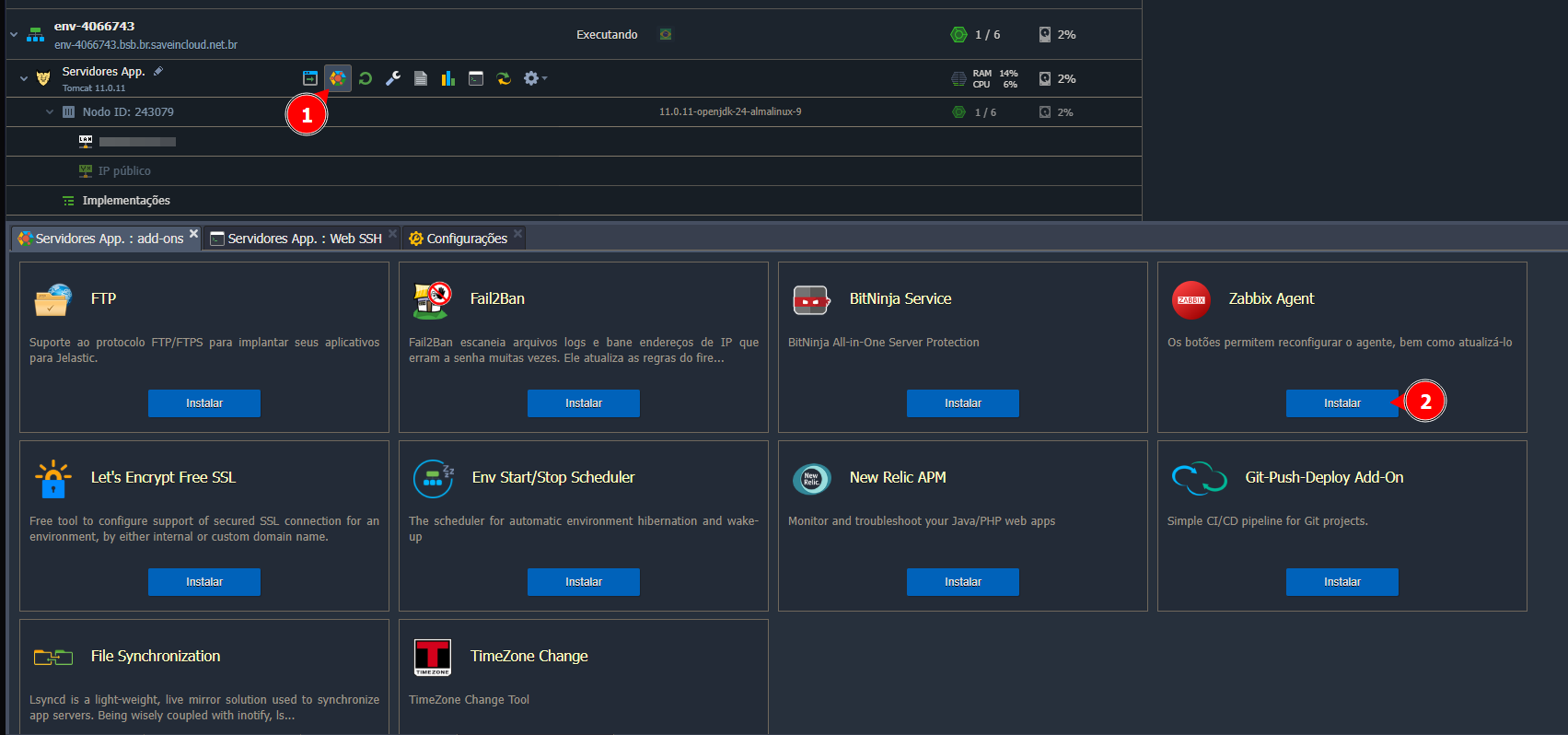
🚀 Installing the Zabbix Agent
Choose the node where you want to install the addon, and access the addons tab, as shown in the screenshot below:
⚙️ Configuring the Zabbix Agent
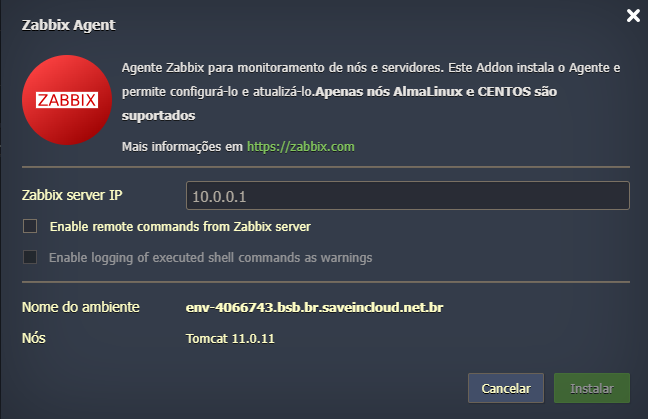
After selecting "Install," a window will appear to enter the IP of your Zabbix Server for connection and some additional options:
⚠️ - To learn how to create and configure a Zabbix Server, follow our documentation: Creating and Configuring Zabbix Server - SaveinCloud
Extra Options:
-
Enable remote commands from Zabbix server
Allows the Zabbix server to send and execute remote commands on the agent.
Useful for automation and corrective scripts, but should be used with caution. -
Enable logging of executed shell commands as warnings
If enabled, any remote command executed will be logged as a warning in the agent logs.
- Confirm by clicking Install and wait for the process to complete.