🚀 Git-Push-Deploy – SaveinCloud
⚠️ All configurations shown in this manual are simple and hypothetical examples. Adaptations may be necessary depending on the topology and structure of your environment.
The Git-Push-Deploy Add-On is a feature available on SaveinCloud that allows you to configure a simple CI/CD pipeline, performing an automatic pull of the source code from a GitHub or GitLab repository whenever there is a commit.
This addon is compatible with Java, PHP, Ruby, Python, Golang, and Node.js application servers, ensuring agility in application deployment without the need for manual processes.
🚀 Addon Installation
Choose the node where you want to install the addon, and access the addons tab, as shown in the screenshot below:
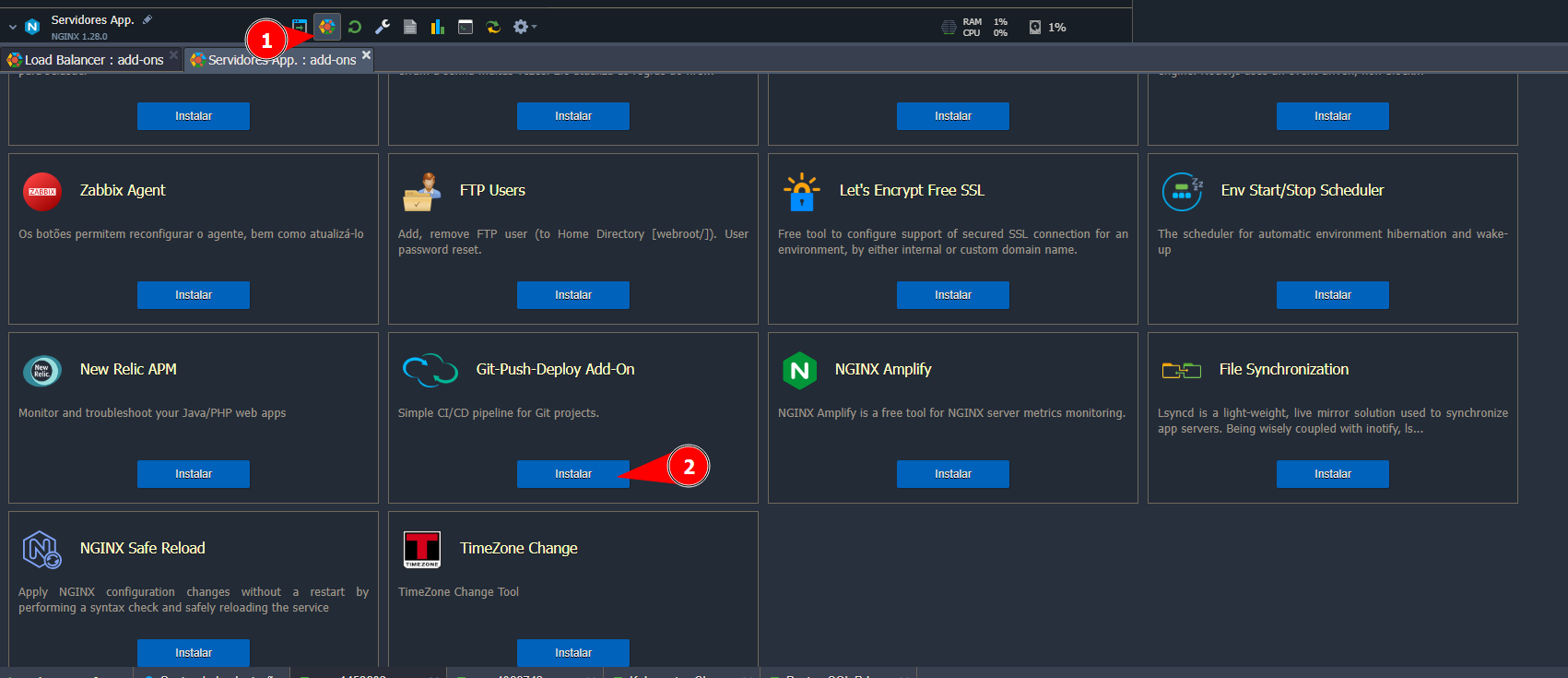
⚙️ Addon Configuration
When installing the addon, the following options are displayed:
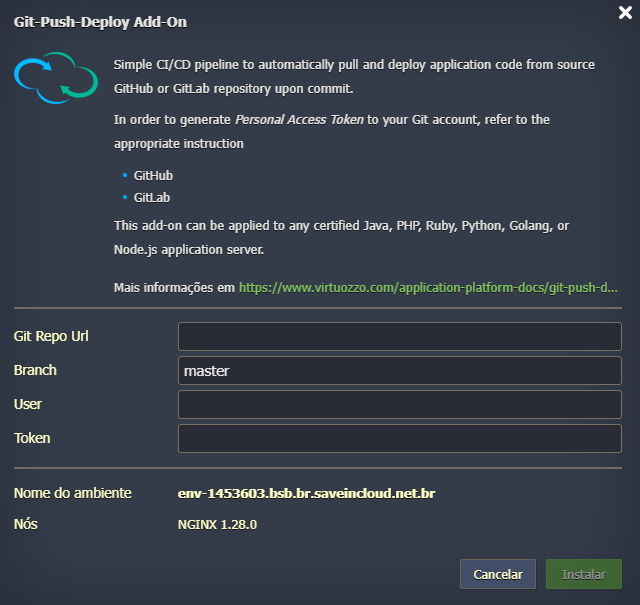
-
Git Repo URL
Address of the Git repository to be used.
Example:- GitHub →
https://github.com/usuario/repositorio.git - GitLab →
https://gitlab.com/usuario/repositorio.git
- GitHub →
-
Branch
Defines the repository branch to be used for deployment.
Default:master(can be changed tomain,develop, etc). -
User
GitHub/GitLab user who has access to the repository. -
Token
Personal Access Token (PAT) generated on GitHub or GitLab.
Required for authentication and repository access.- GitHub → Generate Token
- GitLab → Generate Token
-
Environment Name
Identification of the environment where the addon will be installed. -
Nodes
Application node where the deployment will be performed (example:NGINX 1.28.0).
🚀 Workflow
- Developer commits/pushes to the configured Git repository.
- The addon detects the change and automatically executes a git pull in the configured environment.
- The updated code is applied directly on the application server.