🌐 File Synchronization – SaveinCloud
⚠️ All configurations shown in this manual are simple and hypothetical examples. Adaptations may be necessary depending on the topology and structure of your environment.
The File Synchronization is an addon available on the SaveinCloud platform that allows synchronizing file directories between different nodes in the environment.
It is especially useful in clustered environments (with multiple application instances), ensuring that all nodes maintain the same updated files, such as uploads, configurations, and static content.
🚀 Installing File Synchronization
The installation of File Synchronization is done directly through the platform, on one of the instances that provides the addon:
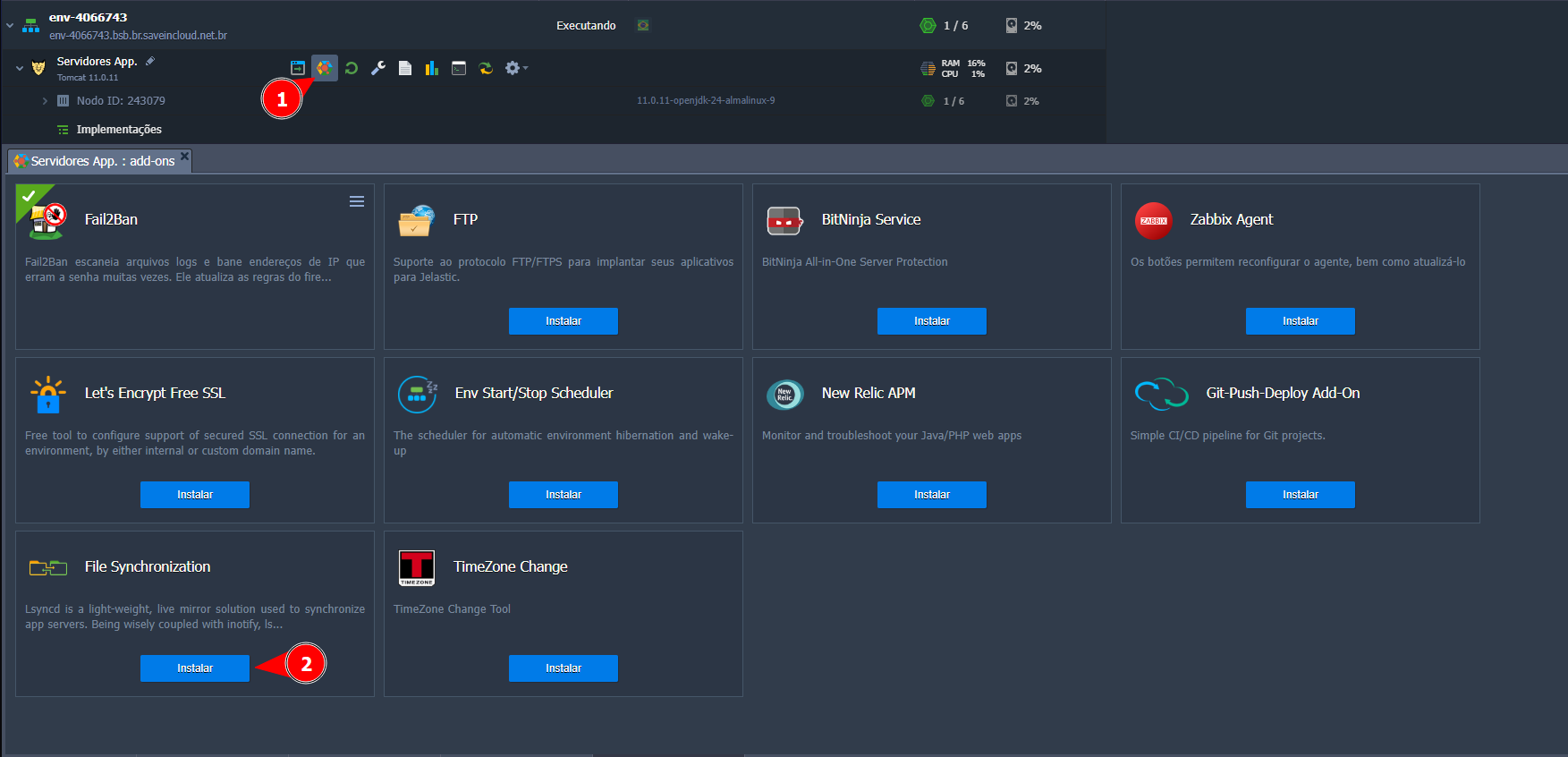
⚙️ Configuring File Synchronization
After selecting "Install," a window will appear to proceed with the installation of File Synchronization:
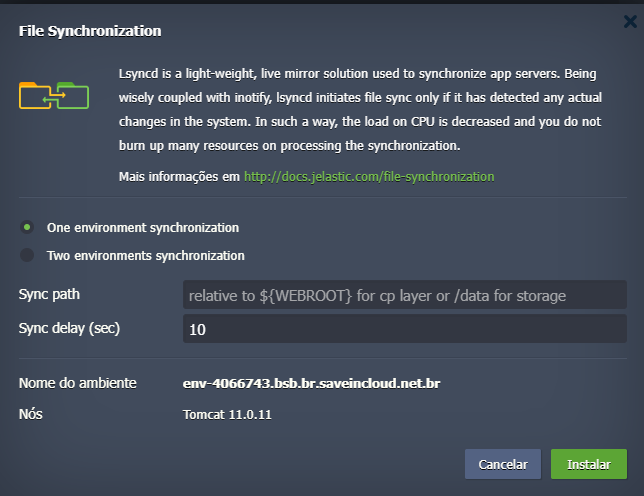
⚙️ File Synchronization Configuration Options
When installing File Synchronization, some options are presented that define how the synchronization will be performed.
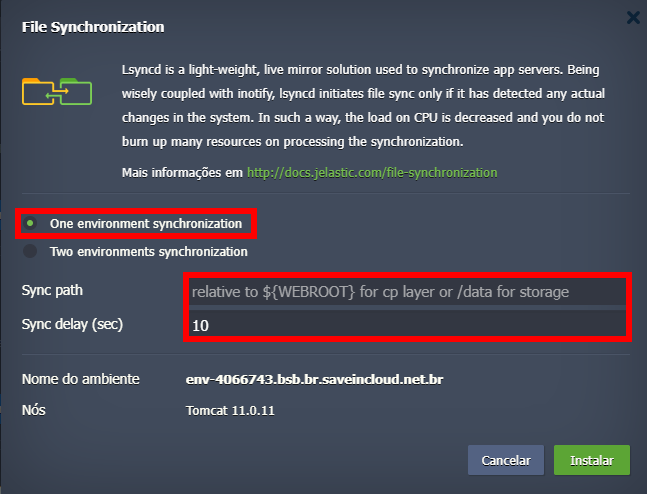
🔹 One environment synchronization
- Synchronization will be done within the same environment, between multiple application nodes.
- Useful in clusters with multiple instances (e.g., Tomcat, NGINX, PHP), ensuring directories like
/var/www/webroot/ROOT/uploadsare the same on all nodes.
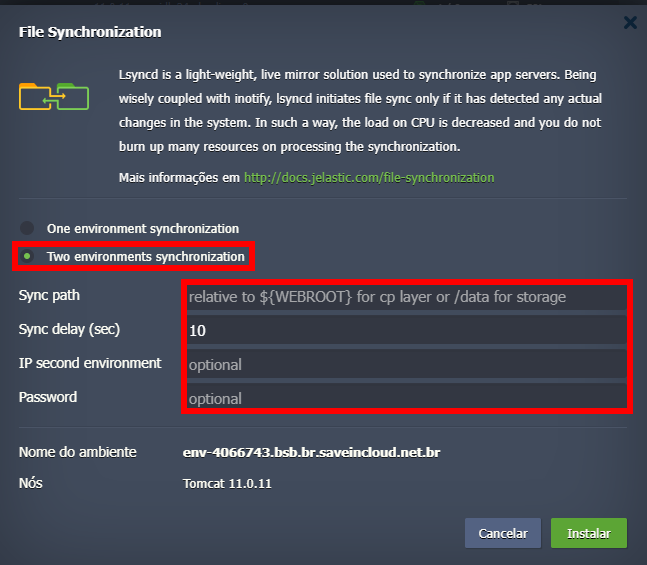
🔹 Two environments synchronization
-
Synchronization is done between two different environments.
-
Example: synchronizing files from the production environment to the testing environment.
-
Requires specifying:
- IP of the second environment → public or internal address of the destination.
- Password → authentication password to allow copying.
🔹 Sync delay (sec)
- Interval (in seconds) between change checks.
- Default: 10 seconds.
- The lower the value, the faster the synchronization occurs, but it may generate higher resource consumption.
For additional configurations, refer to the official tool documentation:
https://docs.jelastic.com/file-synchronization