🌐 Timezone Change – SaveinCloud
⚠️ All configurations shown in this manual are simple and hypothetical examples. Adaptations may be necessary according to the topology and structure of your environment.
Timezone Change is an addon available for installation on the SaveinCloud platform that allows you to conveniently change the timezone of any container within the platform.
This feature is essential to ensure that applications, databases, and logs are configured according to the official time of your region.
🚀 Addon Installation
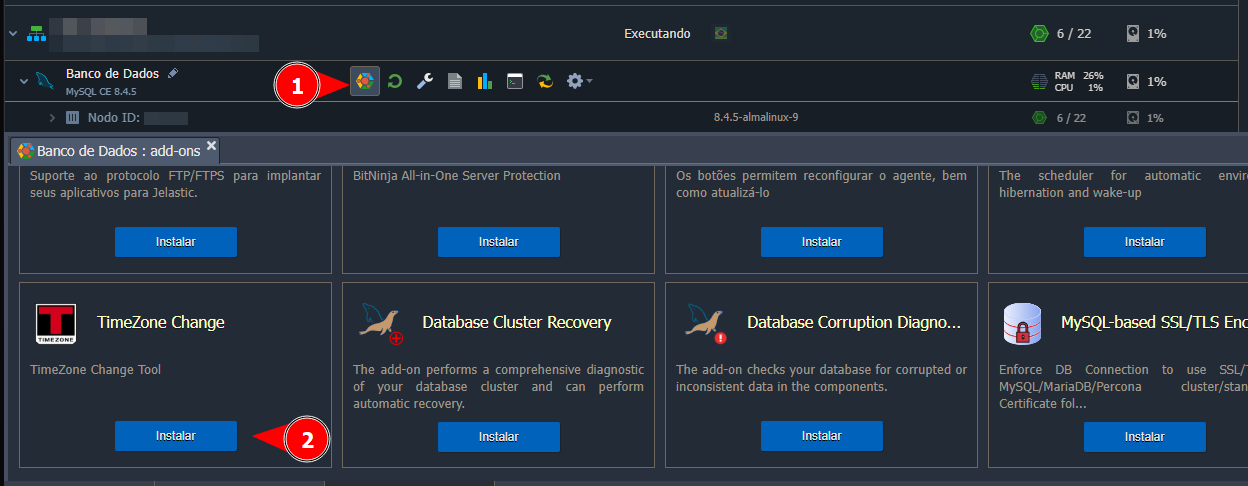
Choose the node where you want to install the addon, and access the addons tab, as shown in the screenshot below:
⚙️ Timezone Configuration
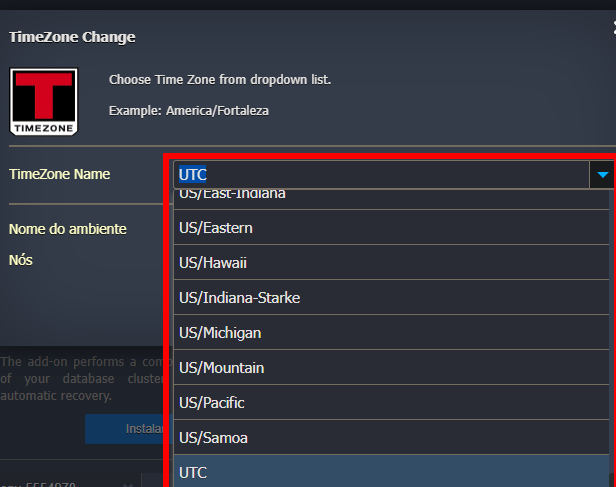
After selecting "Install," a window will appear to select the "Timezone Name." Opening this field will display several options, where you just need to choose one and confirm to complete the installation.
Once this step is completed, the time should be applied and work normally.