🔒 POSTGRES SSL/TLS ENCRYPTED CONNECTION
This add-on facilitates the creation of SSL/TLS certificates and the configuration of encryption for PostgreSQL databases, working both in standalone installations and clusters on the Virtuozzo Application Platform. It allows you to quickly enable standard security, ensuring that communication between server and client is protected.
🚀 Installation of the POSTGRES SSL/TLS ENCRYPTED CONNECTION Add-On
- In the SaveinCloud platform panel, go to the MARKETPLACE;
- In the search bar, look for POSTGRES SSL/TLS ENCRYPTED CONNECTION;
- Click Install.
- In the installation window, select the Environment and the Node Group(s) where you want to apply the add-on. Note: If you are configuring a PostgreSQL cluster with Pgpool nodes, select all corresponding layers.
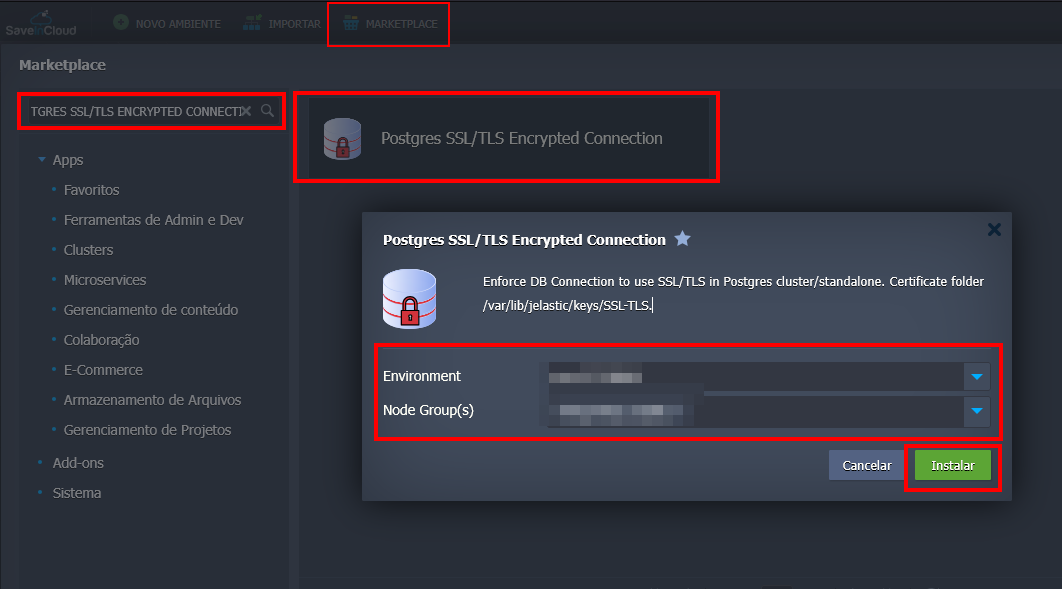
- Click Install to start the installation.
In a few minutes, the environment will be configured.
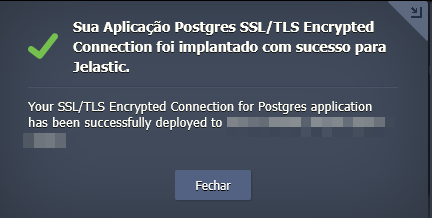
The created SSL certificates are stored at: /var/lib/jelastic/keys/SSL-TLS
⚙️ Add-On Configuration
After installation, the add-on will be available in the Add-Ons tab of the corresponding layer.
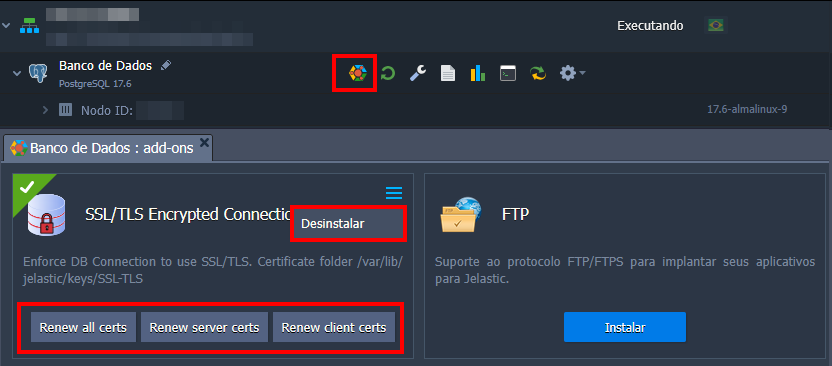
The main options are:
-
Renew all certs – Renews the SSL/TLS certificate that the database server uses to prove its identity to connecting clients.
-
Renew server certs – Renews the certificates that client applications use to authenticate to the database server.
-
Renew client certs - This is a convenience option that performs both actions above at the same time: it renews both the server certificates and the certificates of all configured clients.
-
Uninstall – removes the add-on from the layer (available in the add-on's top right menu).
🔐 Secure Connection to PostgreSQL
The add-on operates from installation. You can verify by connecting using the database credentials sent in the registration email. For remote connection, you can add the Endpoints or public IP.
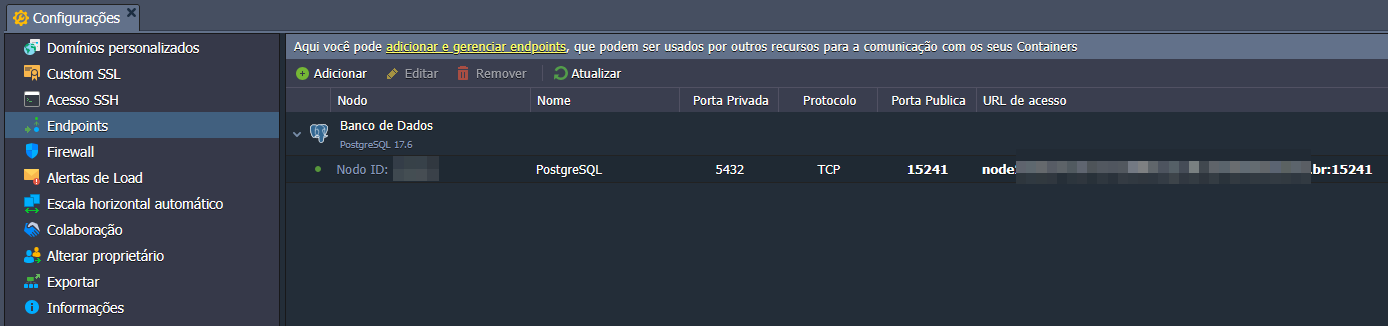
To test the connection on the server side with encryption, run the following command.
psql -U {userName} {dbName} -h {host} -p {port} -W

{host}– database entry point (endpoint or public IP).{port}– port used for connection (usually 5432).{user}– database username used for authentication.{dbname}- name of the database you want to connect to within PostgreSQL.
To enable encryption on both the server and client, it is necessary to provide the SSL certificate files.
They are located after installation at: /var/lib/jelastic/keys/SSL-TLS/client
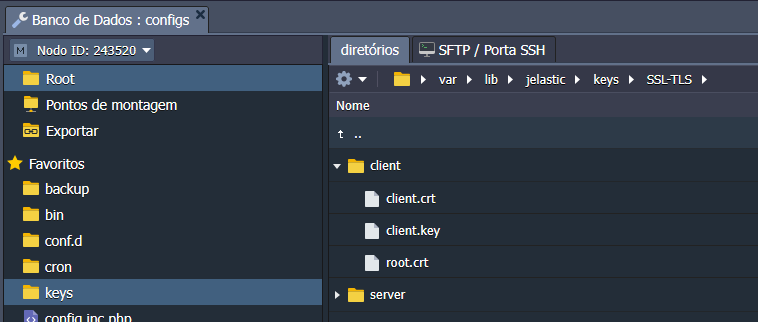
The required files are: client.crt, client.key, and root.crt
The client must copy these files to their computer, container, or VM. After that, the secure connection can be made with the following command:
psql "sslmode=verify-ca sslrootcert=root.crt sslcert=client.crt sslkey=client.key hostaddr={publicIp} port={port} user={userName} dbname={dbName}"
🧠 Questions?
Contact technical support and send your question—we are available to help you!