Creating a Custom Image in Nuvion
Overview
A custom image allows you to create new virtual machines with a pre-configured environment.
This is useful when you need to reuse a specific configuration multiple times, such as:
- Pre-organized directory structures
- Manually installed packages
- Specific system configurations
Instead of repeating the entire setup every time you create a new VM, you can generate a snapshot-based image, enabling quick reuse of that environment.
Custom images work as virtual machine templates, allowing you to create new VMs with pre-prepared configurations.
Difference Between Snapshot and Image
Although related concepts, snapshots and images serve different purposes.
| Snapshot | Image |
|---|---|
| Represents a restore point of a volume | Functions as a template for new VMs |
| Used to recover the previous state of a volume | Used to create new virtual machines |
| Usually linked to the original volume | Can be reused across multiple VMs |
Snapshots are ideal for recovery and rollback, while images are ideal for standardization and fast virtual machine deployment.
Creating an Image from a Snapshot
To create a custom image, follow the steps below.
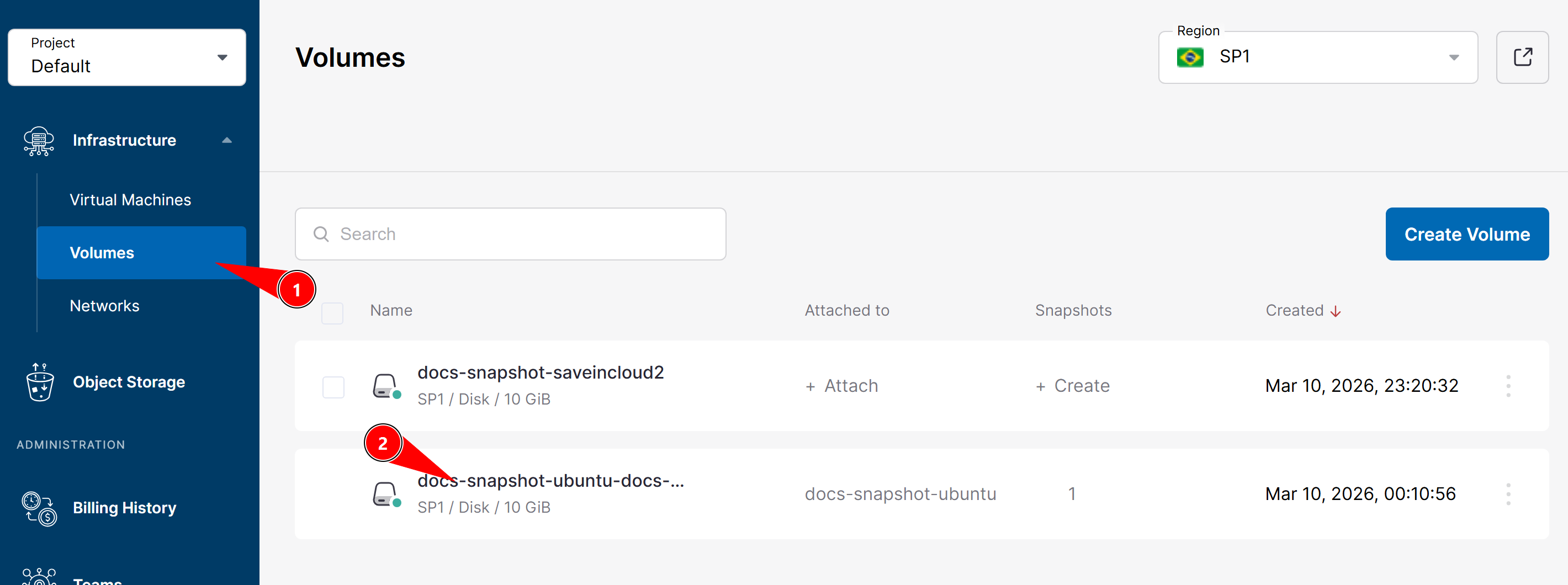
1. Access the volumes
In the platform panel, go to:
Volumes
Select the desired volume.
2. Access the volume snapshots
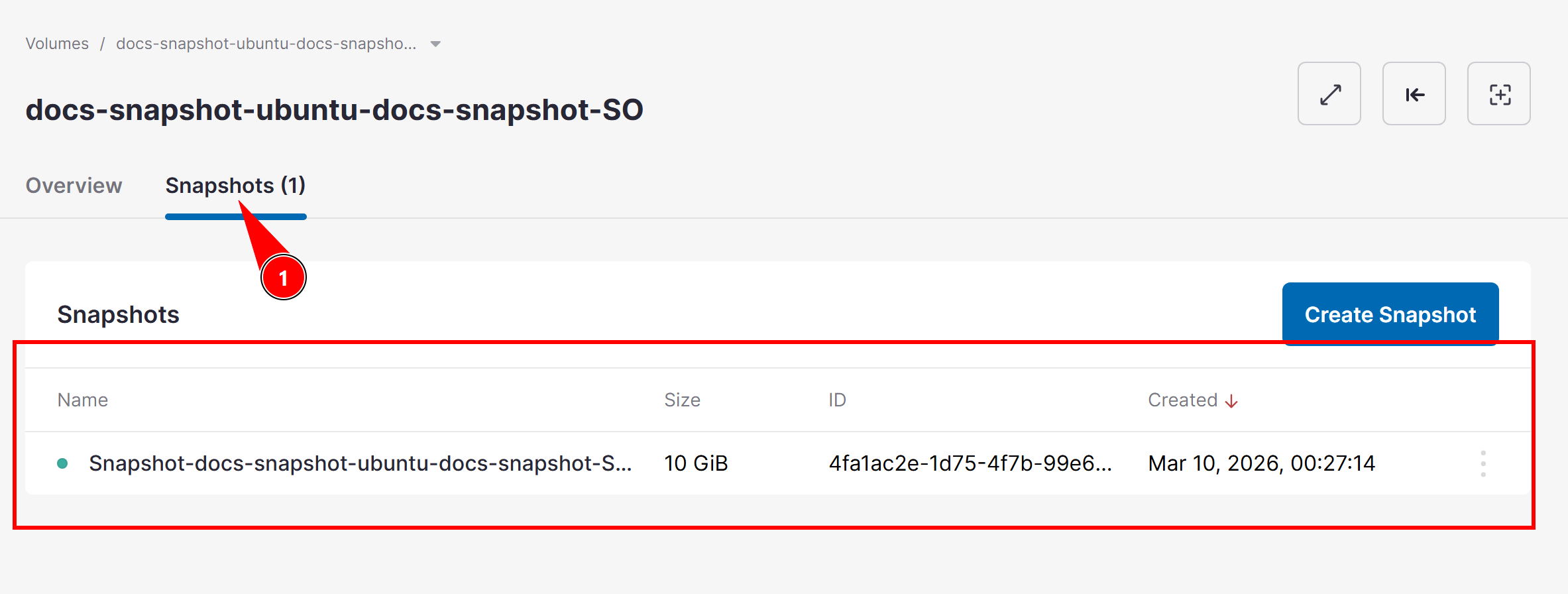
After selecting the volume, open the tab:
Snapshots
Locate the snapshot you want to use to generate the image.
3. Create the image
Click the options menu (three dots).
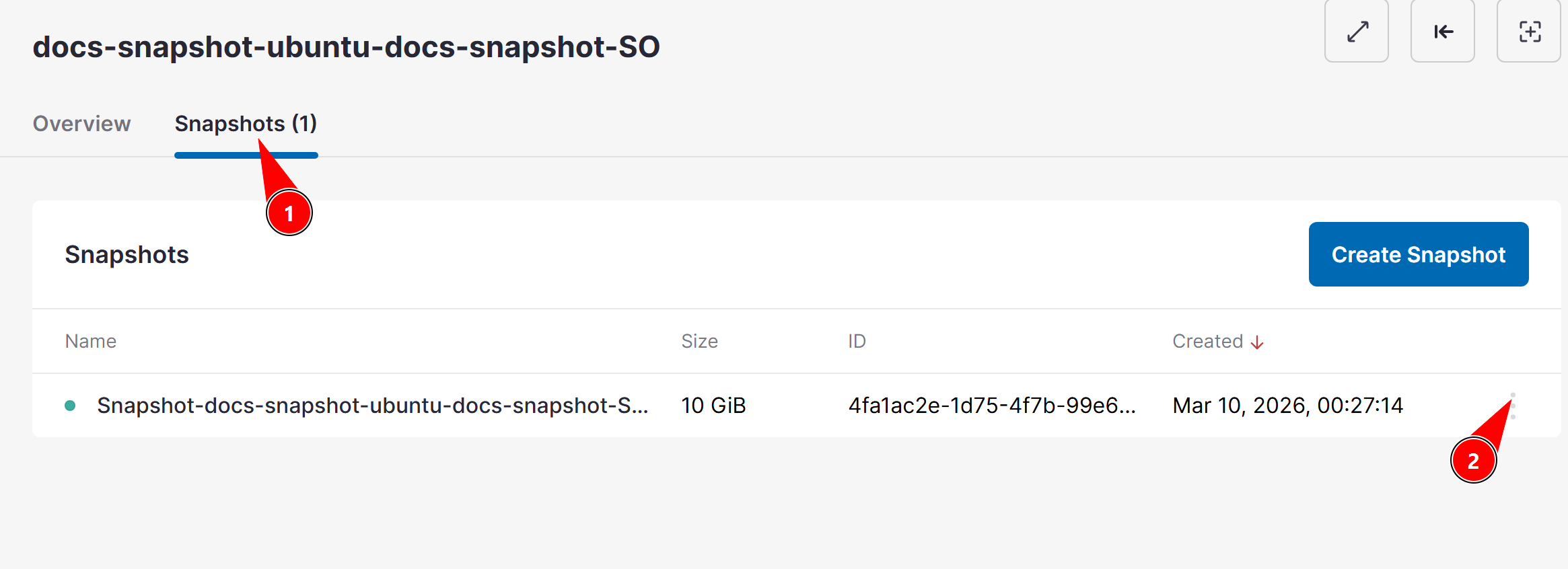
Create image
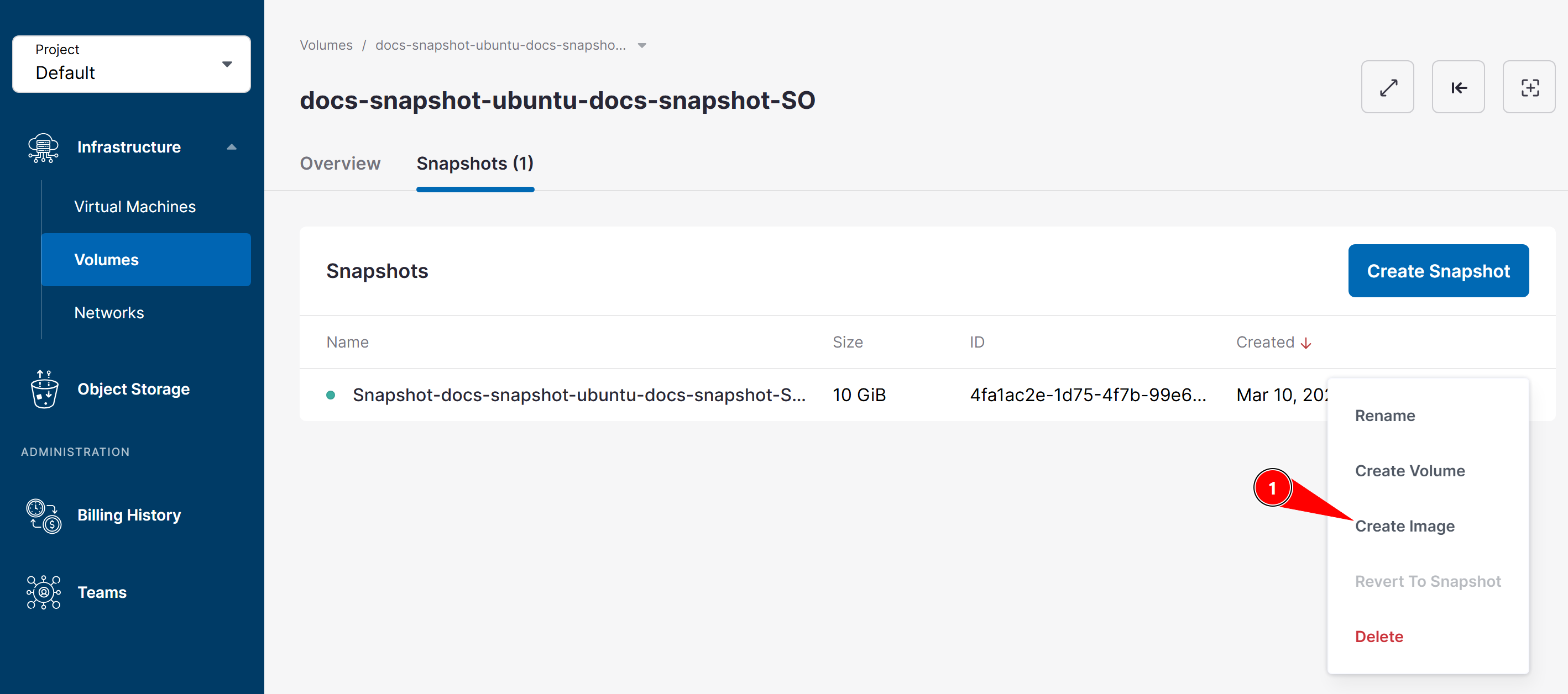
4. Define the image name
Enter the desired name for the new image and confirm the creation.
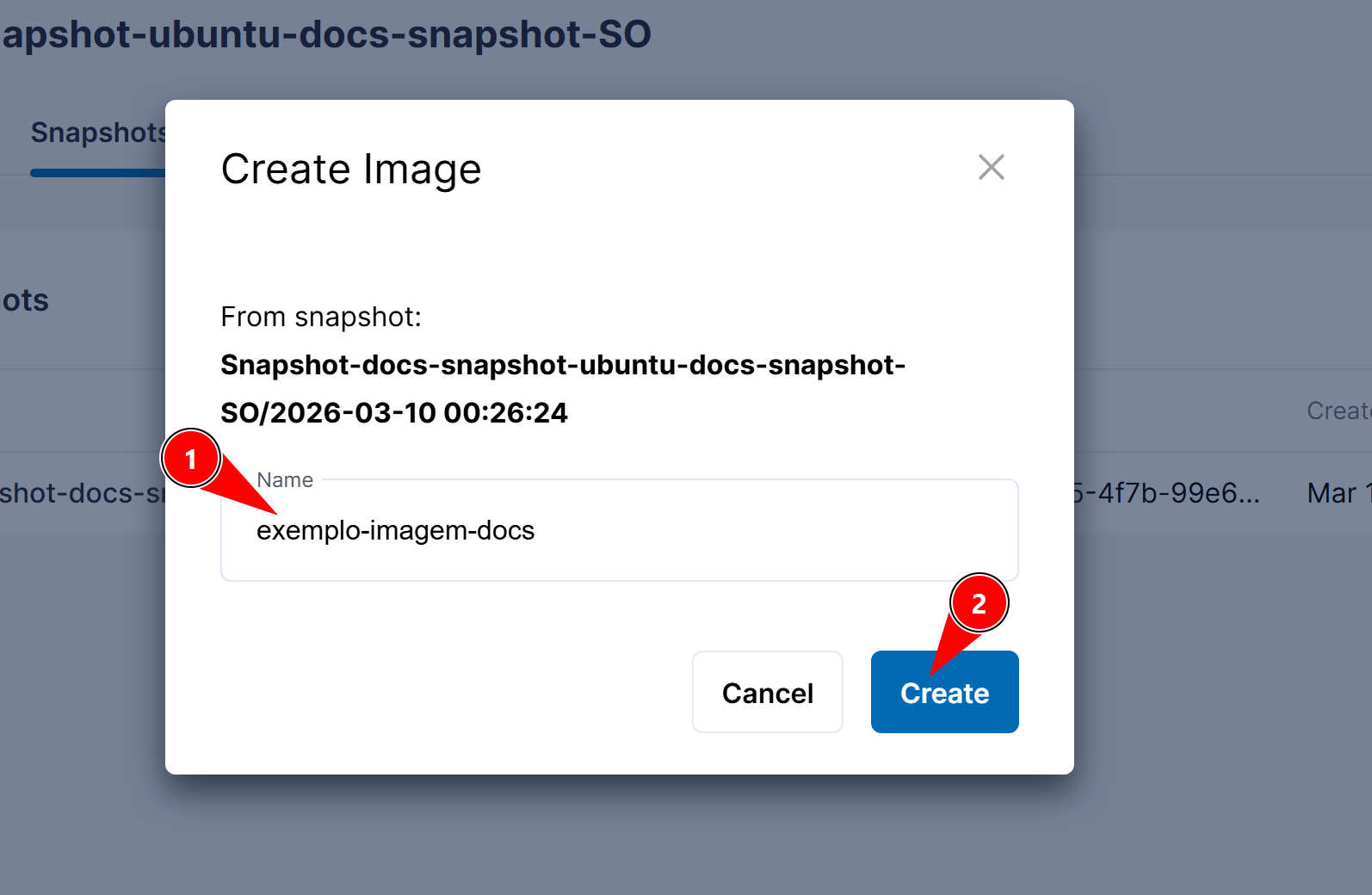
After this process, the image will be available to use when creating new virtual machines.
Using the Custom Image
After creating the image, it can be used when creating new VMs.
1. Create a new virtual machine
Go to:
Virtual Machines
Click Create virtual machine.
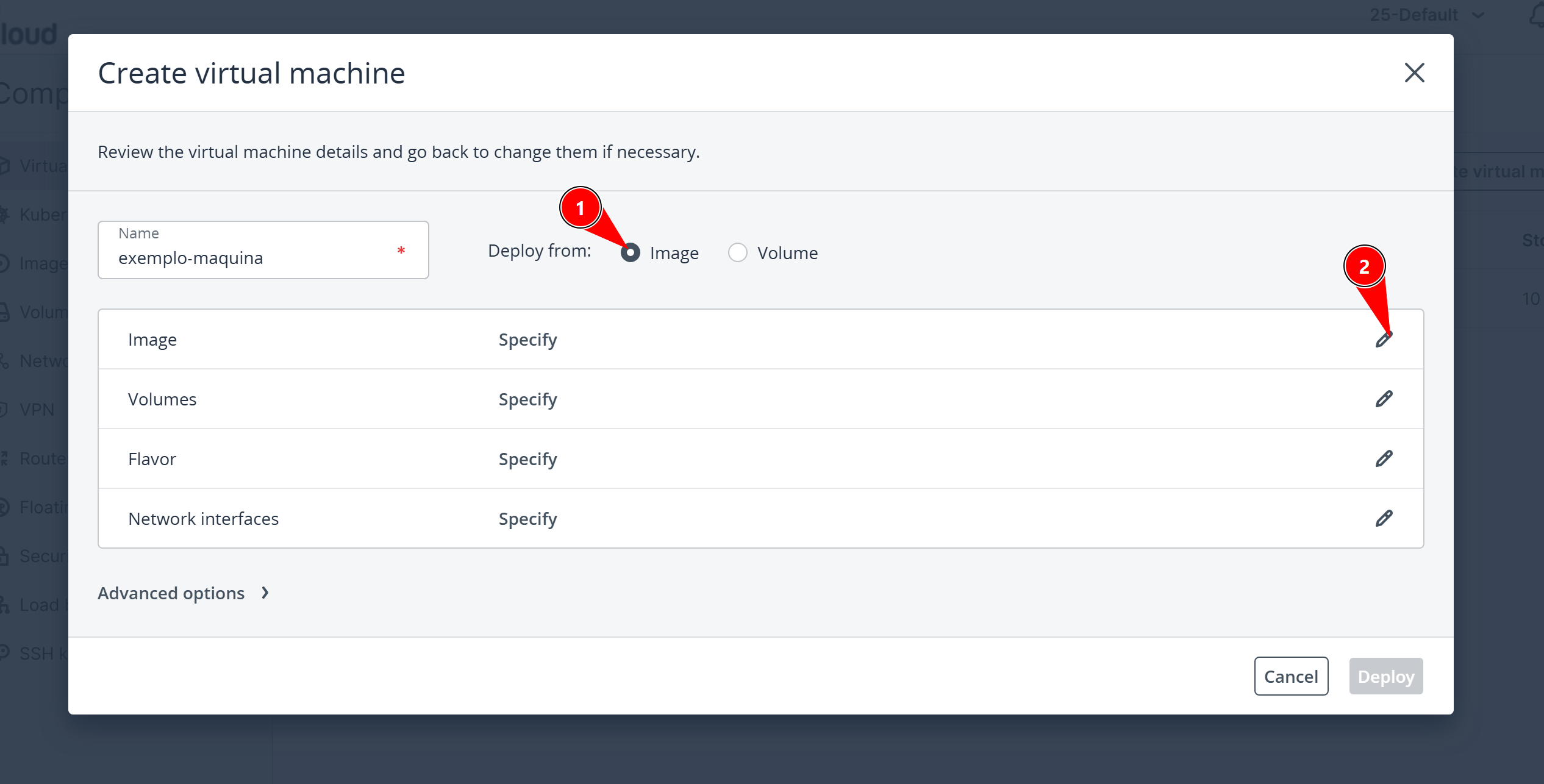
2. Select deploy from image
During the VM creation, select the option:
Image
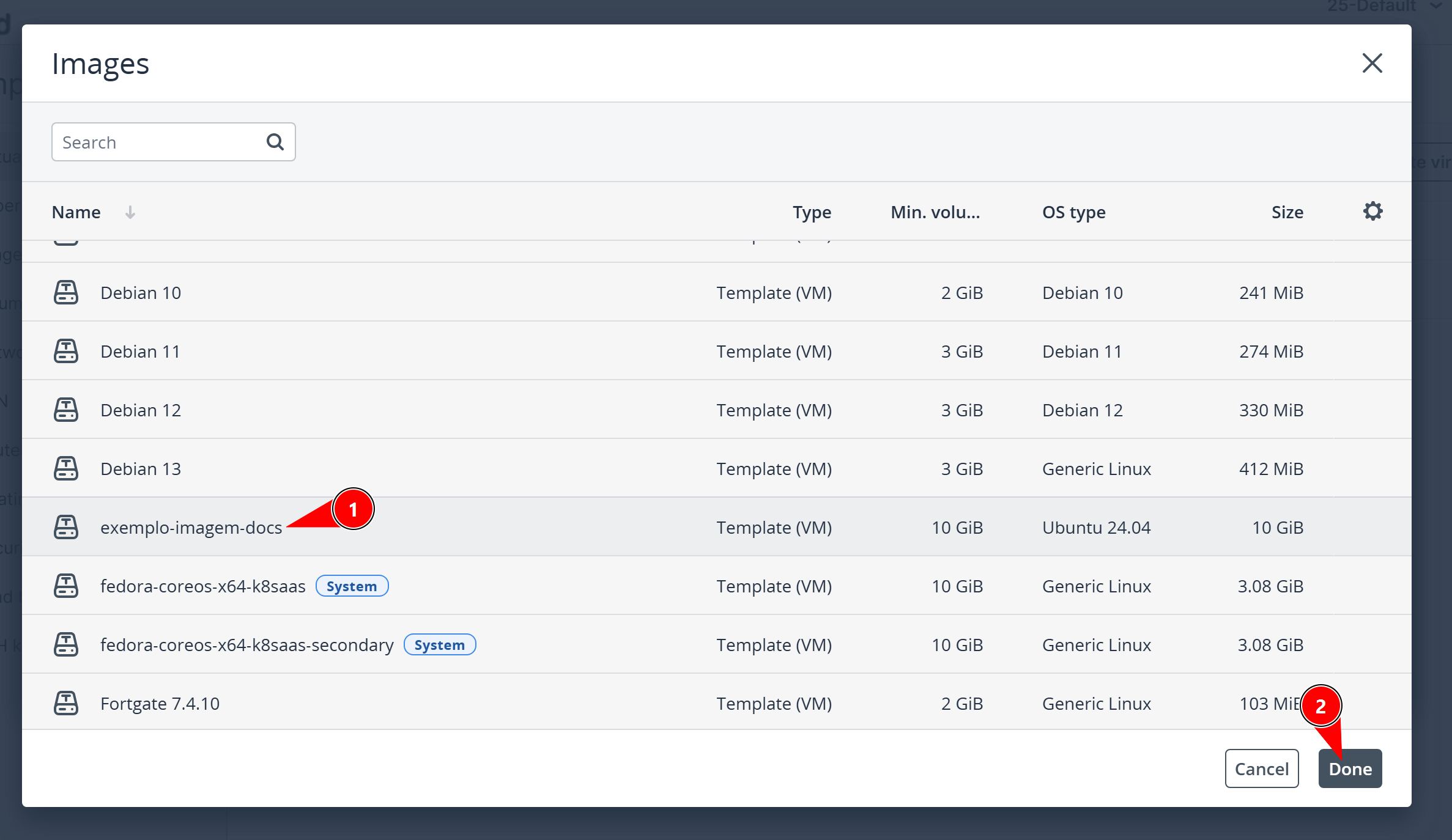
3. Choose the created image
From the list of available images, select the custom image created earlier.
The new virtual machine will start with the same content present in the snapshot used to generate the image.
Best Practices
- Use custom images for environments that need to be recreated frequently
- Create images after fully configuring the desired environment
- Use descriptive names to make image identification easier
- Combine the use of snapshots and images for greater flexibility in VM management
Keeping images updated makes it easier to create new machines with standardized and ready-to-use configurations.