📦 Creating block storage volume
📘 Introduction
Block Storage Volume is a type of storage where the disk is delivered to the system as a “raw” HD/SSD/NVMe, which you can use however you want.
🚀 Main features
- ⚡ High performance (high IOPS)
- ⏱️ Low latency
- 📈 Scalable (increase size whenever you want)
- 🔒 Persistent (data is not lost when restarting or stopping the container)
- 🔐 Can have encryption
- ☸️ Compatible with Kubernetes (PVC/PV)
🏗️ Creating block storage volume
➜ Access the VHI platform.
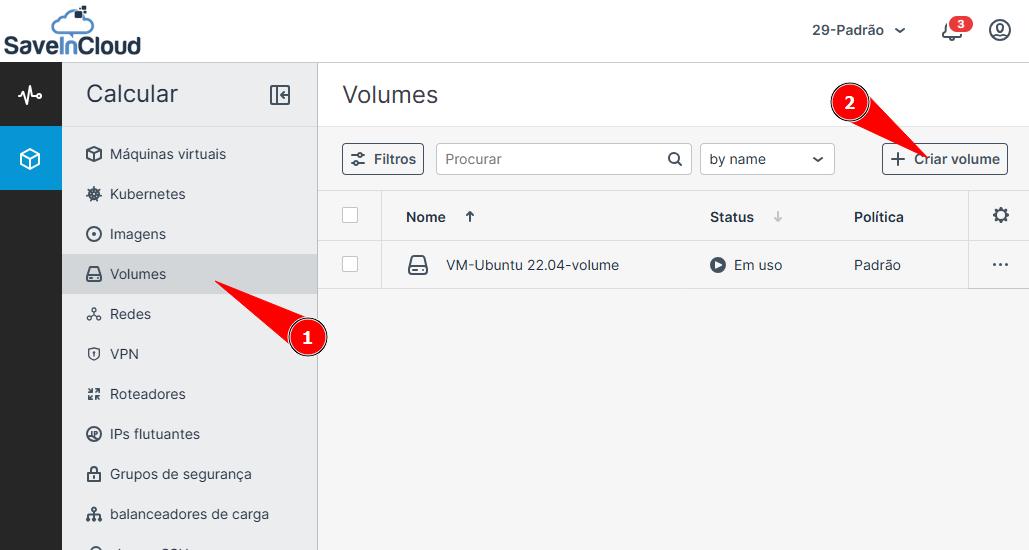
➜ Click on Volumes.
➜ Then click on create volume.
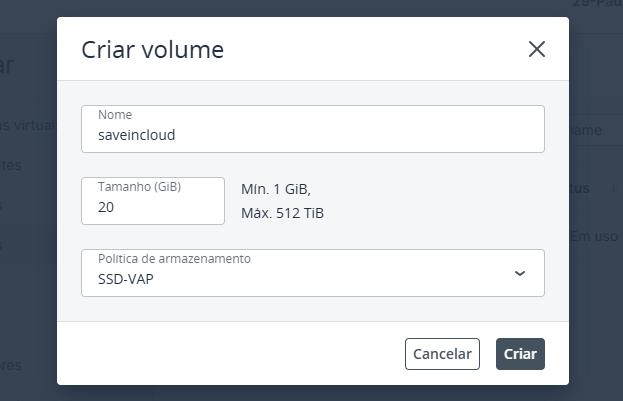
➜ Assign a name, size and disk type for your volume.
➜ Once done, click Create.
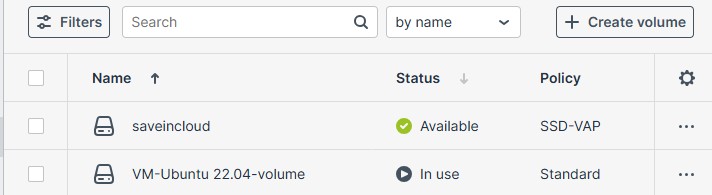
✅ Done, your volume has been created.
🚧 Now it is necessary to attach the disk to your Nuvion VM.
➜ Click on the volume options (...).
➜ Then on Attach.
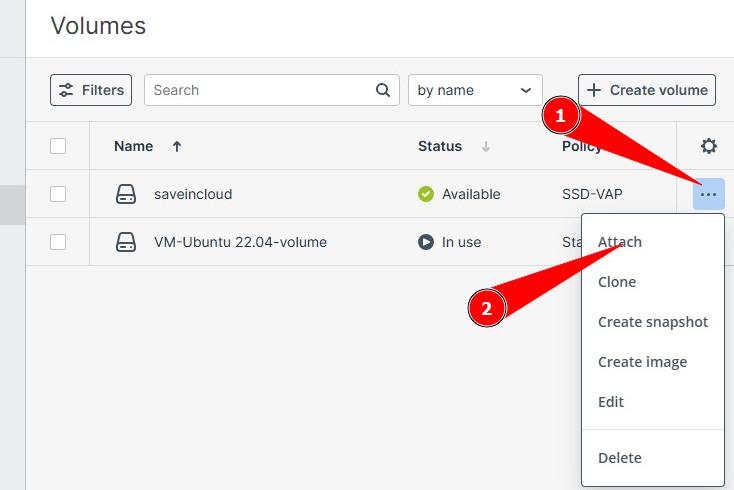
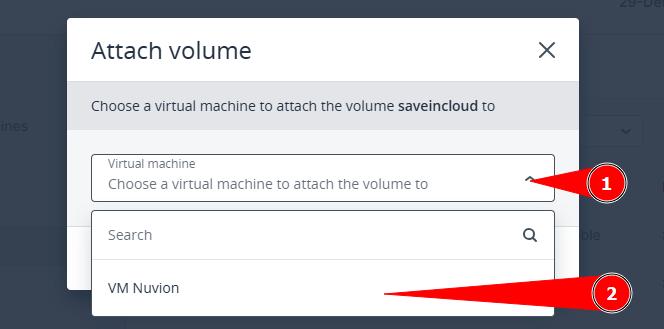
✨ Choose which Nuvion VM you want to attach this volume to and proceed.
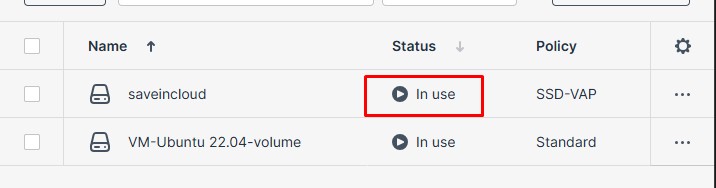
✅ Once done, you can now see that the volume status has changed to In use.
📌 Confirm if this volume is available for use inside your Nuvion VM using the console.
➜ Click on the Virtual Machines menu.
➜ Select the Nuvion VM.
➜ Then click on console.
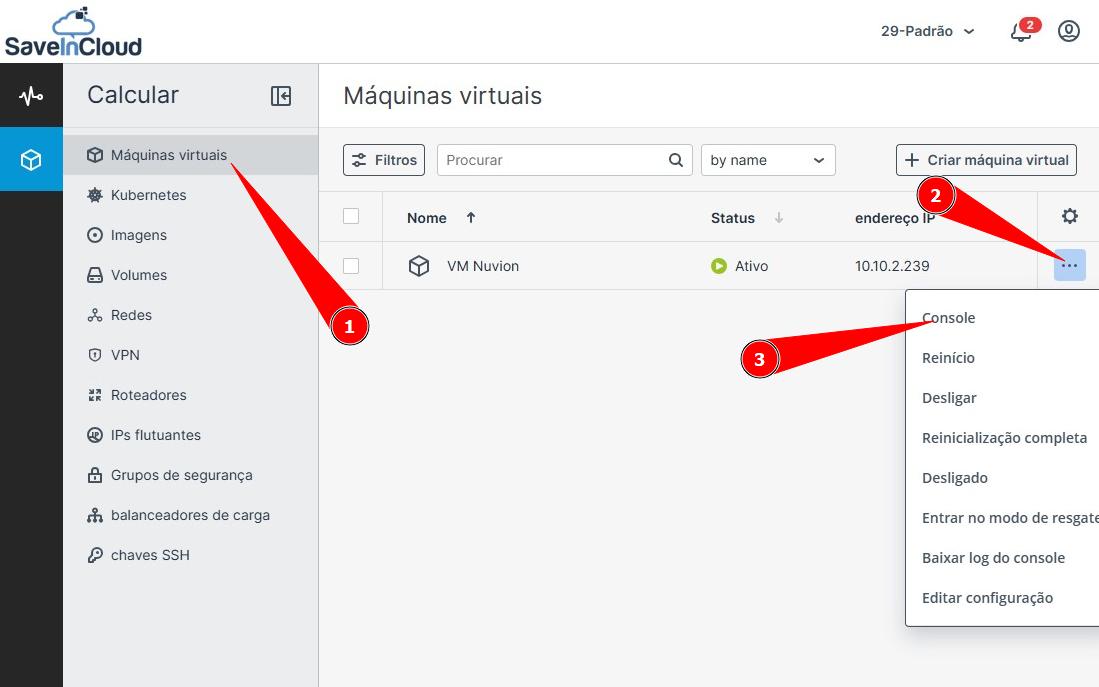
ℹ️ A new window will open in your browser with the console screen of your Nuvion VM.
✅ Now check if the attached volume appears in the disk list of your Nuvion VM.
Commands may vary depending on your OS distribution.
Commands used here are for the Linux Ubuntu distribution:
lsblk / fdisk -l
➜ see example:
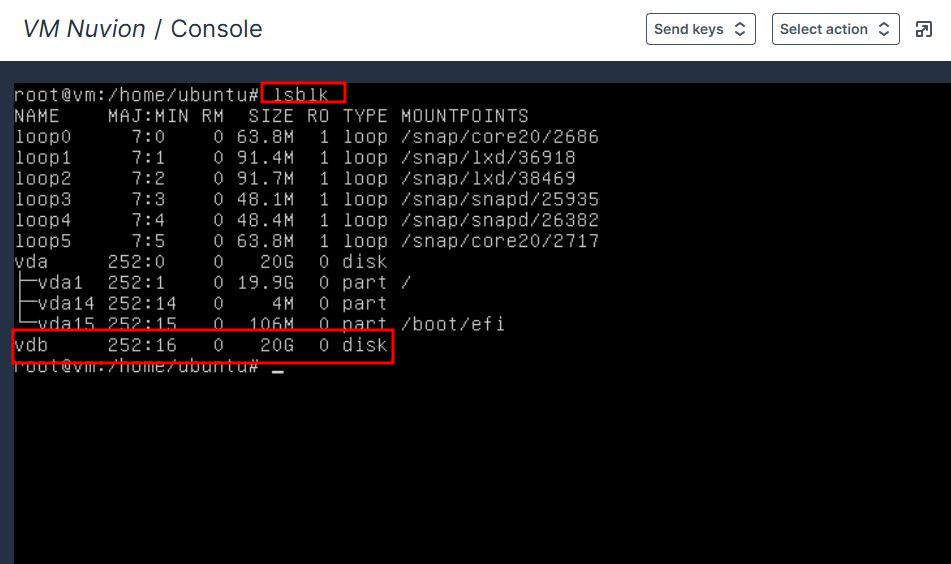
✅ Notice that the attached volume (vdb) was listed, and now it can be used according to your business needs.
⚙️ Example of how to mount the volume in a directory.
➡️ Creating partition.
fdisk /dev/vdb (editar a tabela de partições desse disco)
n (nova partição)
p (partição primária)
1 (número da partição)
enter (define o setor inicial)
enter (define o setor final)
w (salva as alterações)
➡️ Formatting created partition.
mkfs.ext4 /dev/vdb1
➡️ Mounting created and formatted partition.
mkdir -p /exemplo
mount /dev/vdb1 /exemplo
💡 When to use?
➡️ You can use Block Storage in all your applications, especially when you need performance, control, security, among others. Example:
- 🗄️ Databases (e.g., PostgreSQL, MySQL)
- ⚙️ Applications with heavy I/O
- 📦 Containers with persistence
- 🚀 Critical systems
- 📨 Messaging queues (e.g., RabbitMQ)
- ⚡ Cache (e.g., Redis with persistence)
🎯 Summary
Block Storage Volume is a type of storage that works like a raw virtual disk (without a ready filesystem) attached to your Nuvion machine, allowing you full control over how to use this space—you format, partition, and mount it yourself, just like a physical HD. It operates at the block level (not files), offering high performance, low latency, and high reliability.
🆘 Support
If you have questions or need help, contact technical support through the platform panel.