📈 Changing volume size (Scalable)
📌 Introduction
Scalability in Block Storage Volume refers to the ability to increase (or adjust) the size of a storage volume as needed, without the need to recreate the disk or manually migrate the data.
This allows applications to grow continuously, with minimal impact and without significant interruptions.
🚀 Benefits of scalability
- 📈 Growth on demand
- ⚡ Avoids data migration
- 🔄 Reduces downtime
- 💰 Optimizes costs
- 🔧 Operational flexibility
📌 Best practices
info
The listed commands refer to the Linux operating system (Ubuntu).
Check equivalent commands for other distributions or operating systems.
- Validate with
lsblkbefore and after expansion - Use
/etc/fstabfor mount persistence - Monitor disk usage (
df -h,du -sh) - Plan growth to avoid impact in production
- Test in staging environment before production
⚠️ Points of attention
- Not all systems support volume reduction easily
- Perform backup before any critical expansion
- In critical environments (e.g., databases), validate I/O impact
- Check filesystem compatibility
🔧 Steps to expand the volume
1️⃣ Expand the volume on the platform
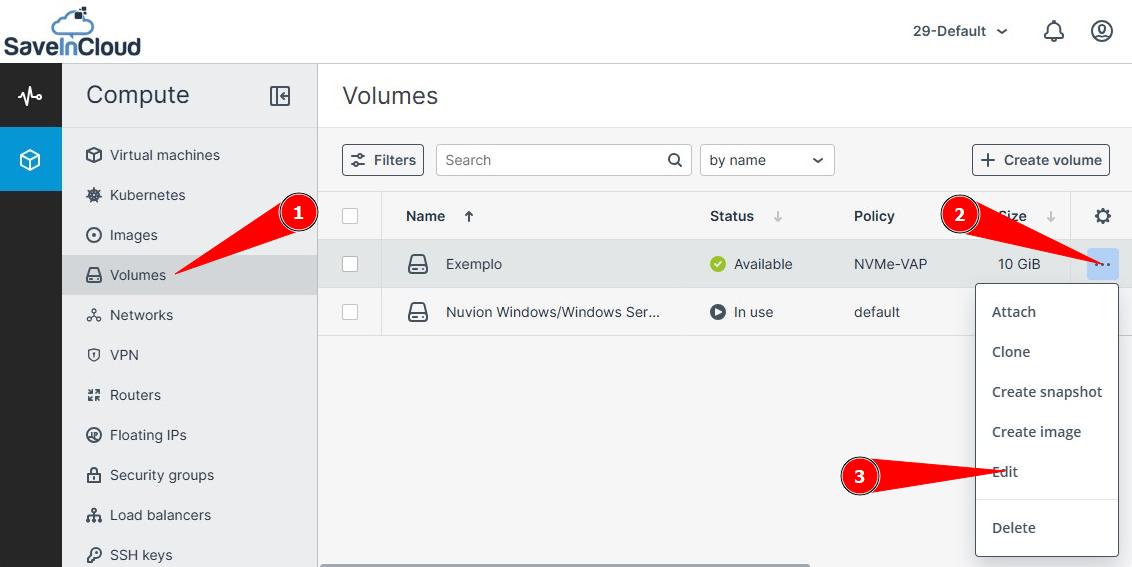
- Access the dashboard
- Go to Volumes
- Click the three dots (...) of the volume
- Select Edit
2️⃣ Change the volume size
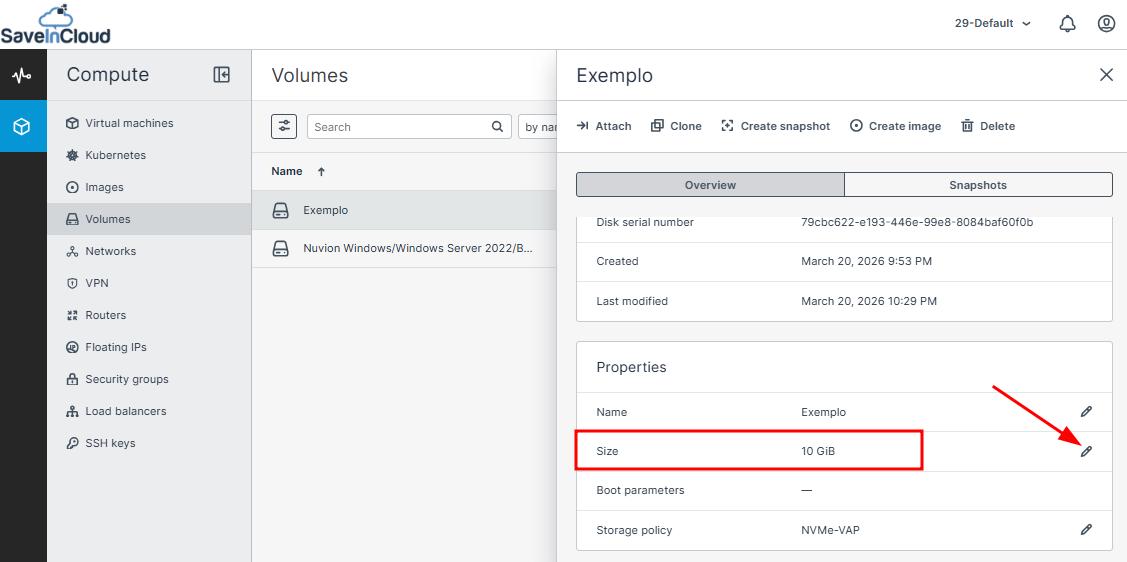
- Locate the disk properties
- Click the edit icon (✏️)
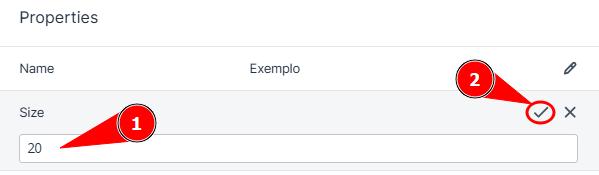
- Set the desired new size
- Save the change ✅
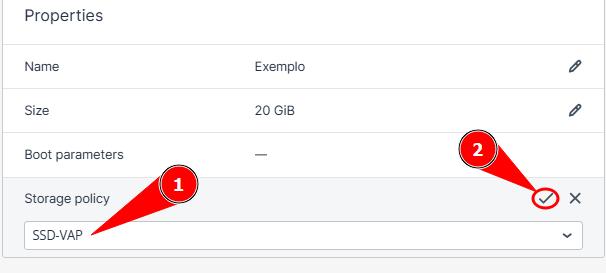
3️⃣ (Optional) Change the disk Tier
- Still in the volume properties
- Click the edit icon of the Storage Policy (✏️)
- Select the new tier (e.g., NVMe → SSD)
- Save the change ✅
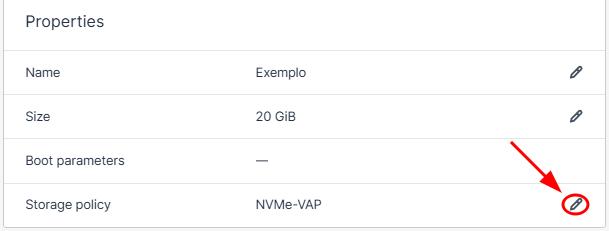
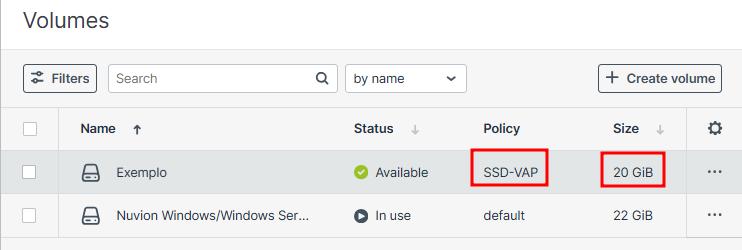
4️⃣ Validate expansion on the dashboard
- Confirm the new volume values on the dashboard.
🎯 Summary
Volume scalability allows storage to grow dynamically, without the need for recreation or data migration, ensuring greater flexibility, performance, and application continuity.
🆘 Support
If you have questions or need assistance, contact technical support through the platform dashboard.