Creating and Managing Backup Routines in Nuvion
The data protection routine in Nuvion is based on Plans. A plan defines the scheduling and retention rules that will be applied to your Virtual Machines (VMs).
Create the Backup Plan
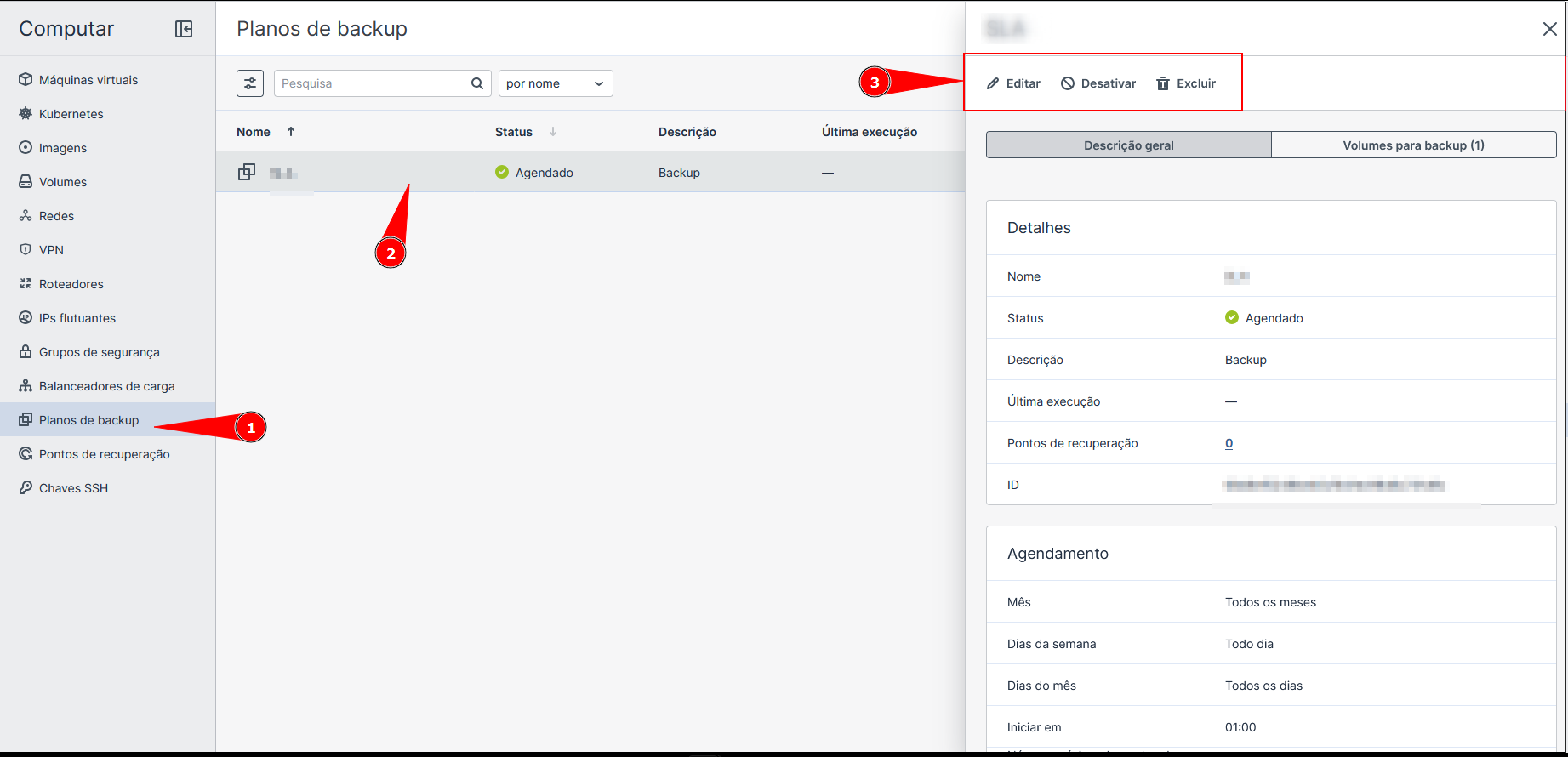
When accessing Planos de backup and clicking on Create Backup Plan, you should fill in the following fields:
1. Identification
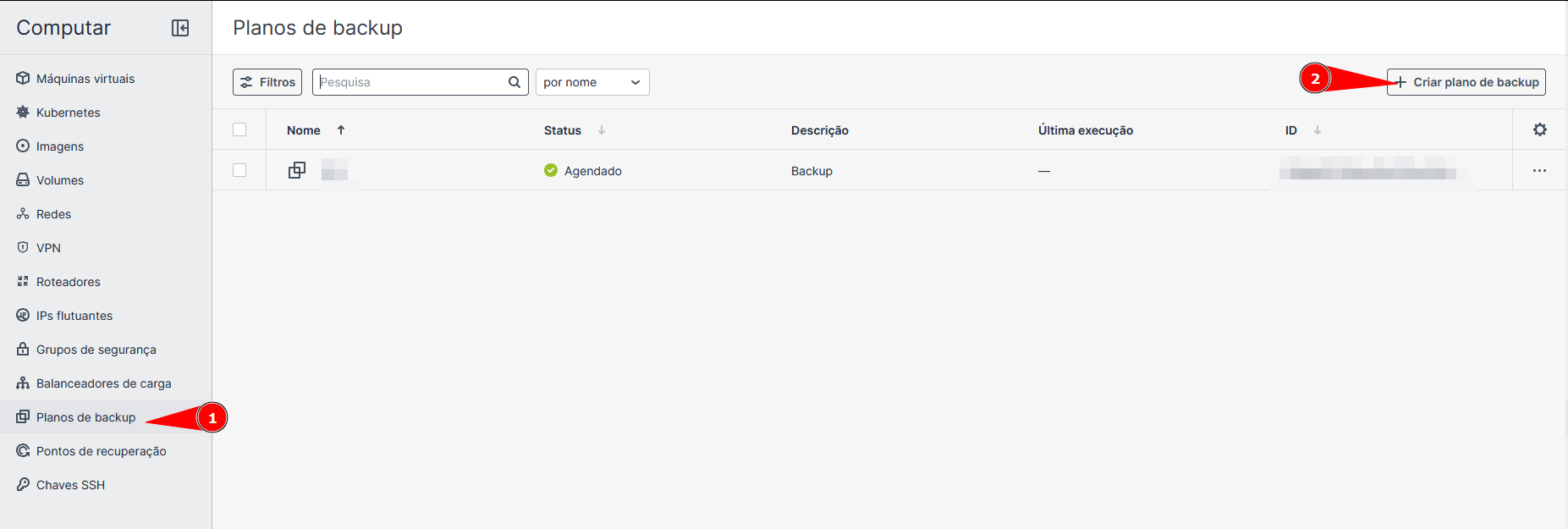
- Name: Define a name for the plan.
Use clear names that identify the frequency or the machine, such as Backup_Diario_Producao.
- Description: Optional field to detail the purpose of this backup for other team analysts.
2. What to save
- Volumes: By default, the plan focuses on volumes. Click on
Gerenciarif you need to select specific disks attached to the VM.
3. Scheduling
Defines the execution frequency.
- Backup schedules: Choose between predefined frequencies or
Costumizarto customize. - Month / Days of the week / Days of the month: Select the exact recurrence (e.g., every month, every day of the week).
- Start at: Defines the start time.
4. Retention
- Maximum number of recovery points: Defines the limit of stored versions.
If set to 7, the system will keep the last 7 backups. When creating the 8th, the oldest is automatically deleted to optimize space.
Plan Management
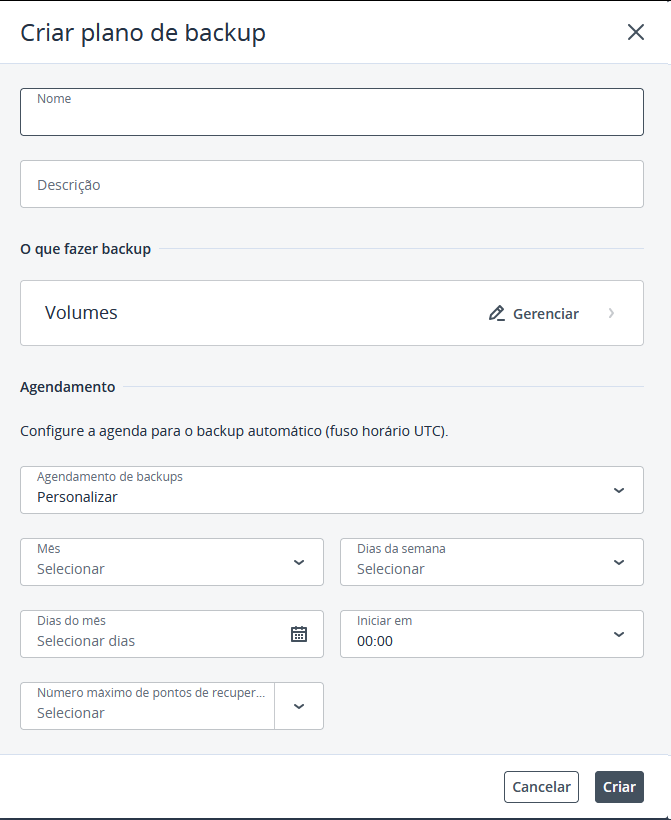
After creation, you can manage the plan by clicking on its name in the main list. A side detail panel will be displayed with the following functions:
Check Information
- General Description: Shows the status (Scheduled), the plan ID, and a summary of the scheduling rules.
- Recovery Points: Indicates the number of backups already performed. Clicking the number takes you directly to the restoration.
- Volumes for backup: Lists which disks of which VMs are being protected by this plan.
Quick Actions (Top of the Panel)
- Edit: Allows changing the time (UTC), retention, or included volumes without needing to delete the plan.
- Disable: Pauses automatic execution.
Use Disable when you need to perform long maintenance on the VM and do not want to generate inconsistent backups during the process.
- Delete: Permanently removes the plan.
When deleting a plan, the automatic protection routine for the linked VMs ceases to exist. Check if the machine has another active security layer.