🌐 Virtual Routers
📘 Introduction
Virtual Routers allow you to connect private networks to the internet and enable communication between subnets within your cloud infrastructure.
They are essential for:
✅ External access to VMs
✅ Network communication
✅ NAT and SNAT
✅ Multi-tier architectures
✅ Secure and scalable environments
🚀 When to use a virtual router?
Use routers to:
- 🌍 Publish applications on the internet
- 🔐 Create network isolation
- ⚙️ Architectures with Load Balancer
- ☁️ High availability infrastructures
- 🔄 Communication between private subnets
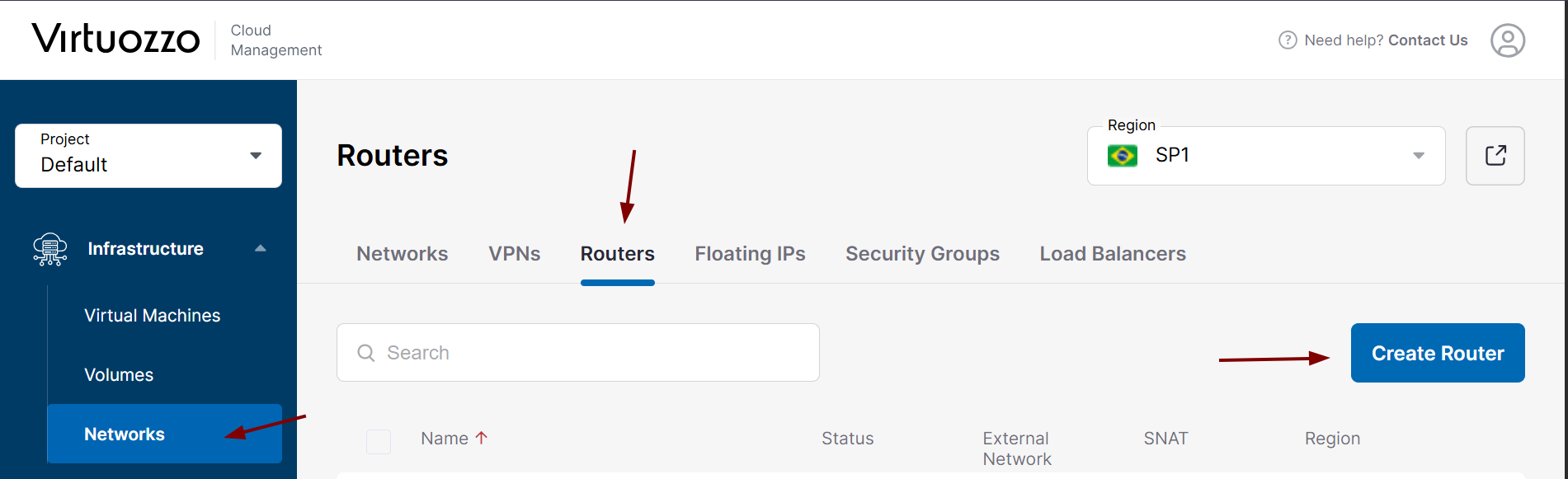
🧭 Step 1 -- Accessing the routers area
- In the platform panel:
Infrastructure → Networks → Routers
Click on:
👉 Create Router
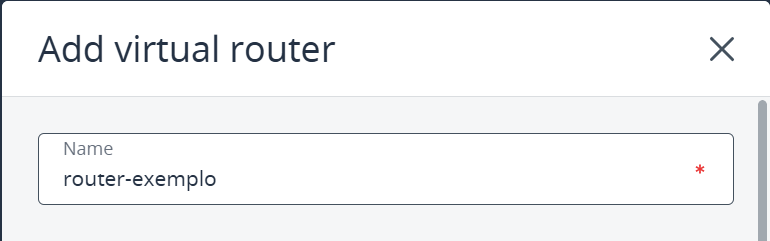
🏷️ Step 2 -- Router name
Choose a descriptive name, for example:
- router-prod
- router-dev
- gateway-main
🌍 Step 3 -- External network
Select the public network that will provide internet access.
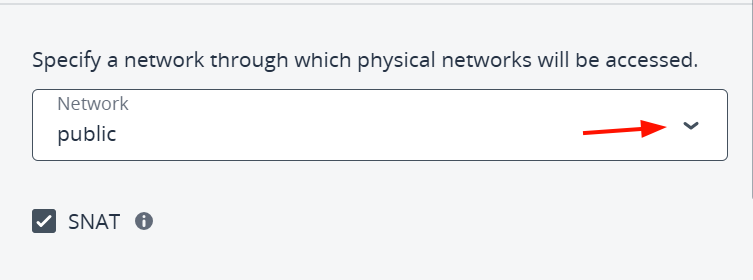
🔁 Step 4 -- SNAT
Enable:
✅ SNAT
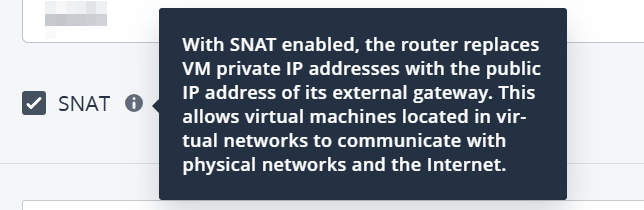
💡 Why enable SNAT?
SNAT (Source Network Address Translation) allows virtual machines in the private network to access the internet even without a public IP.
When enabled on the router, outgoing traffic from the VMs is translated to the public IP of the external network, enabling:
- System updates (
apt,yum, etc.) - Access to external APIs and services
- Downloading packages and dependencies
SNAT only allows outgoing connections, keeping instances protected from direct internet access. For external access, Floating IPs or Load Balancers are still required.
🔗 Step 5 -- Internal interfaces
Click on:
👉 Add
Select the subnet.
Example:
192.168.0.0/24
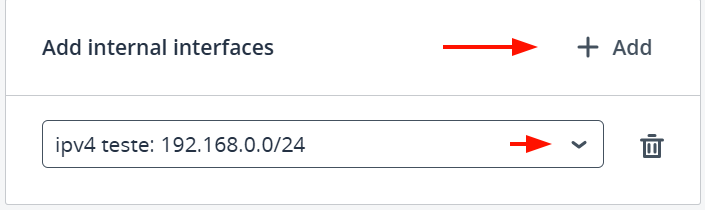
The interface was previously created in Network
✅ Step 6 -- Creating
Click Create.
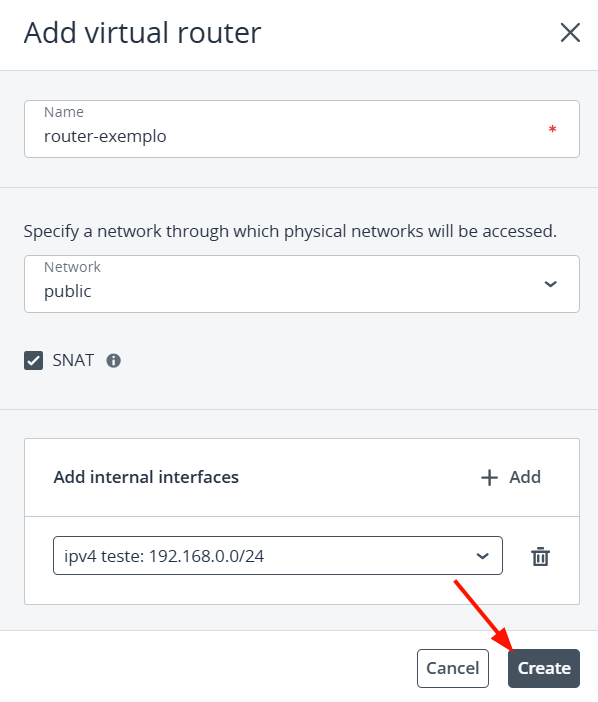
🎉 Router created!

🚨 Troubleshooting
VM without internet
- SNAT enabled?
- Subnet connected?
🆘 Support
If you have questions or need help, contact SaveInCloud technical support through the available channels.